Copy Trading With GoPocket
Discover copy trading with GoPocket. Automate trades, manage accounts, and trade smarter with India’s top copy trading solutions.
Introduction:
To connect GoPocket with AlgoDelta Copy Trading software, follow these steps:
1. Generate your API key and secret key from the GoPocket portal.
2. Add your GoPocket account details inside AlgoDelta Copy Trading.
Step 1:
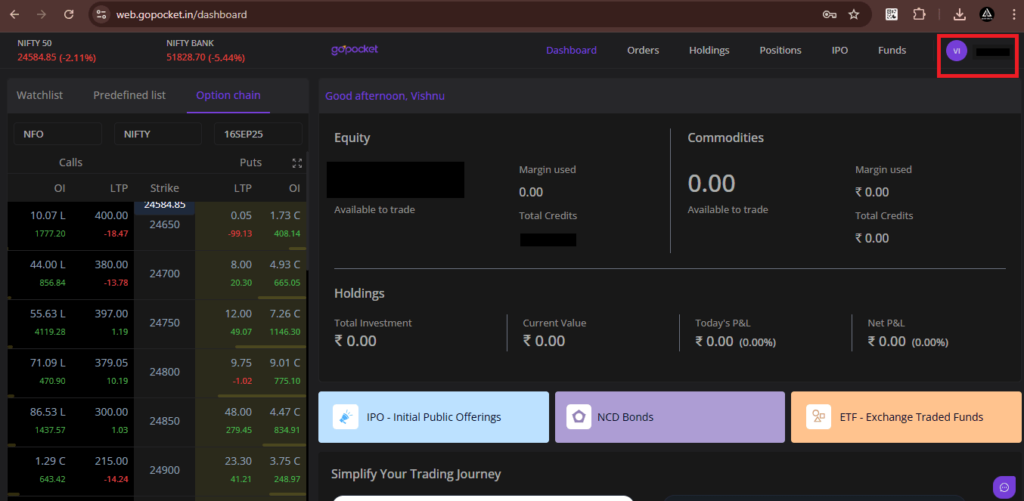
Open the GoPocket dashboard by visiting: https://web.gopocket.in/dashboard.
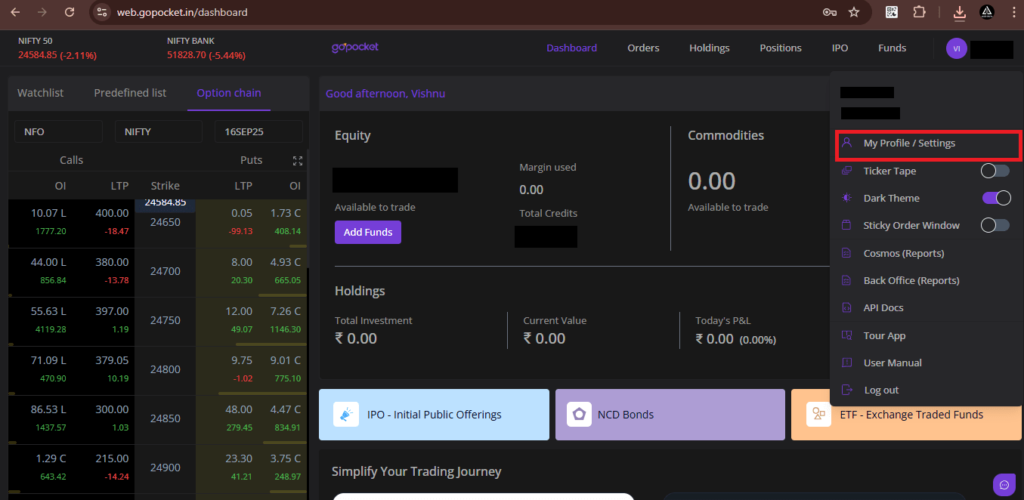
1 . After logging in, click the profile icon located at the top-right corner of the GoPocket dashboard.
2. Click on the My Profile/Settings tab, where you will find your unique GoPocket ID.
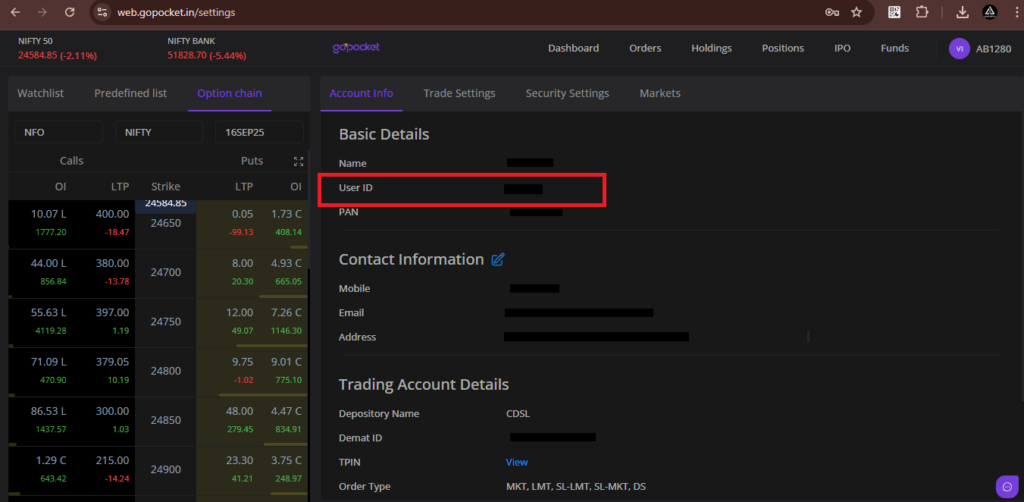
Step 2:
To generate your API key and Secret key, click on the API Docs tab, then select “For Individual Traders.”
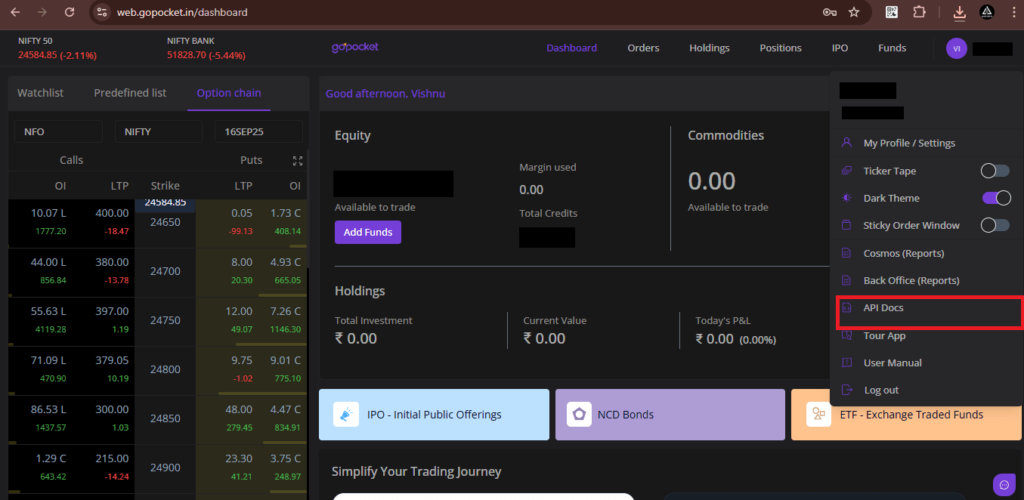
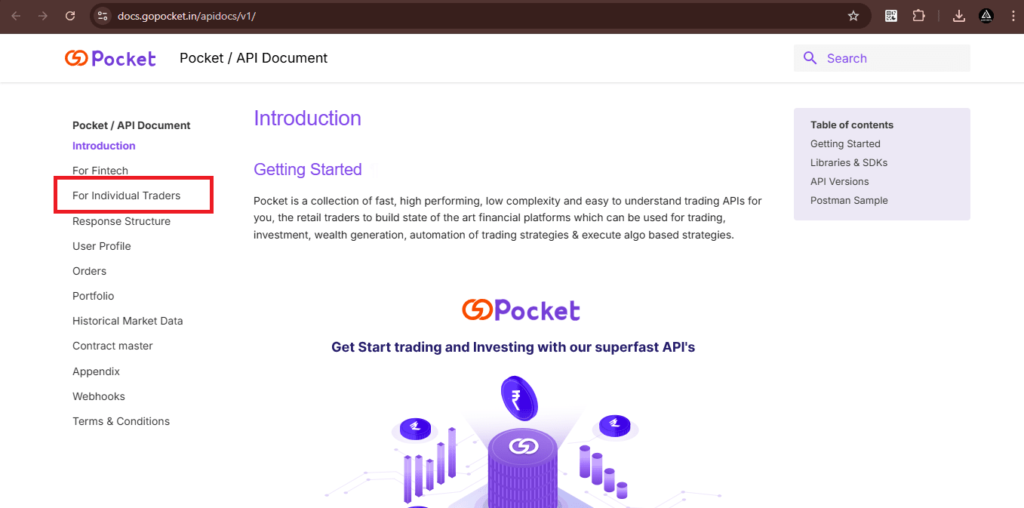
Next, click on web.gopocket.in/developers to continue generating your API and Secret key.
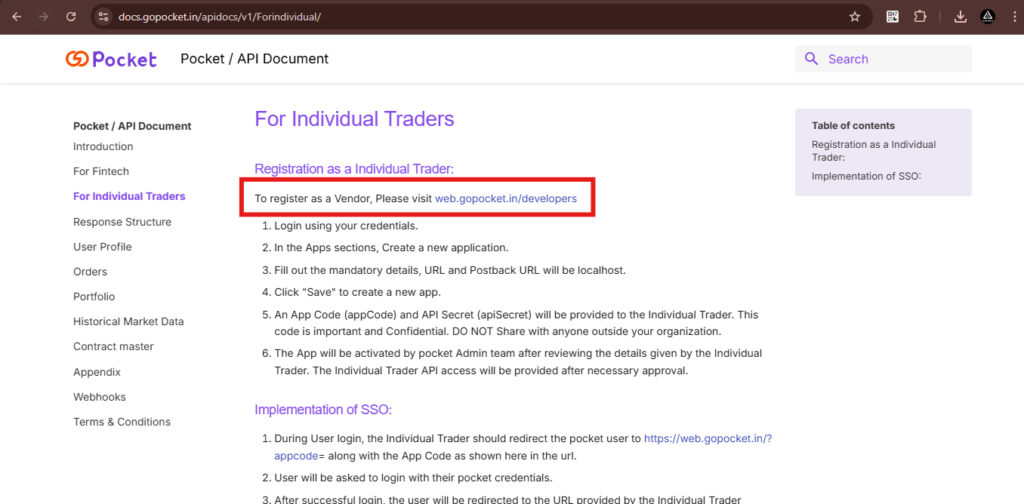
Then, click on “Create New App” to generate your GoPocket API and Secret key.
Enter your Vendor Name, Contact Person Name, Email ID, Mobile Number, and Description.
For Redirect URL and Postback URL, use:
👉 https://algodelta.com/platform/dematconnected
Finally, click on Save to complete the setup.
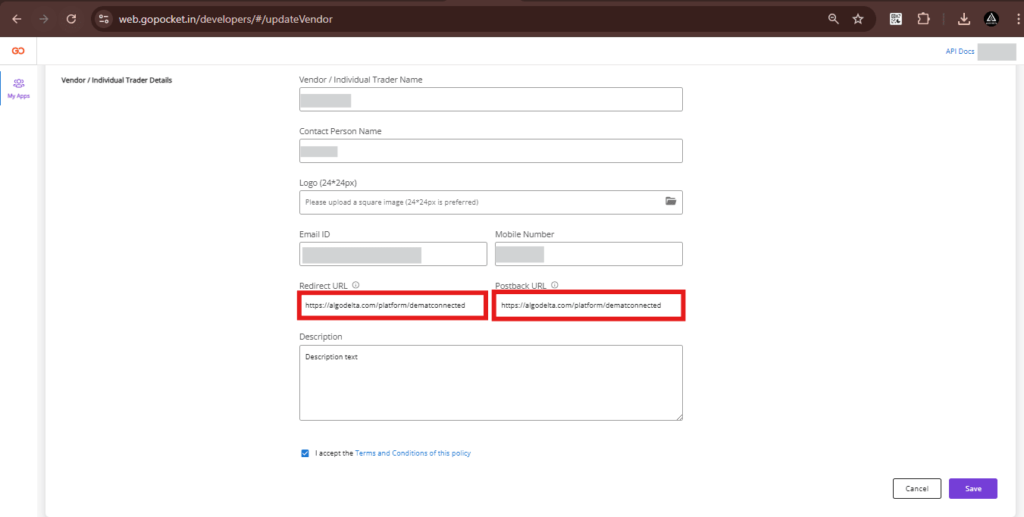
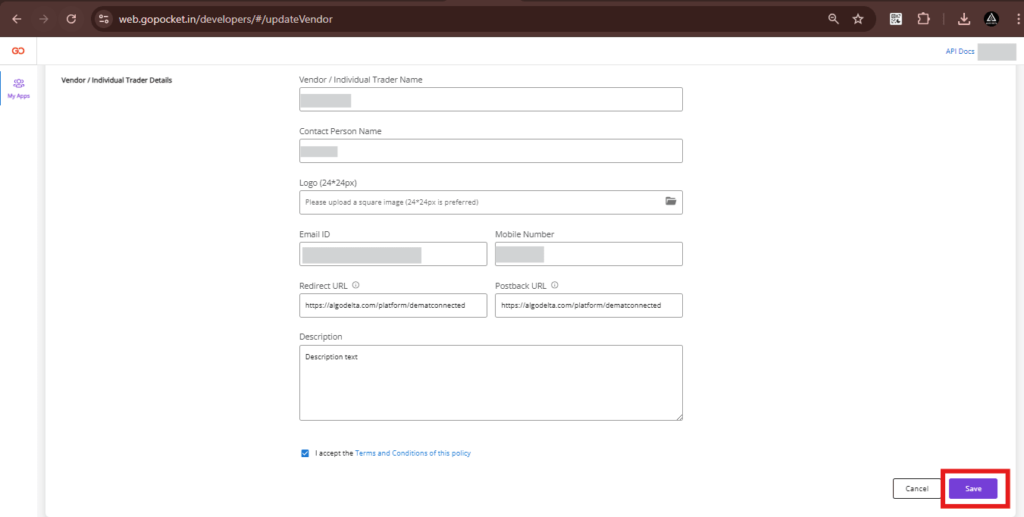
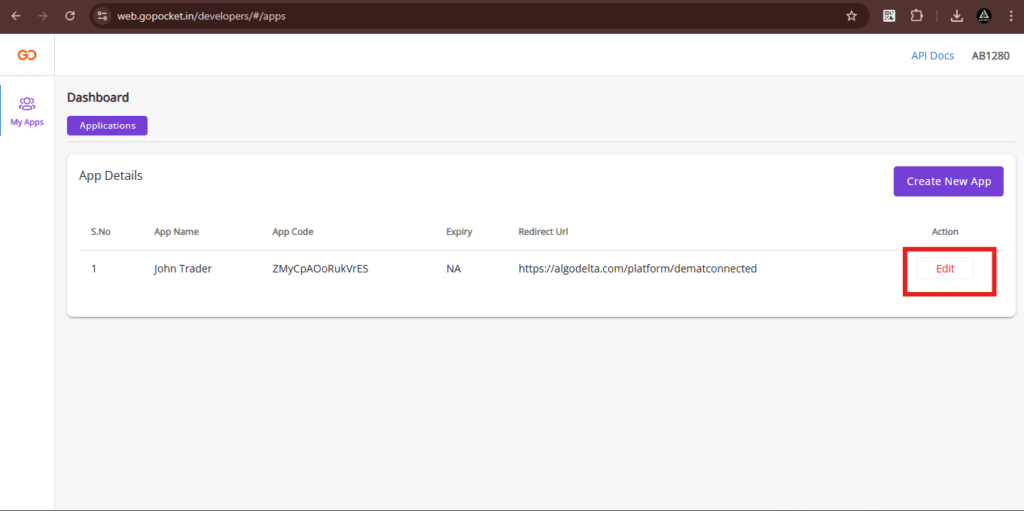
After saving, you’ll see the app details screen. Click on Edit to view and manage your API key and Secret key.
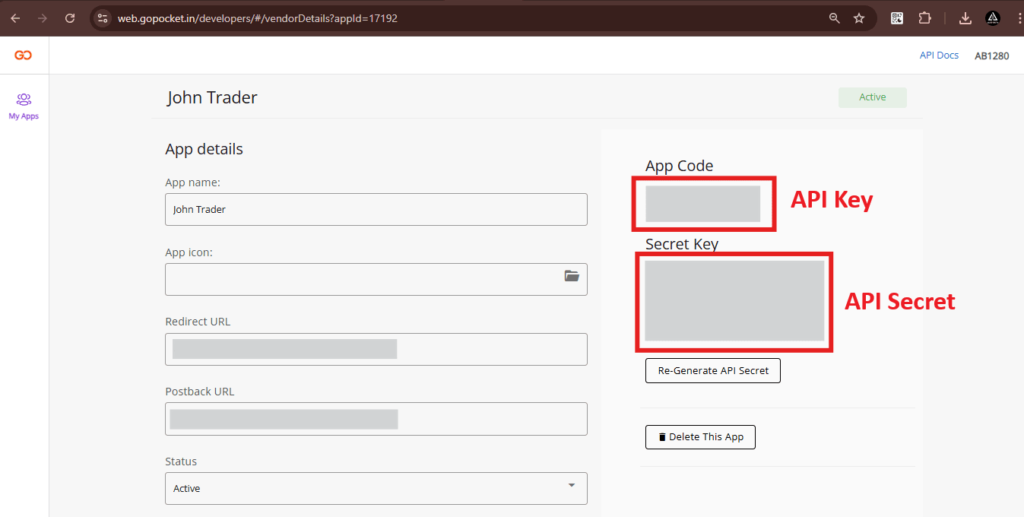
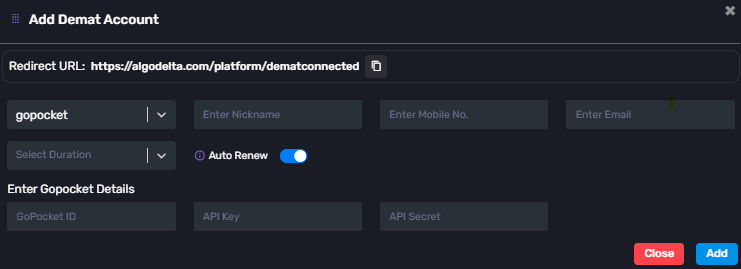
Go to the Demat tab and click on Add Demat Account. Choose GoPocket as the broker and fill in the required details: Nickname, Mobile Number, Email, Duration, GoPocket ID, API Key, and API Secret (generated from the GoPocket portal). After clicking Add, a confirmation pop-up will appear saying Broker Connected.
Conclusion:
By following these steps, you can easily connect your GoPocket account with AlgoDelta’s Copy Trading software, unlocking seamless trade replication, multi-account management, and advanced automation features for an enhanced trading experience.

Written by
The AlgoDelta support team writes setup guides for copy trading, broker API connections and TradingView automation, based on thousands of real customer setups.