


Introduction:
To connect Aliceblue in AlgoDelta’s Copy Trading software, follow these steps:
-
- Generate TOTP Key.
-
- Add Aliceblue Account Details in Algodelta’s Copy Trading.
Step 1:
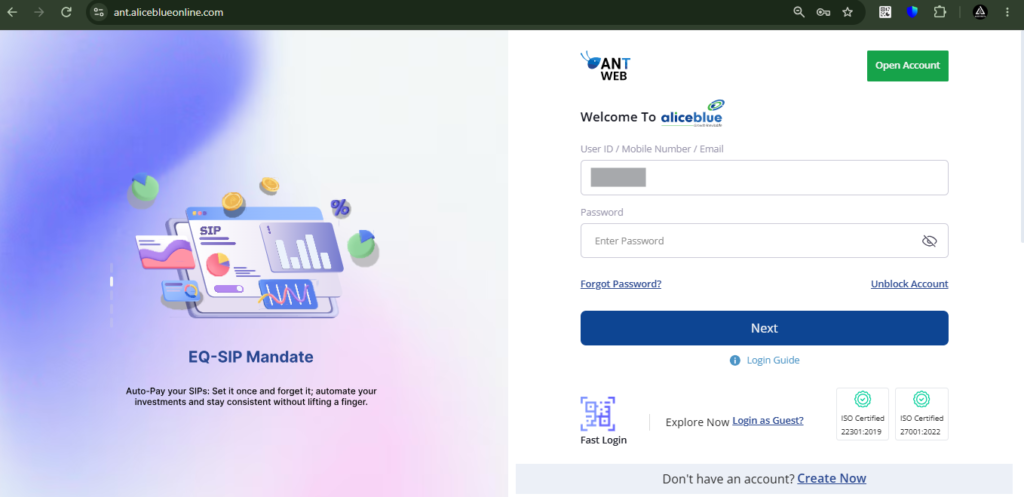
To begin, open the AliceBlue website using the following link: https://ant.aliceblueonline.com/
-
- First, enter your “User ID” and click on Next.
-
- Next, type in your “Password” and click Next again.
-
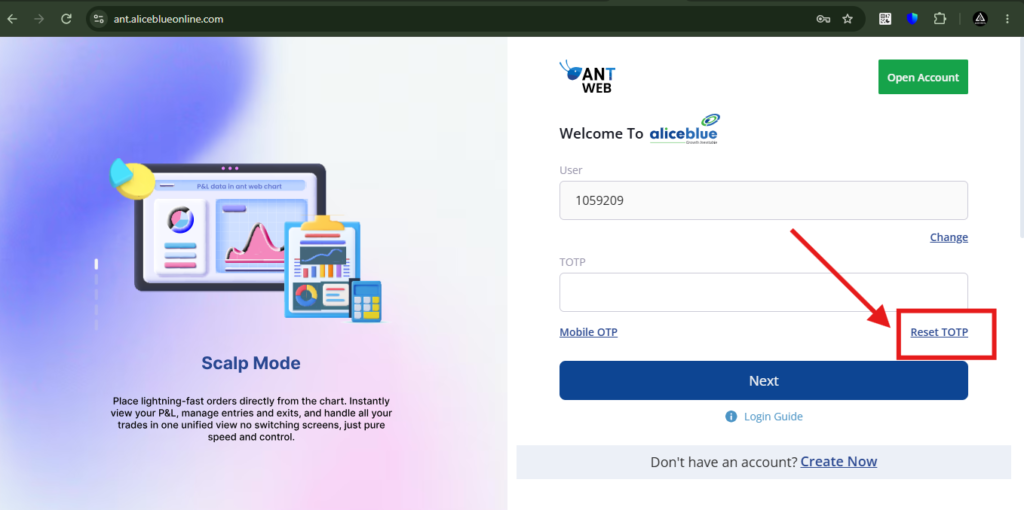
- Then, click on “Reset TOTP.”

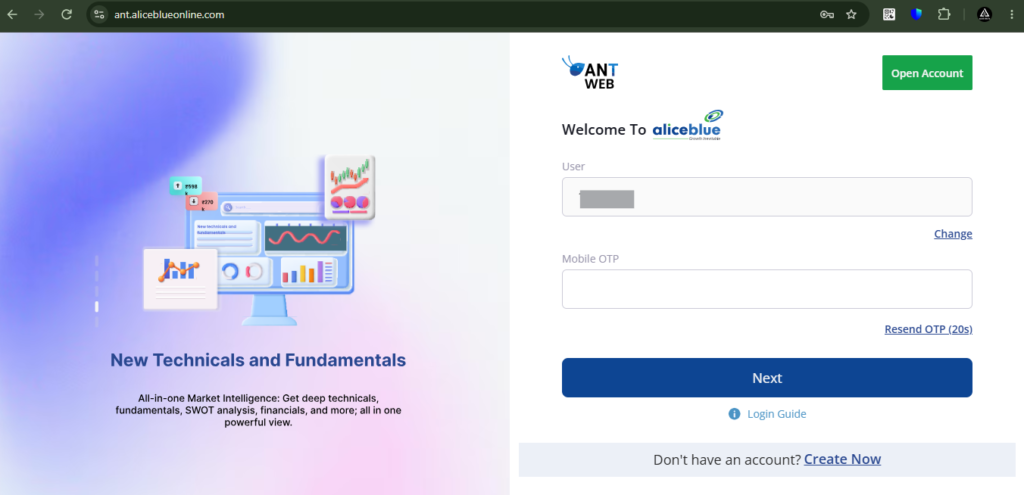
Then, enter the OTP sent to your registered mobile number.
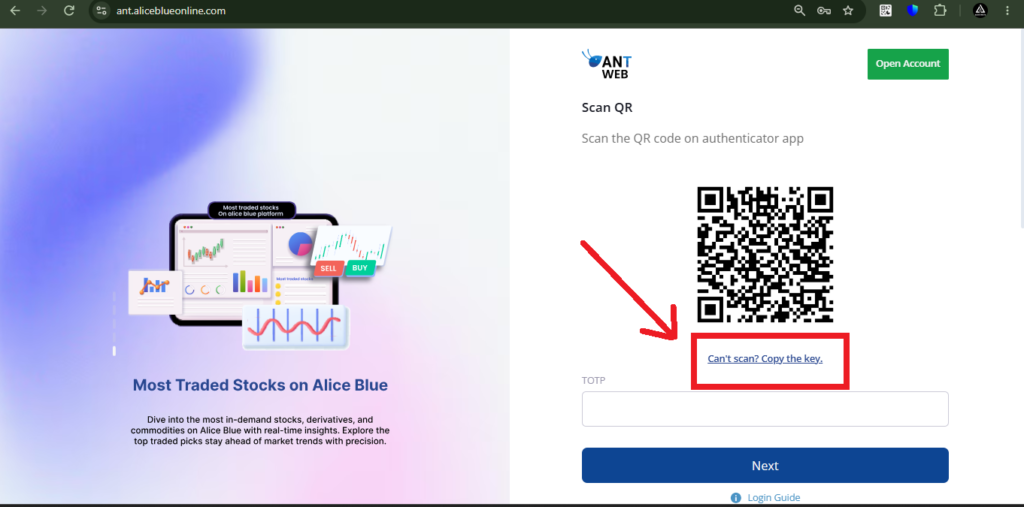
Then, a QR code will be displayed. Scan this QR code using the Google Authenticator app. You can use any authenticator app; in this guide, we are using Google Authenticator as an example.
You just need to click on the “Can’t Scan? Copy the Key” button to get your TOTP key.
Copy the long TOTP key and enter it in AlgoDelta.
Download link of google Authenticator : https://chromewebstore.google.com/detail/authenticator/bhghoamapcdpbohphigoooaddinpkbai?hl=en
Steps for google Authenticator app
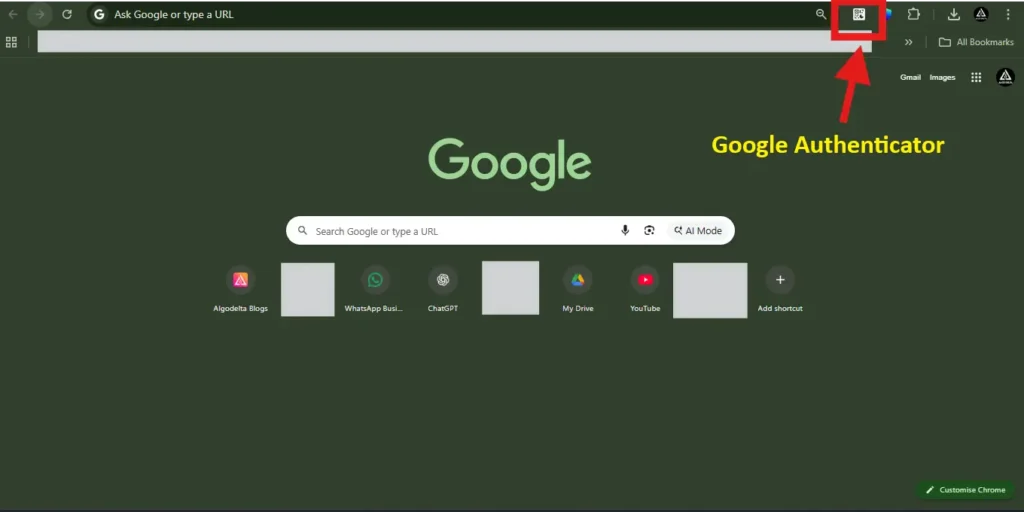
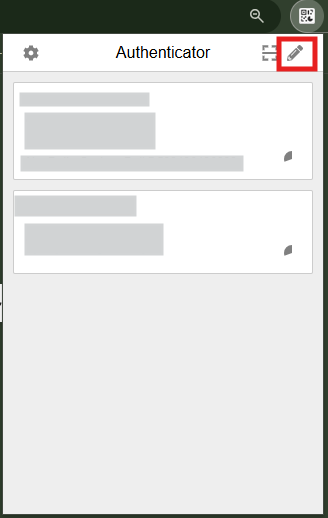
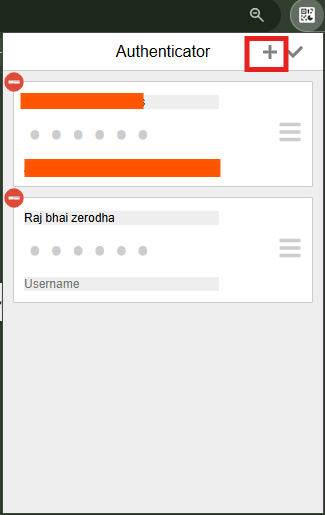
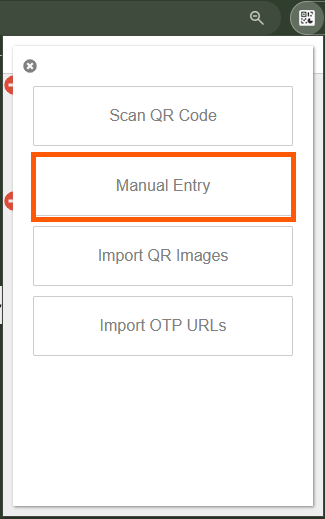
In the “Secret” field, enter the TOTP key to generate the 6-digit authentication code using your authenticator app.
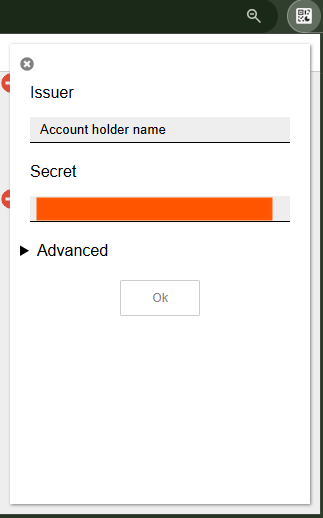
After completing these steps, you will receive a 6-digit TOTP code in your Authenticator app. Enter this 6-digit TOTP in the “Enter 6 digit TOTP” section in the Kotak broker window to complete the verification process.
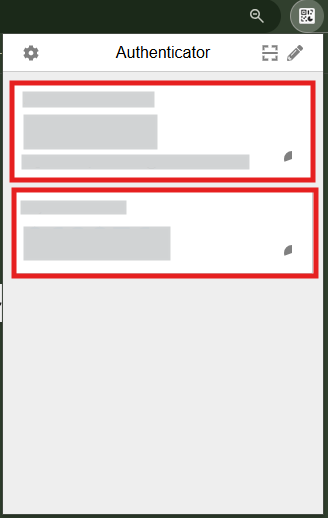
(You can use any Authenticator app to generate the TOTP code. In this guide, we are using Google Authenticator as an example, but other authenticator apps will work the same way.)
Then, enter the 6-digit TOTP generated by your authenticator app.

Step 2:
For getting an AliceBlue ID:
-
- Click on the top right corner of the profile icon image.
-
- You will see AliceBlue ID.


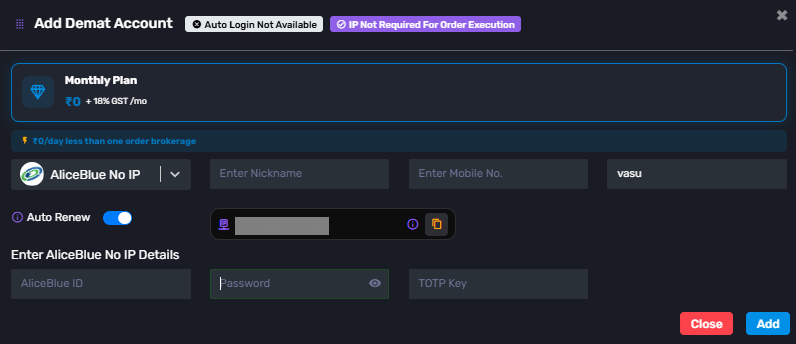
Click on ‘Add Demat Account,’ select AliceBlue as your broker, and enter the required details: Nickname, Mobile Number, Email, AliceBlue ID, Password and TOTP key from the AliceBlue portal. After completing the information, click ‘Add.’ A ‘Broker Connected’ pop-up will appear, confirming a successful connection.
For “Alice Blue No IP”, you do not need to add a static IP anywhere, and there is no need to purchase a static IP.
Conclusion:
By following these steps, you will successfully connect your Aliceblue account to AlgoDelta’s Copy Trading software and gain access to its features for enhanced trading experiences.
