Copy Trading with AngelOne
Connect your Angelone account to AlgoDelta's copy trading software in just 3 steps. Enable TOTP from the SmartApi, generate an API key, and add details.

Table of contents
Introduction:
To connect AngelOne in AlgoDelta’s Copy Trading software, follow these steps:
1. Enable TOTP from AngelOne SmartApi.
2. Generate API Key.
3. Add AngelOne Account Details in Algodelta’s Copy Trading
Step 1:
Open the AngelOne SmartAPI website using the following link: https://smartapi.angelbroking.com/.
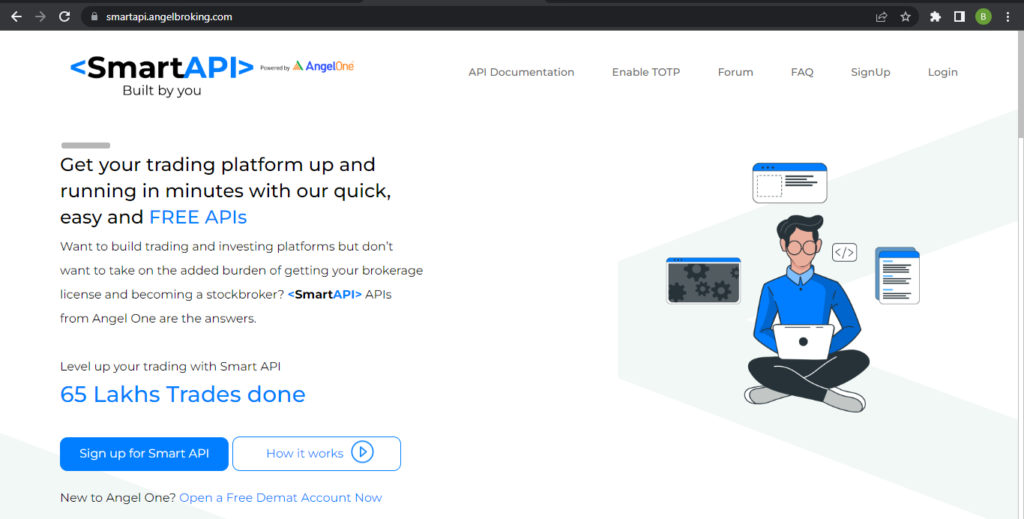
Step 2:
Click on “Enable TOTP” and enter your AngelOne client ID and PIN. You will receive an OTP on your registered mobile number and email ID. Enter Otp and click on Proceed.
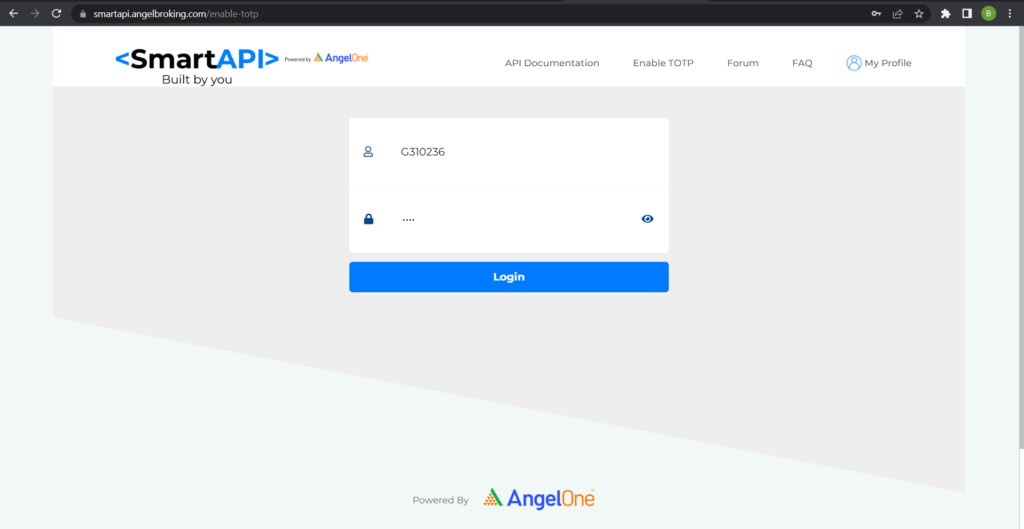
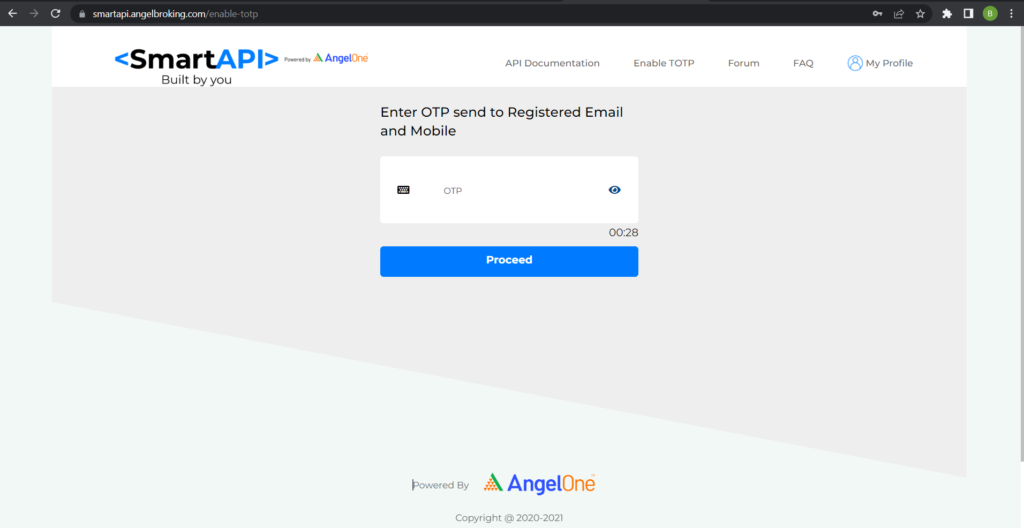
Step 3:
After entering the OTP, you will see a barcode and a TOTP key below the barcode. Copy the TOTP key to a notepad or Excel for later use.
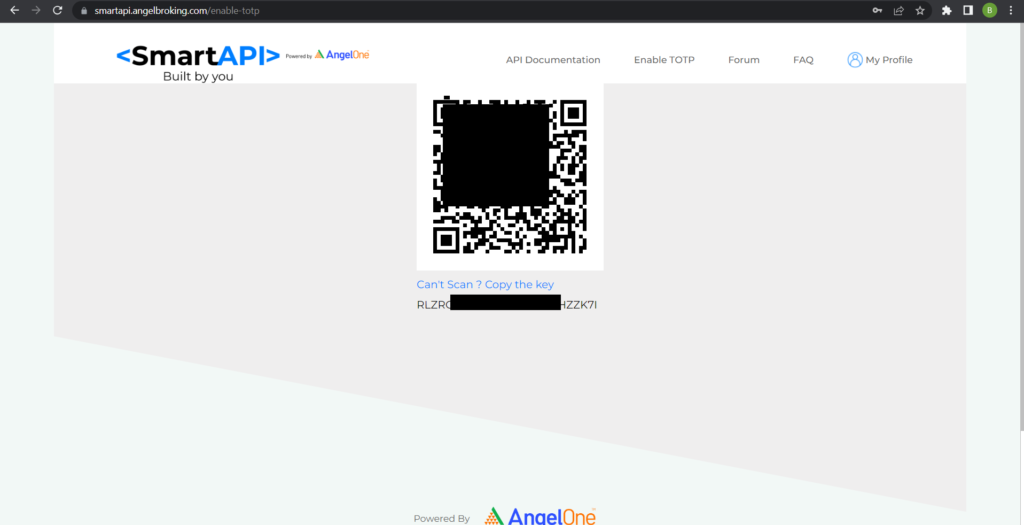
Step 4:
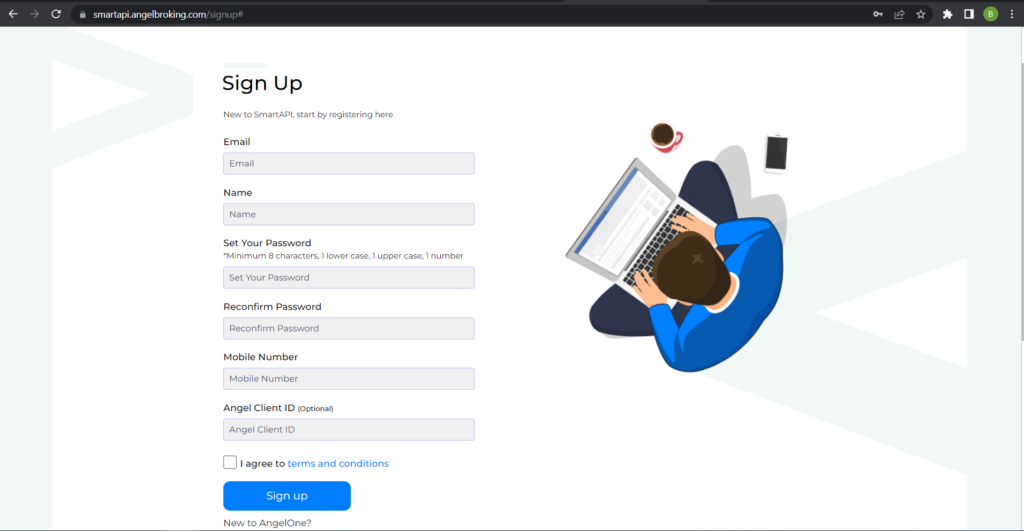
If you don’t have an account on SmartAPI, click on “Sign Up” and provide the required details to create an account.
Step 5:
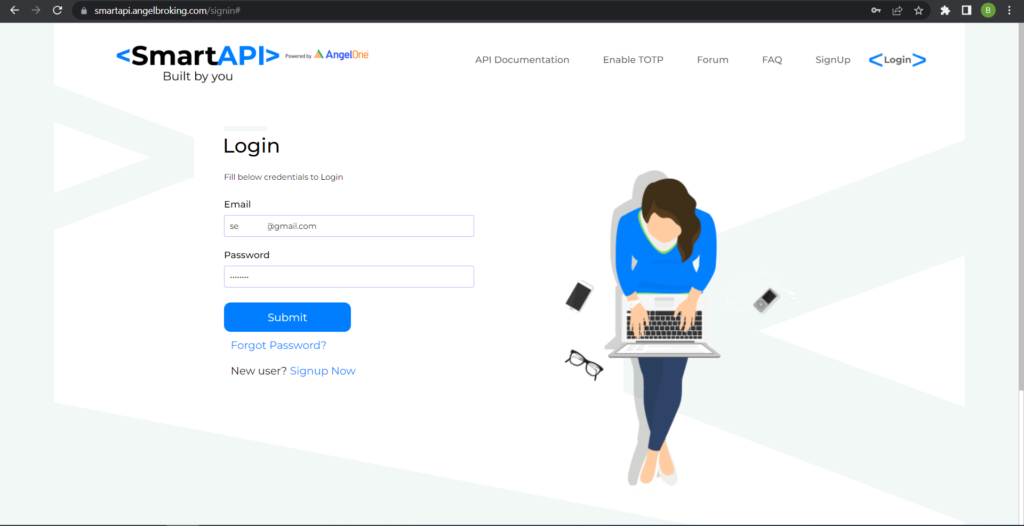
If you already have an account, click on “Login” and enter your email ID and password. You will be directed to the login screen.
Step 6:
Click the link below to copy:
https://www.google.com ✅ Copied!
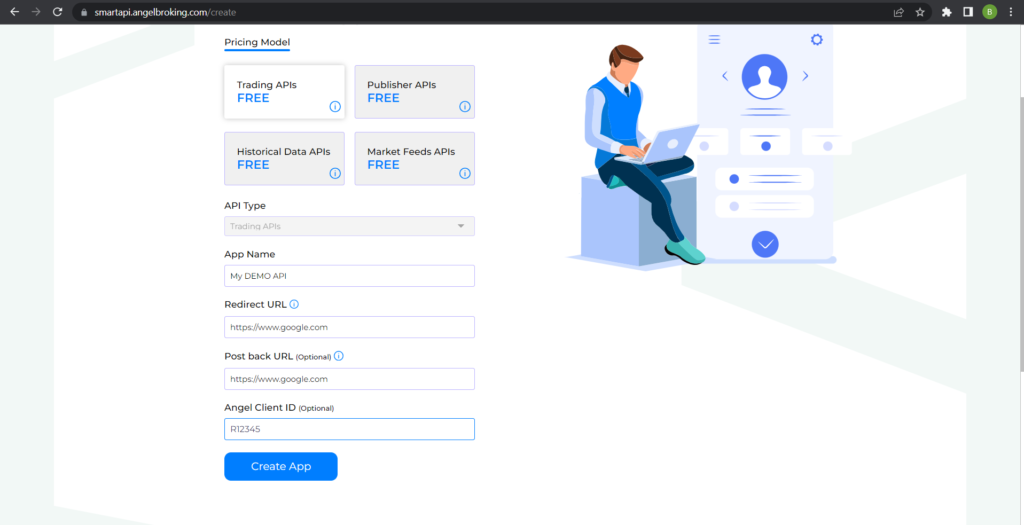
Step 7:
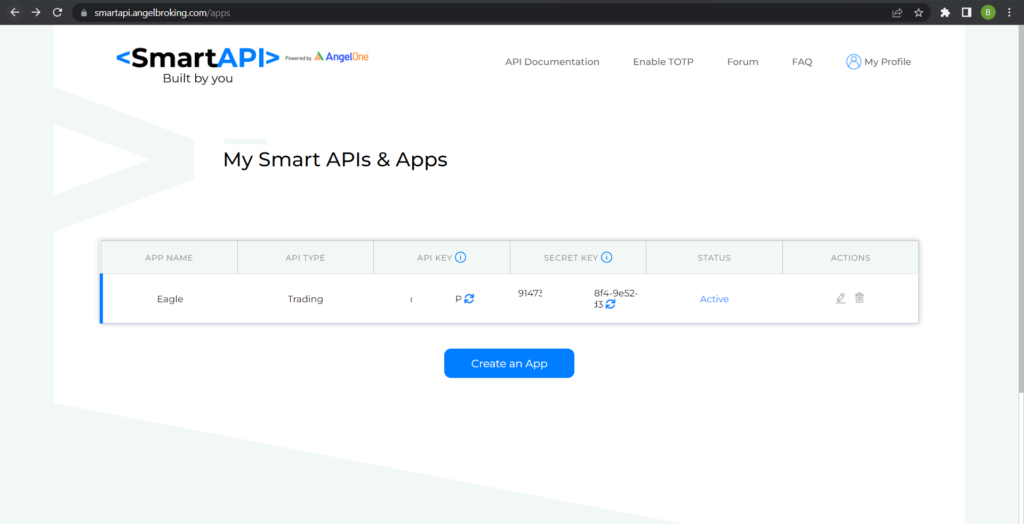
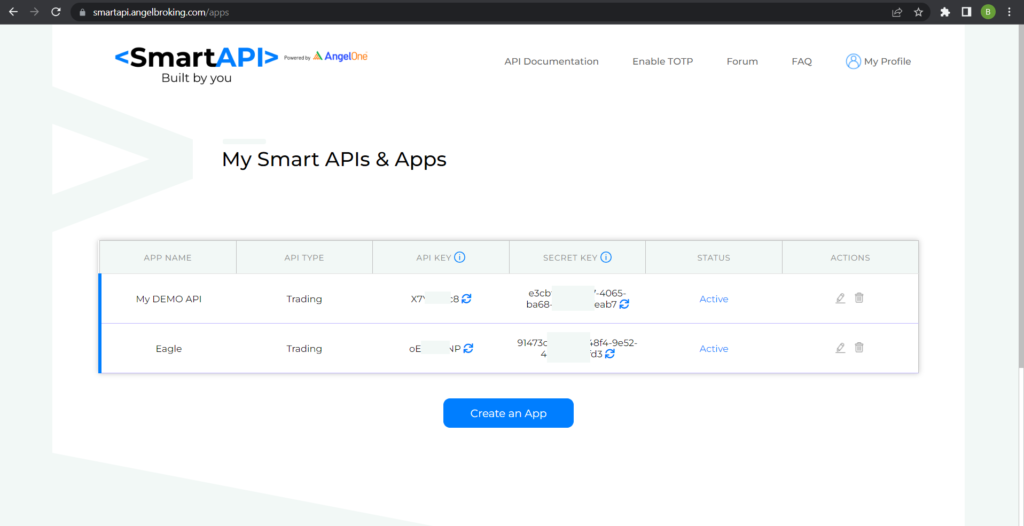
You will see your API key displayed on the screen.
Step 8:
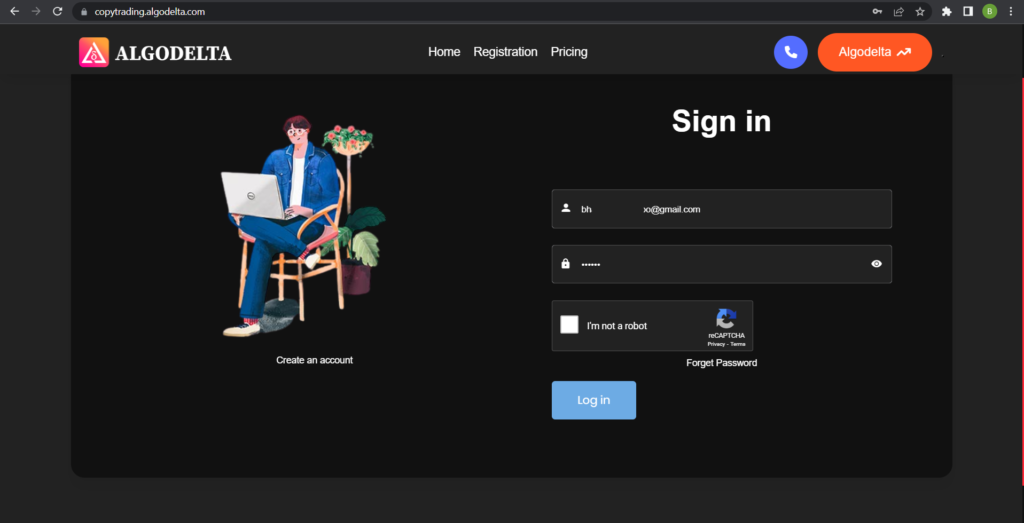
Now, go to AlgoDelta’s Copy Trading using the following link:
https://copytrading.algodelta.com. Enter your AlgoDelta email ID and password.
Step 9:
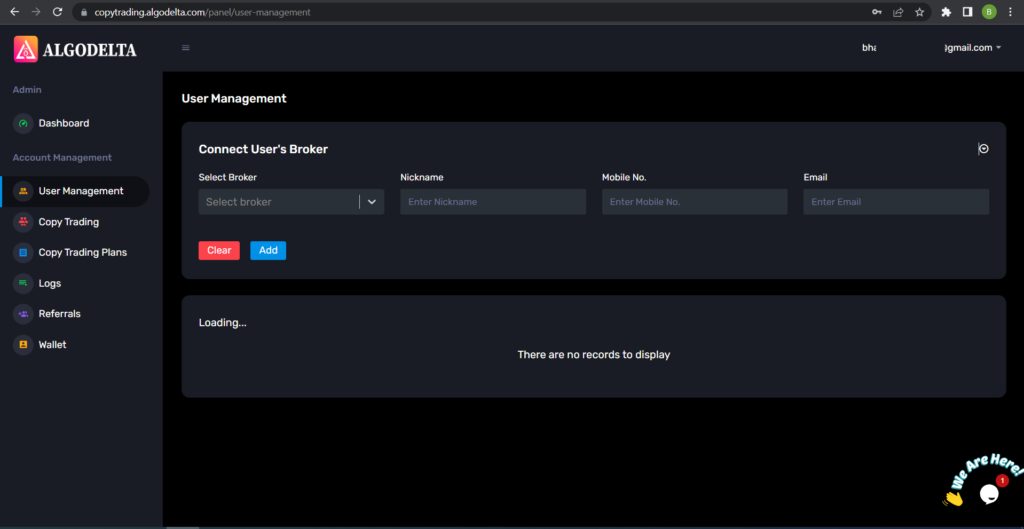
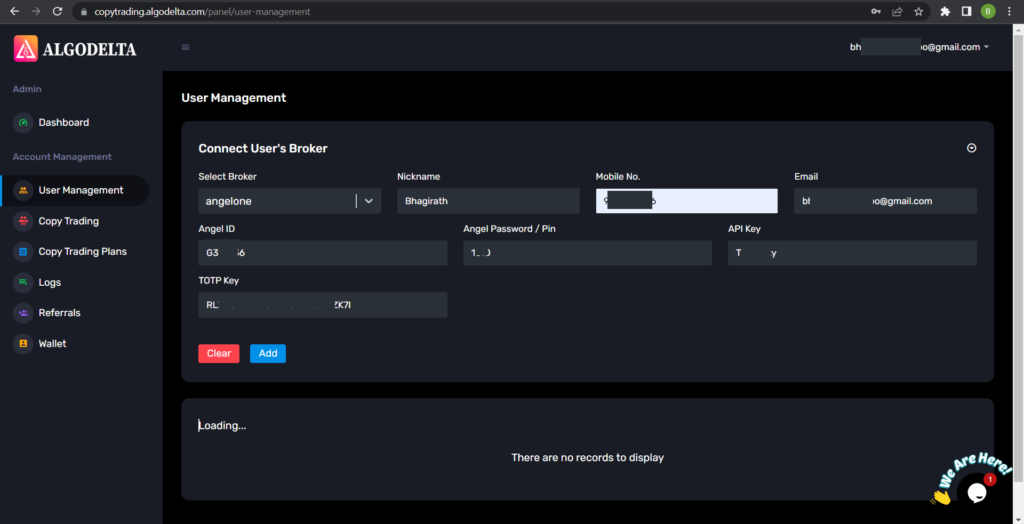
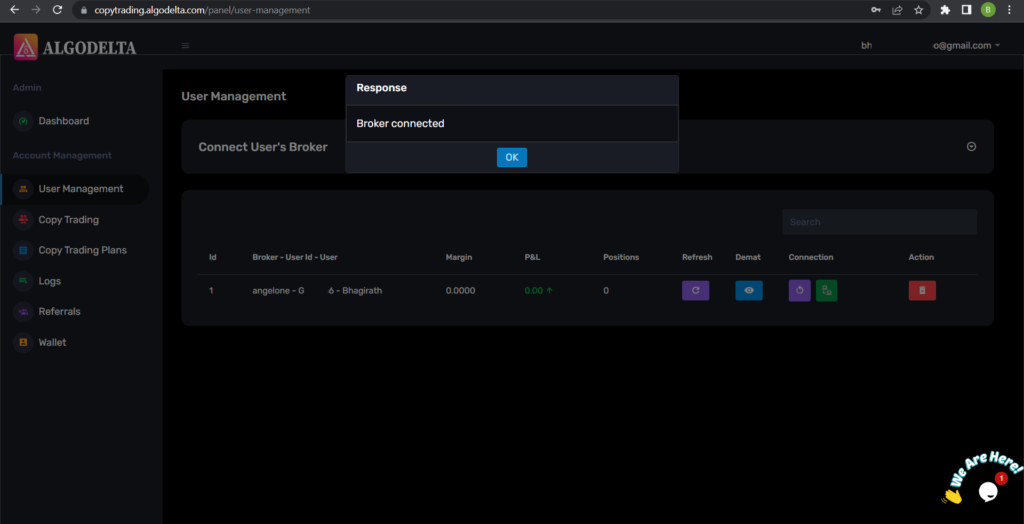
Go to the “User Management” tab and click on “Connect User’s Broker.” Select AngelOne as the broker and provide the following details: Nickname, Mobile Number, Email, Angel ID, Angel Pin, API Key, and TOTP Key (generated from the SmartAPI portal). Click on “Add.” You will see a “Broker Connected” pop-up.
Step 10:
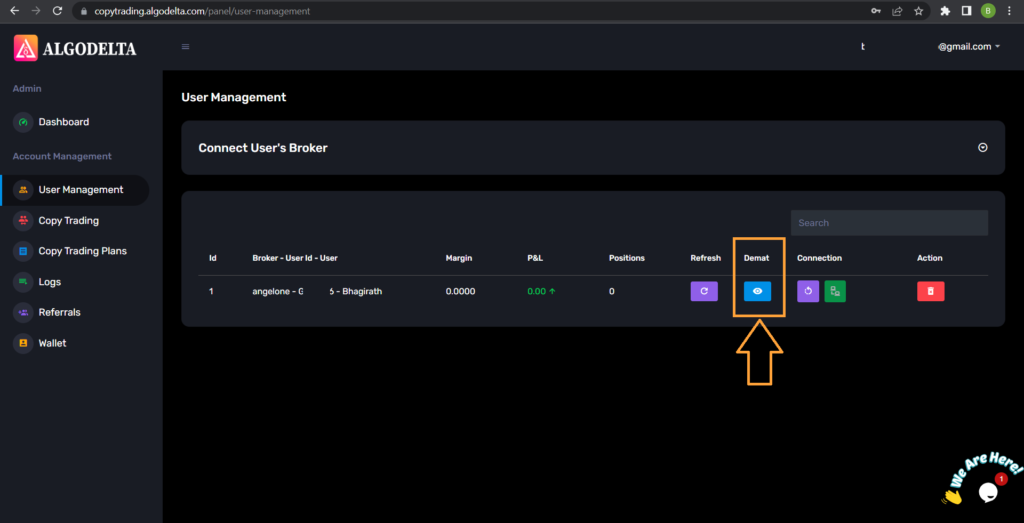
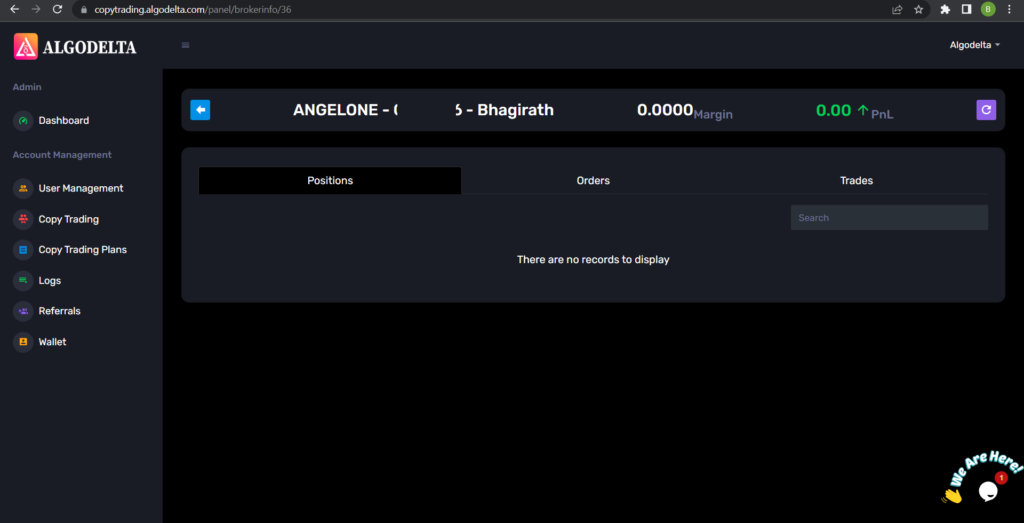
Click on the “Demat View” button next to your account. You will be able to view your positions, order book, trade book, margin details, and P&L (Profit & Loss).
Step 11:
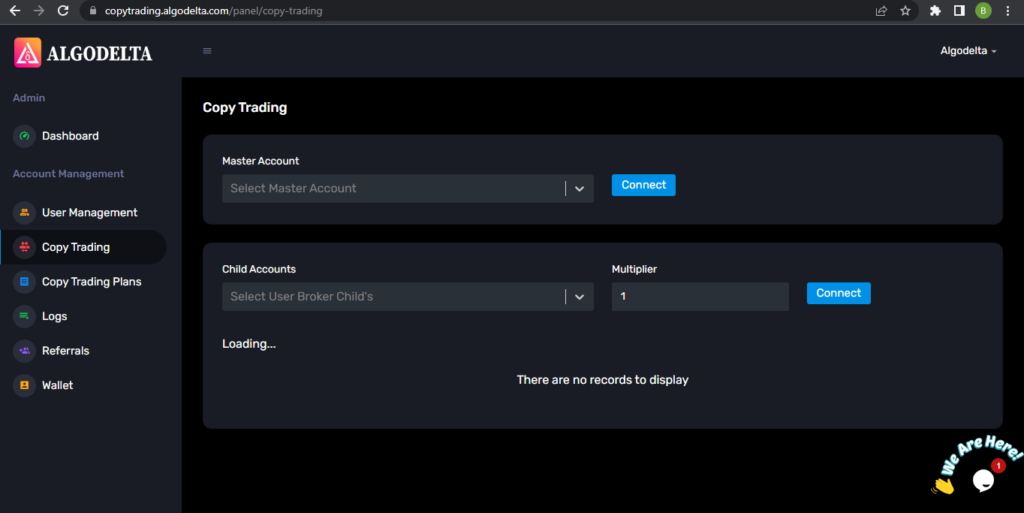
Now, go to the Copy Trading section and add your account. Ensure that you have purchased a copy trading plan from the “Copy Trading Plans” tab. Click on the dropdown menu to set your account as a master or child account, depending on your preference.
Conclusion:
By following these steps, you will successfully connect your AngelOne account to AlgoDelta’s Copy Trading software and gain access to its features for enhanced trading experiences.

Written by
The AlgoDelta support team writes setup guides for copy trading, broker API connections and TradingView automation, based on thousands of real customer setups.