Copy Trading With Aliceblue(ANT)
Copy trade with AliceBlueANT via AlgoDelta. Automate strategies, manage multiple accounts, and boost trading performance with ease.

Table of contents
Introduction:
To connect Aliceblue in AlgoDelta’s Copy Trading software, follow these steps:
- Generate an API Key.
- Add Aliceblue Account Details in Algodelta’s Copy Trading.
Step 1:
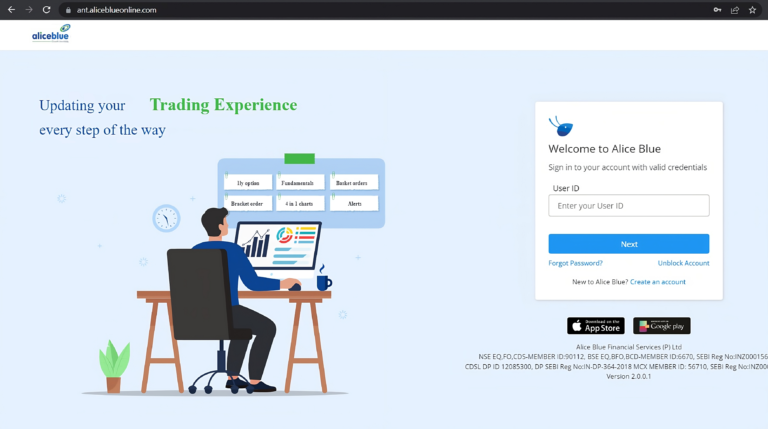
To begin, open the AliceBlue website using the following link:
https://ant.aliceblueonline.com/
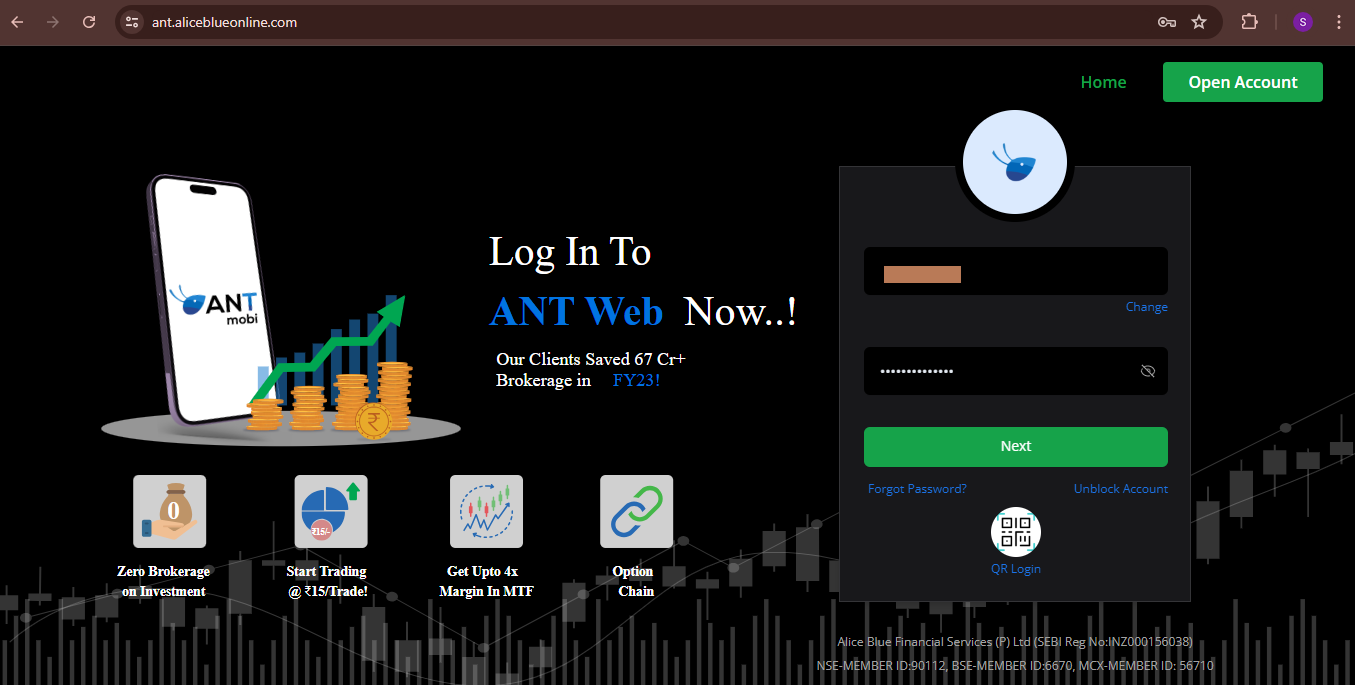
- First, enter your “User ID” and click on Next.
- Next, type in your “Password” and click Next again.
- Enter the OTP you will get in registered mobile number.
Step 2:
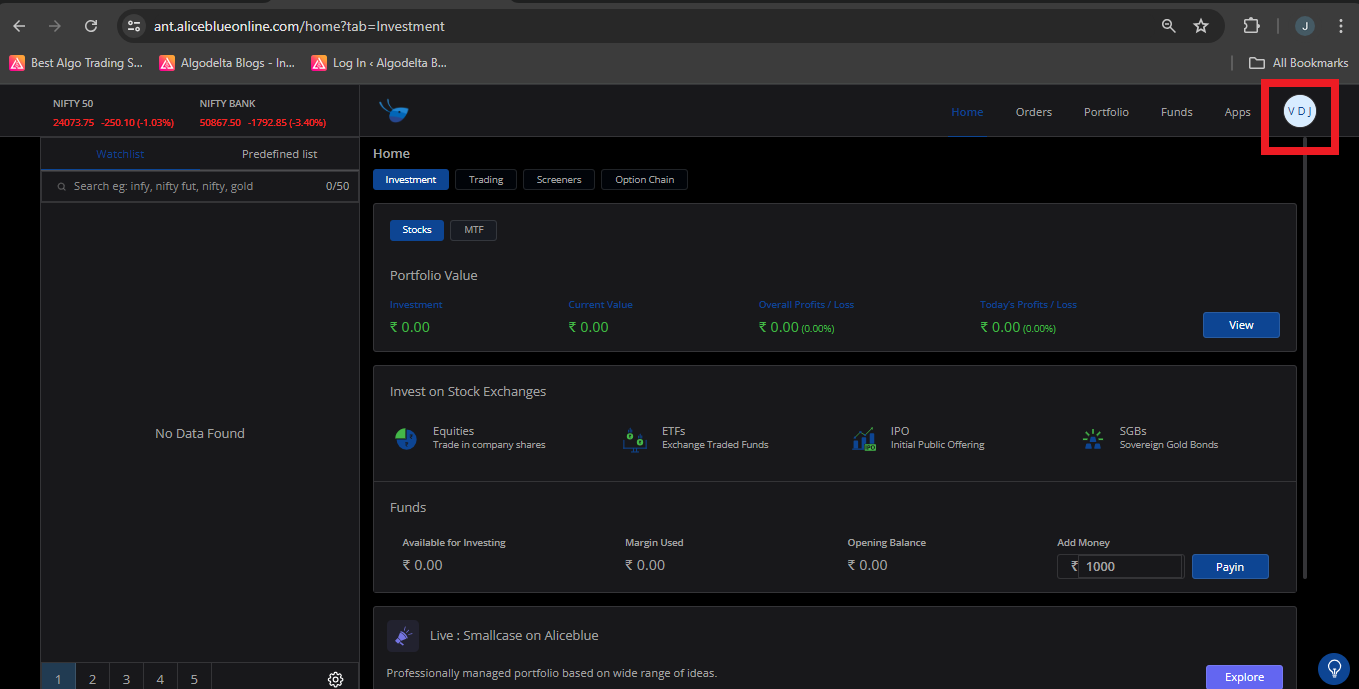
For getting an AliceBlue ID:
- Click on the top right corner of the profile icon image.
- You will see AliceBlue ID.
Step 3:
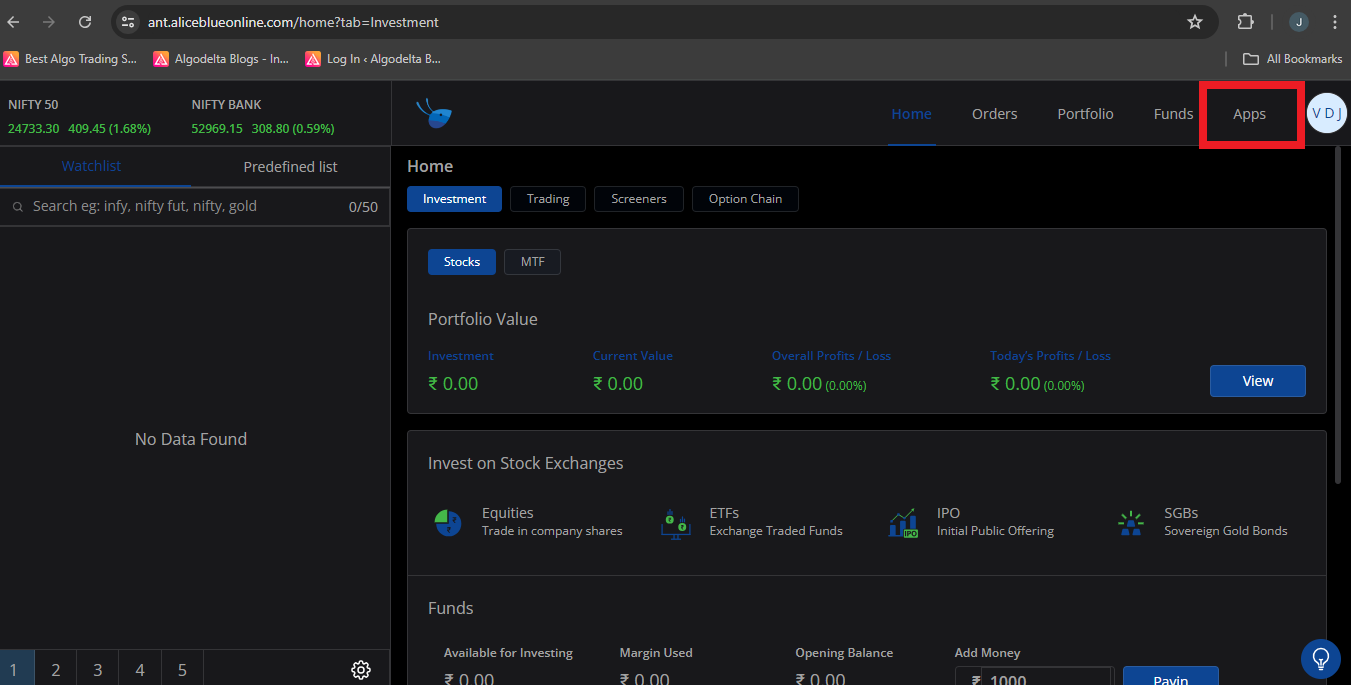
For getting an “API key”:
- Click on the ‘Apps’ tab in your dashboard to access application settings.
- Then click on the bottom right corner, ‘API Key’.
Step 4 : Now, click on the ‘Create App’ button. Now, enter the App Name and Description. In the Redirect URL, enter
https://algodelta.com/platform/dematconnected
. Select the Business Type as ‘Trading,’ then enter the Account Holder’s Contact Name, Contact Email, and Mobile Number. Leave the App Icon blank, and finally, click on the ‘Save’ button.
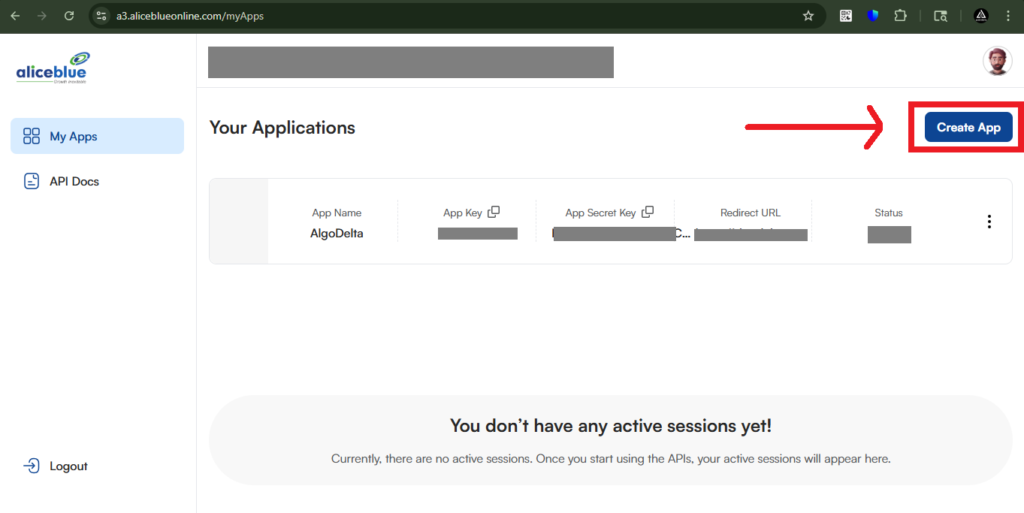
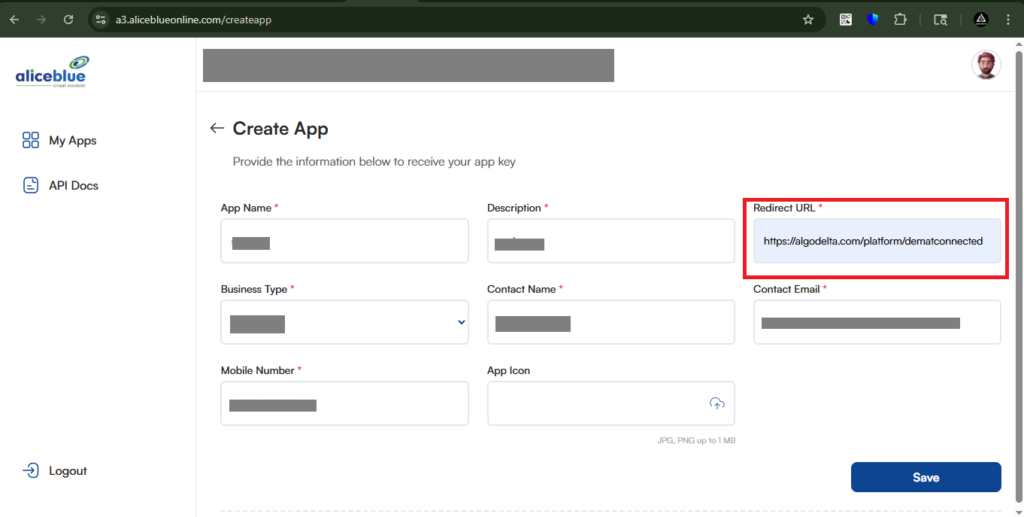
Next, you will see a section where you need to add the Static IP obtained from AlgoDelta.
It will take a minimum of 5 minutes to a maximum of 1 day to generate the API Key and API Secret.
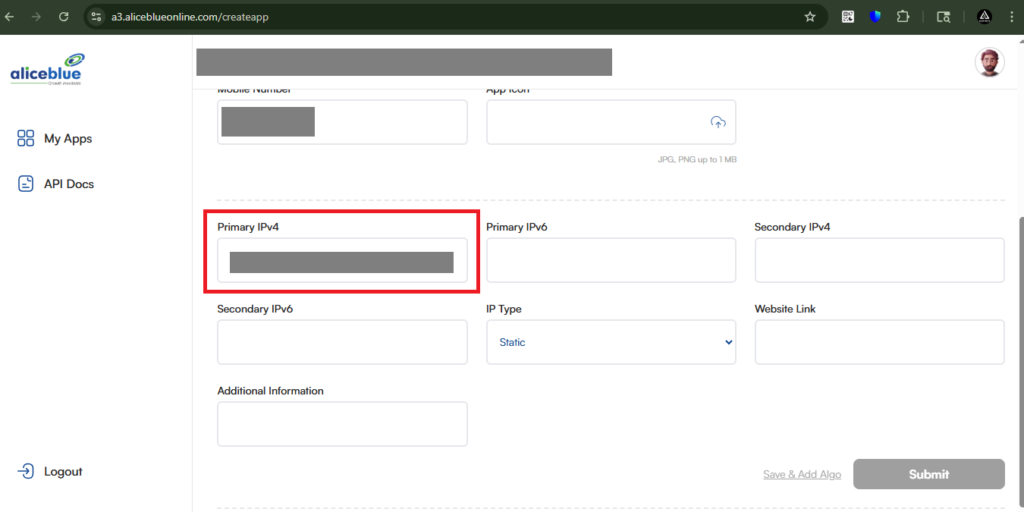
Step 4: For getting Static IP
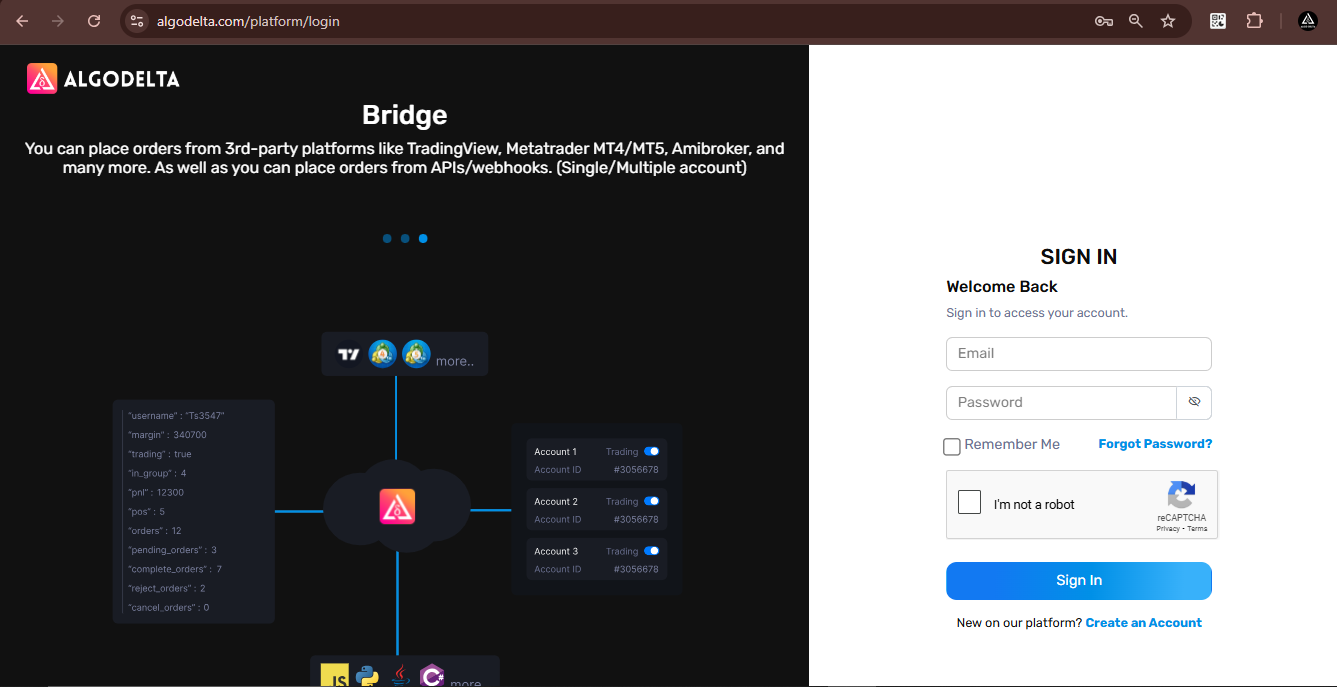
Now, go to AlgoDelta’s Copy Trading using the following link: h
ttps://algodelta.com/platform/login
. Enter your AlgoDelta email ID and password.
To get your
Static IP
, log in to your
AlgoDelta account
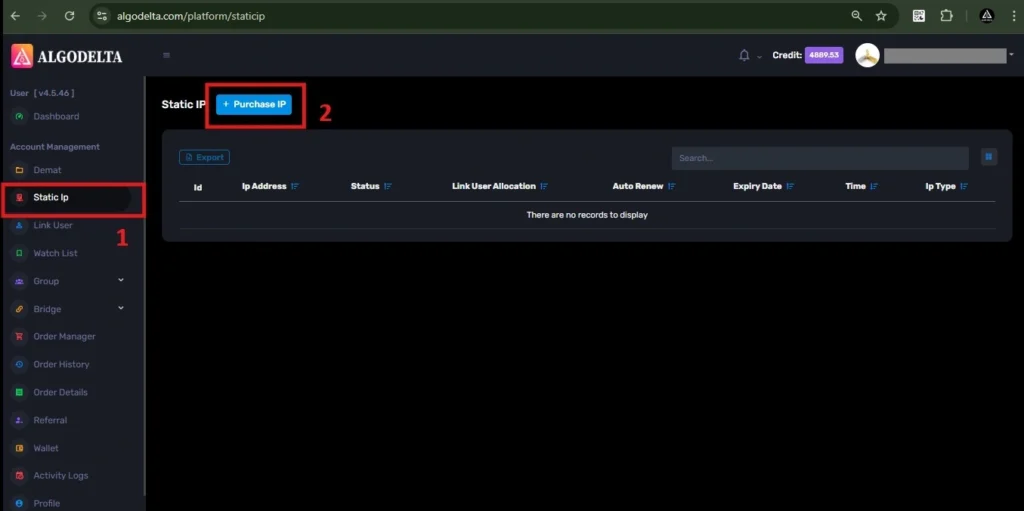
and navigate to the
“Static IP”
tab. Click on the
“Purchase IP”
button to continue.
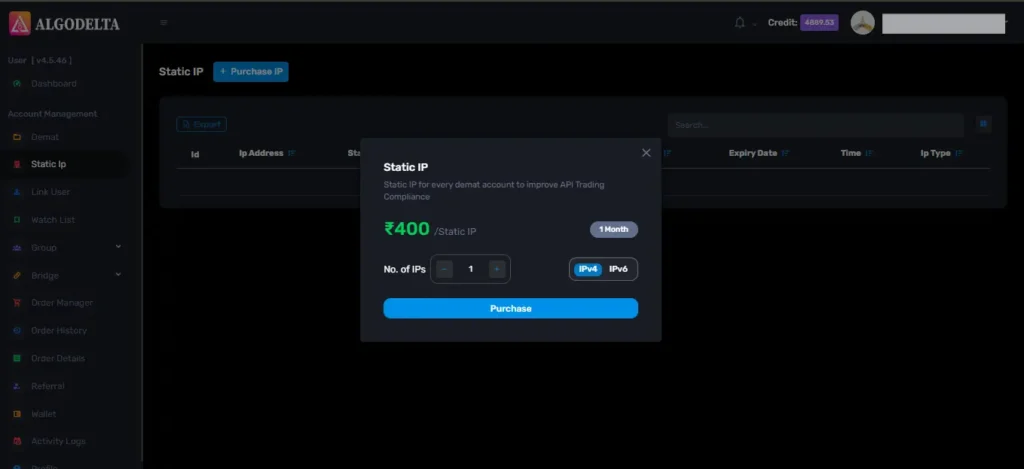
Next, select
IPv4
, click on the
Purchase
button, and wait a few seconds for the Static IP to be activated.
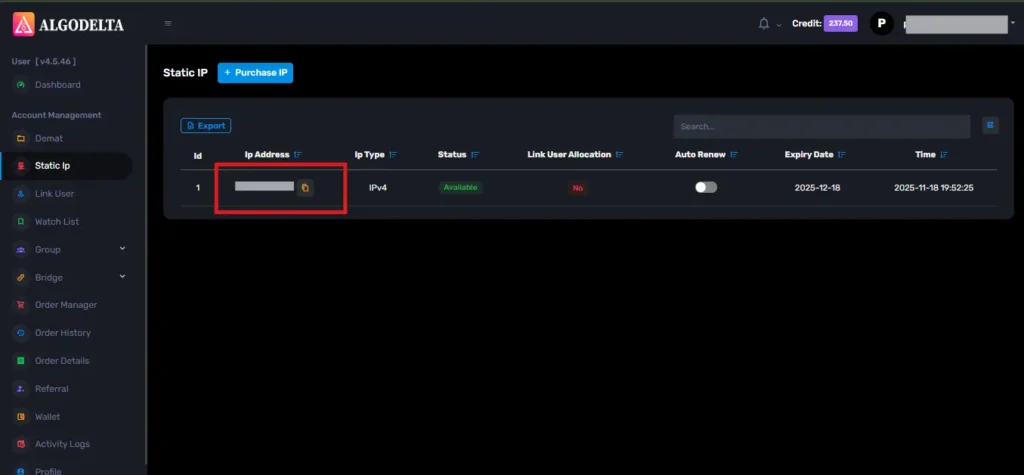
Once the process is complete, you will be able to view your
Static IP
, which is required for connecting Alice blue One with AlgoDelta for secure copy trading.
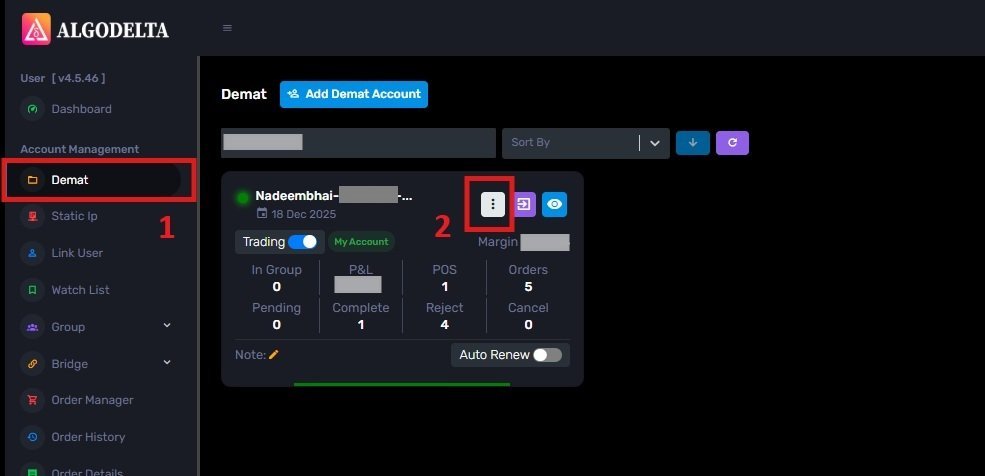
To bind the Static IP with your
Alice blue account
, go to the
Demat
tab and click on the
three-dot menu
. Select the
Reconnect
option.
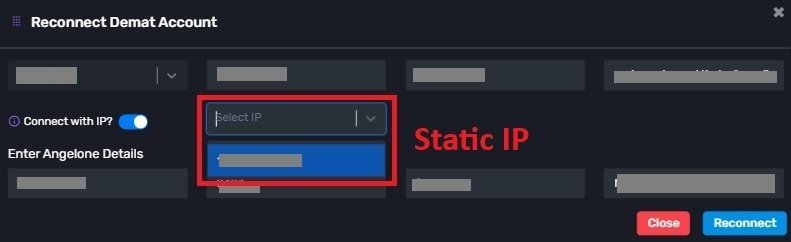
Next, enable the
“Connect with IP”
setting and choose the Static IP that you purchased and linked for Alice blue copy trading.
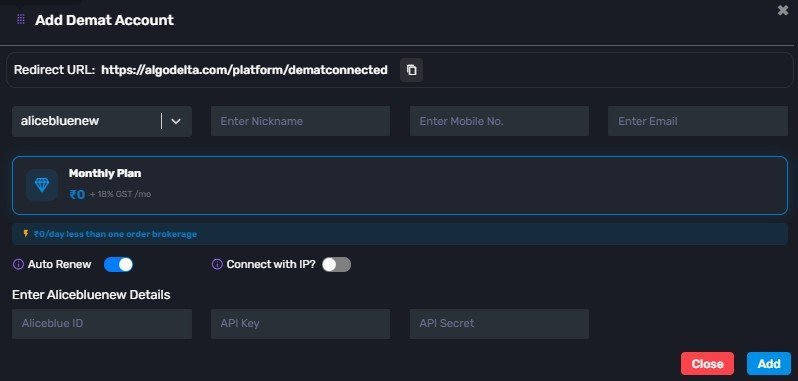
Then click on the dropdown menu to view and select your Static IP for Alice blue copy trading integration. Click on ‘Add Demat Account,’ select AliceBlue as your broker, and enter the required details: Nickname, Mobile Number, Email, AliceBlue ID, and API Key generated from the AliceBlue portal. After completing the information, click ‘Add.’ A ‘Broker Connected’ pop-up will appear, confirming a successful connection.
Conclusion:
By following these steps, you will successfully connect your Aliceblue account to AlgoDelta’s Copy Trading software and gain access to its features for enhanced trading experiences.

Written by
The AlgoDelta support team writes setup guides for copy trading, broker API connections and TradingView automation, based on thousands of real customer setups.