Copy trading with Definedge
Copy trading with Definedge and AlgoDelta to seamlessly automate strategies, improve decision-making, and enhance your overall trading experience.

Table of contents
Follow these simple steps to connect Definedge with AlgoDelta’s Copy Trading Software:
1. First, enable TOTP on the Definedge portal to proceed.
2. Next, add your Definedge account details to the AlgoDelta Copy Trading platform.
Step 1:
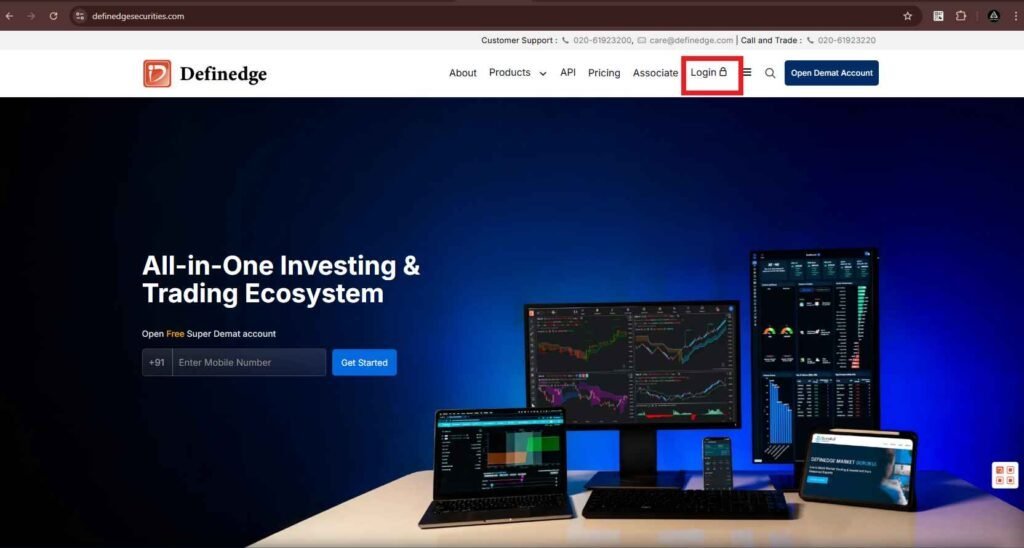
- First, visit the Definedge website at https://www.definedgesecurities.com. Next, click on the ‘Login’ button to begin.
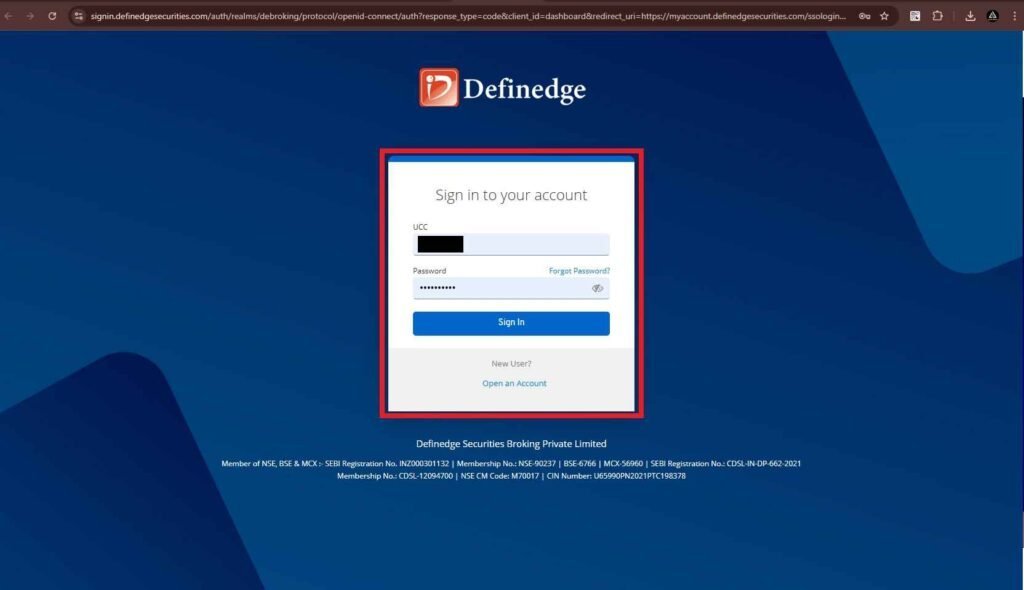
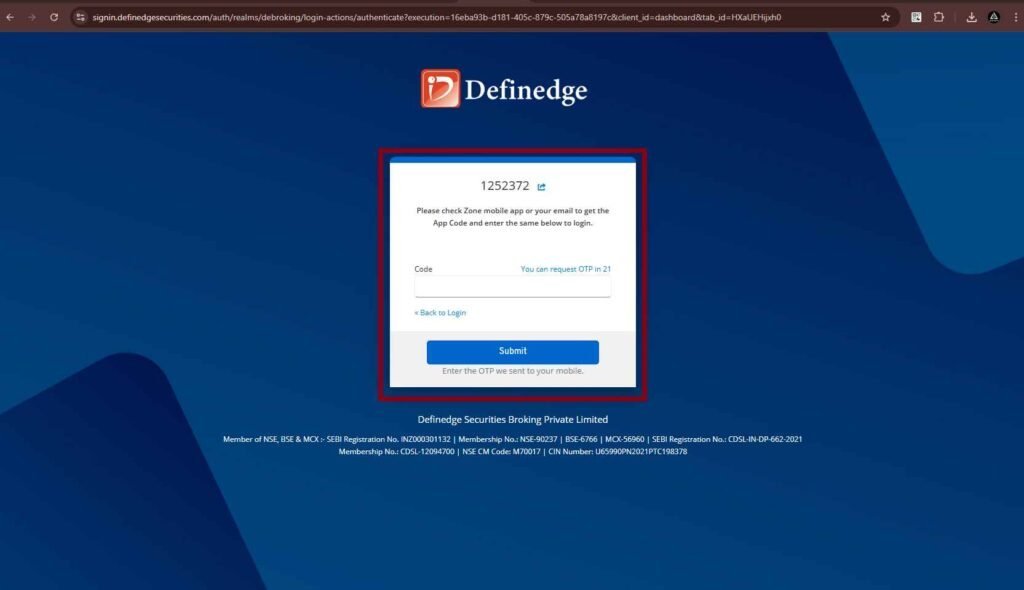
- Enter your Client ID and Password. Then, check your registered mobile number for the OTP. After that, enter the OTP to log in.
Step 2:
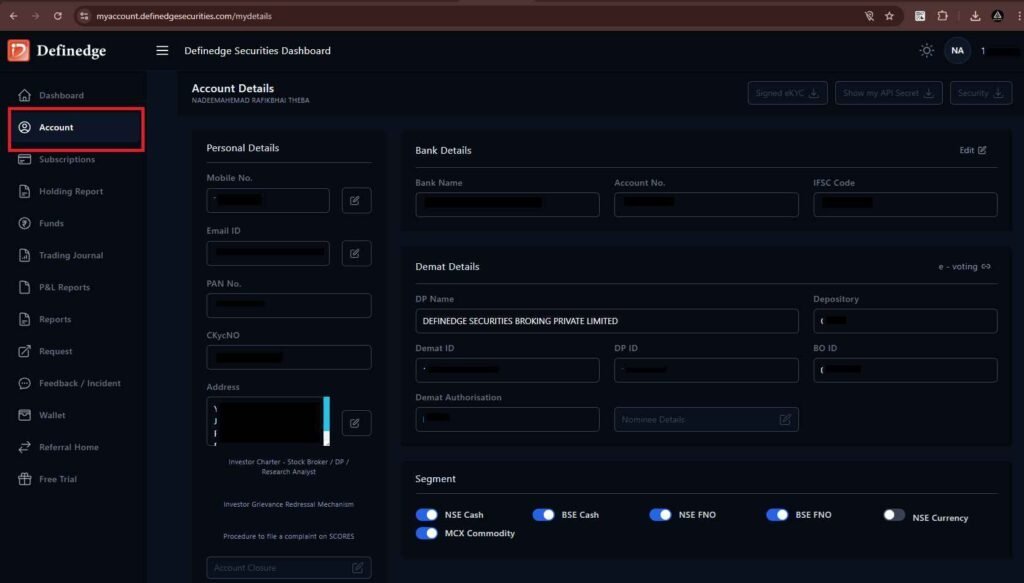
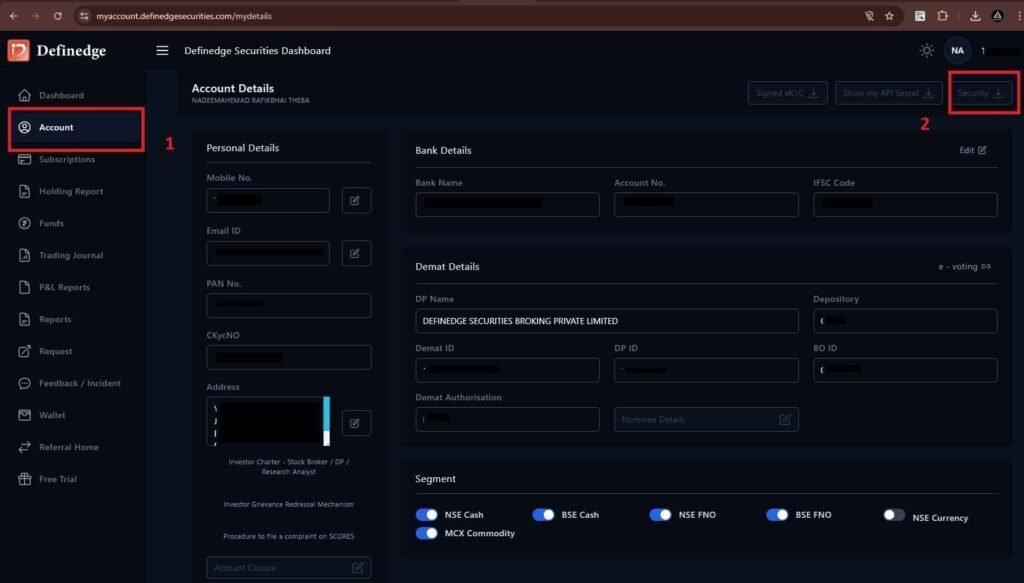
- Once logged in, you’ll be redirected to the dashboard. Then, click on the ‘Account’ tab to continue.
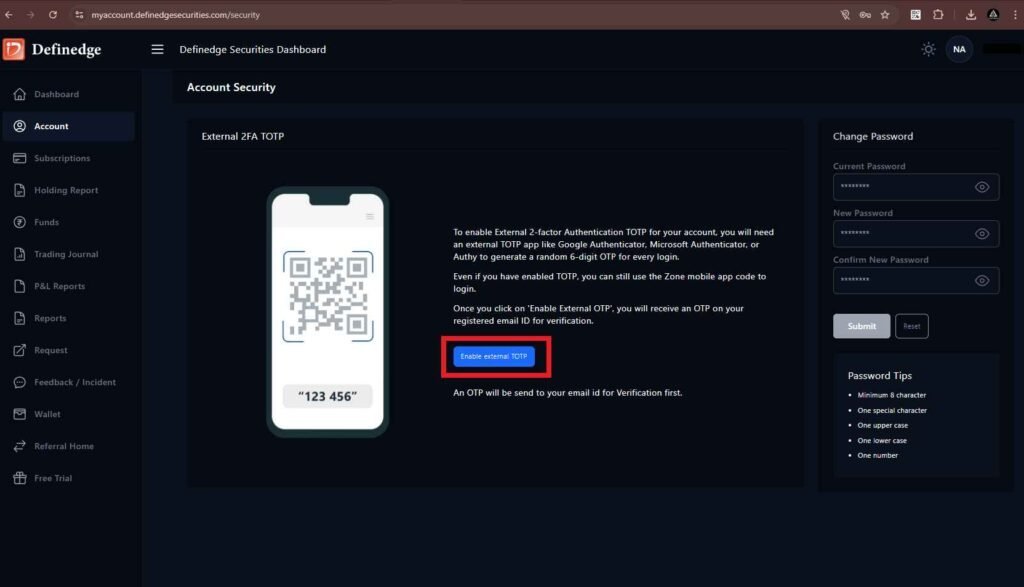
- Next, click on the ‘Security’ tab. After that, select ‘Enable External TOTP’ to proceed.
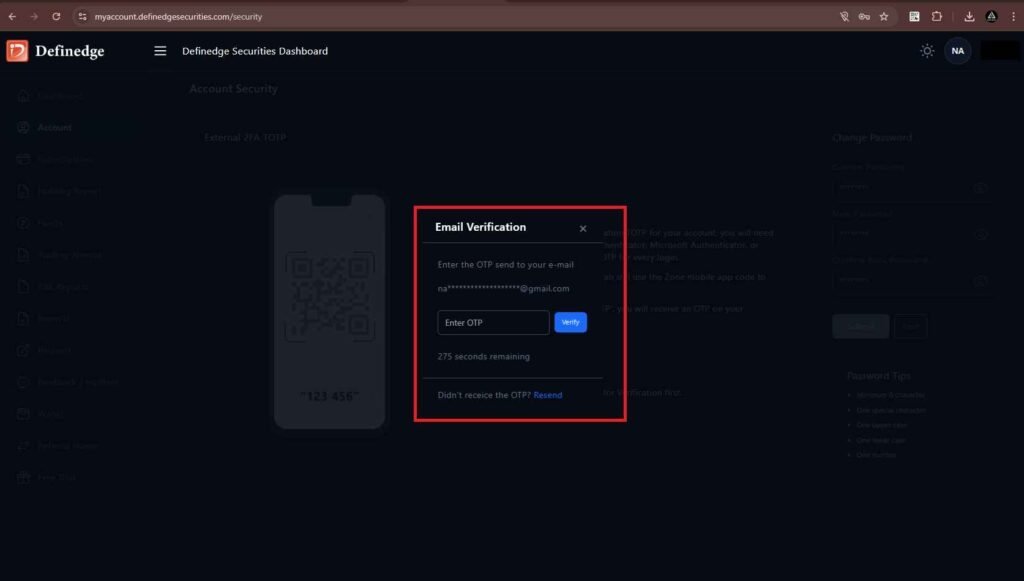
- Then, enter the OTP received on your registered mobile number.
Step 3:
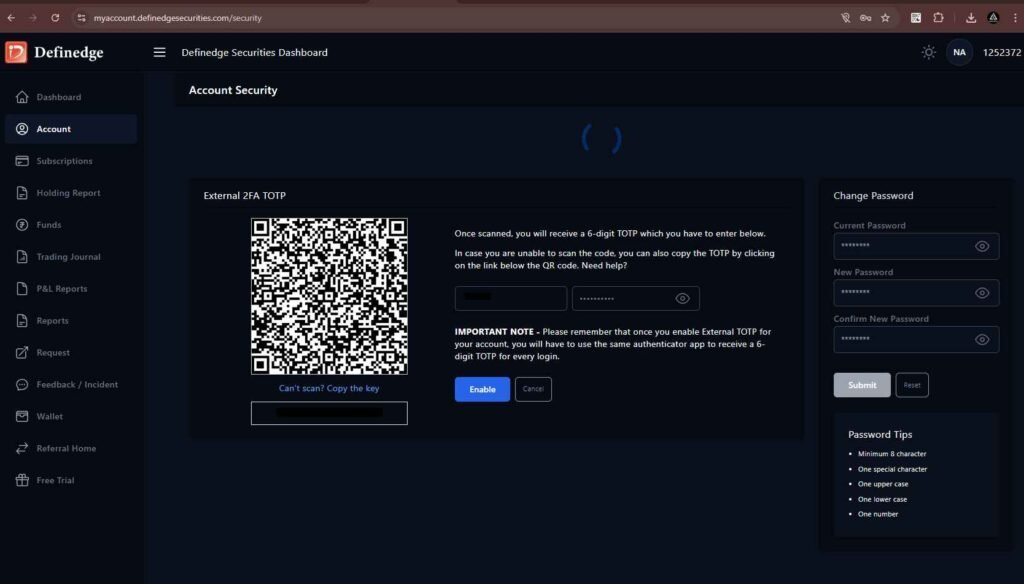
- Now, scan the QR code using Google Authenticator or any other authentication app.
- Next, enter your password and the 6-digit TOTP from your authentication app. Then, click on the ‘Enable’ button to complete the setup
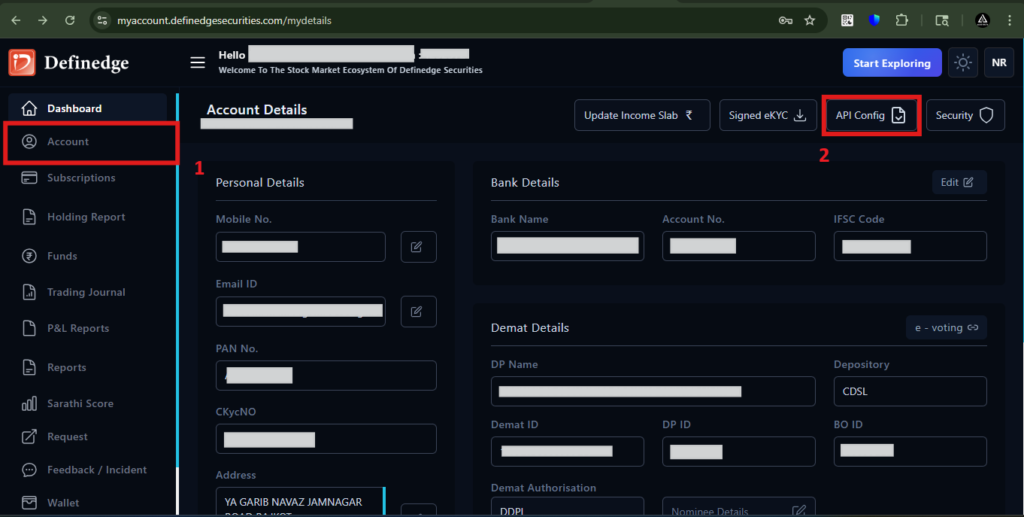
To configure the Static IP, API Token, and API Secret, go to the ‘Account’ tab and click on the ‘API Config’ tab.
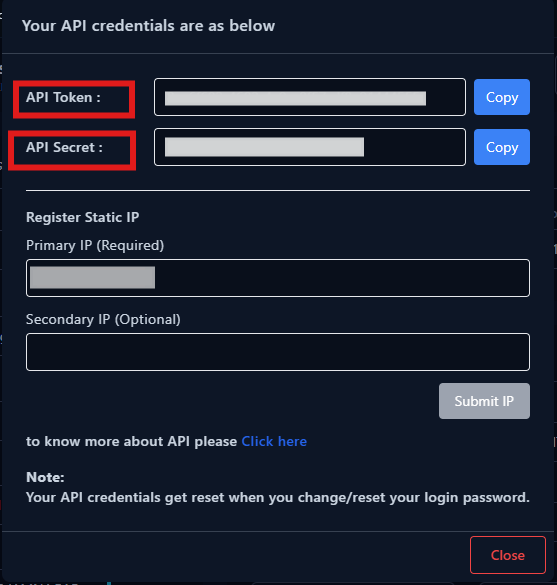
You will see the API Token and API Secret displayed. In the ‘Primary IP (Required)’ field, enter the Static IP obtained from AlgoDelta.
Step 4:
For getting Static IP
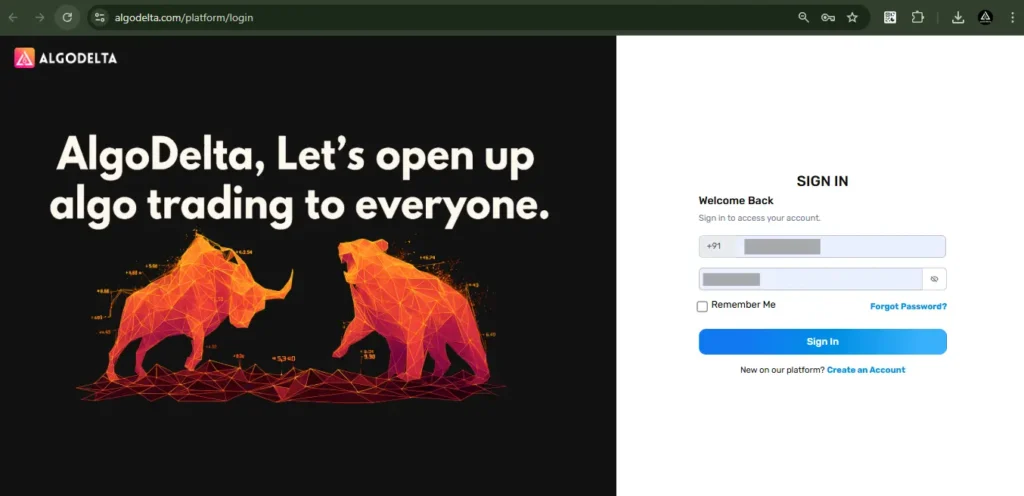
Now, go to AlgoDelta’s Copy Trading using the following link: https://algodelta.com/platform/login. Enter your AlgoDelta email ID and password.
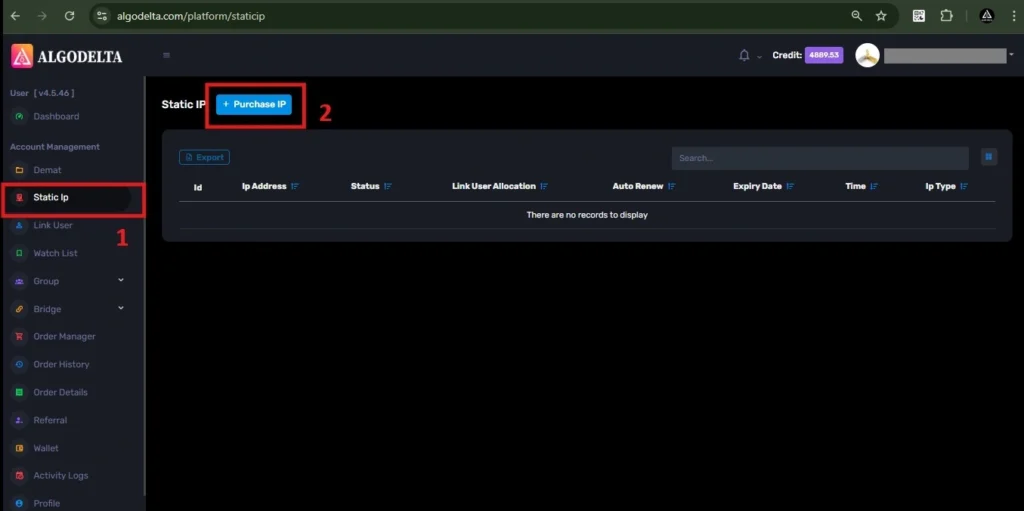
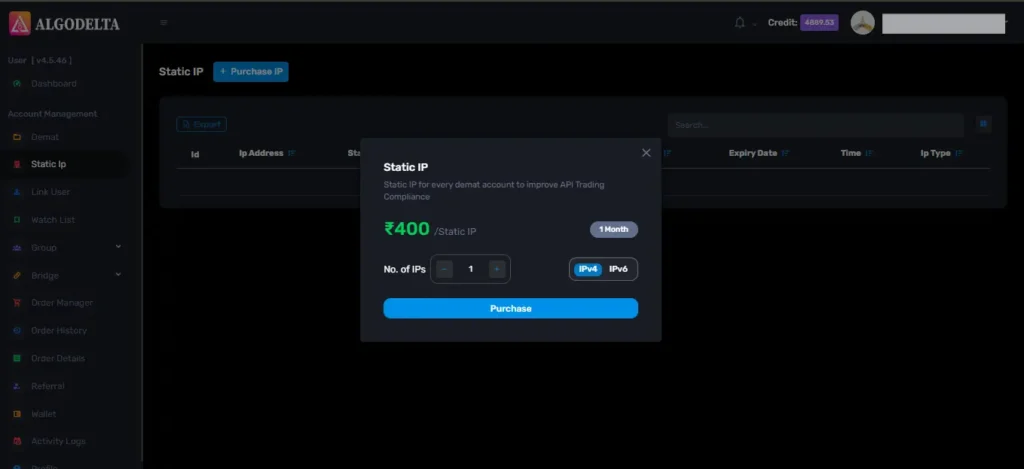
To get your Static IP, log in to your AlgoDelta account and navigate to the “Static IP” tab. Click on the “Purchase IP” button to continue.
Next, select IPv4 , click on the Purchase button, and wait a few seconds for the Static IP to be activated.
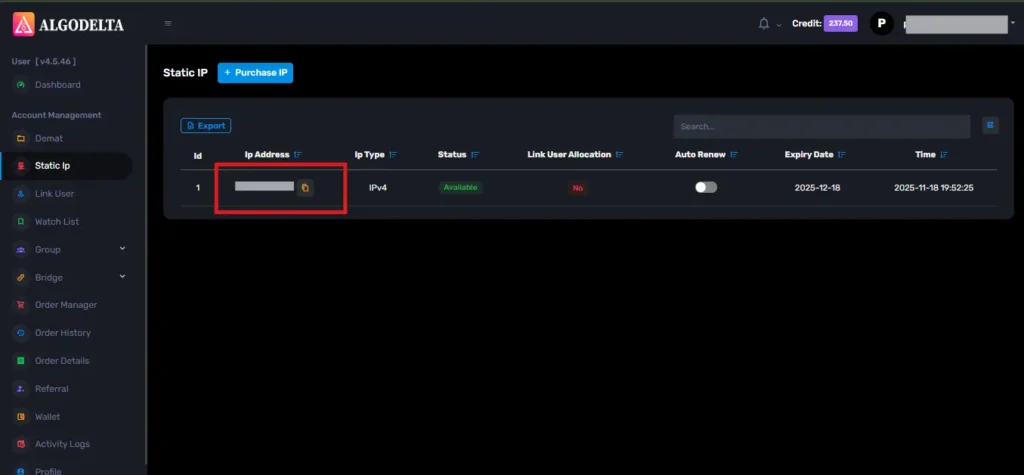
Once the process is complete, you will be able to view your Static IP, which is required for connecting Definedge with AlgoDelta for secure copy trading.
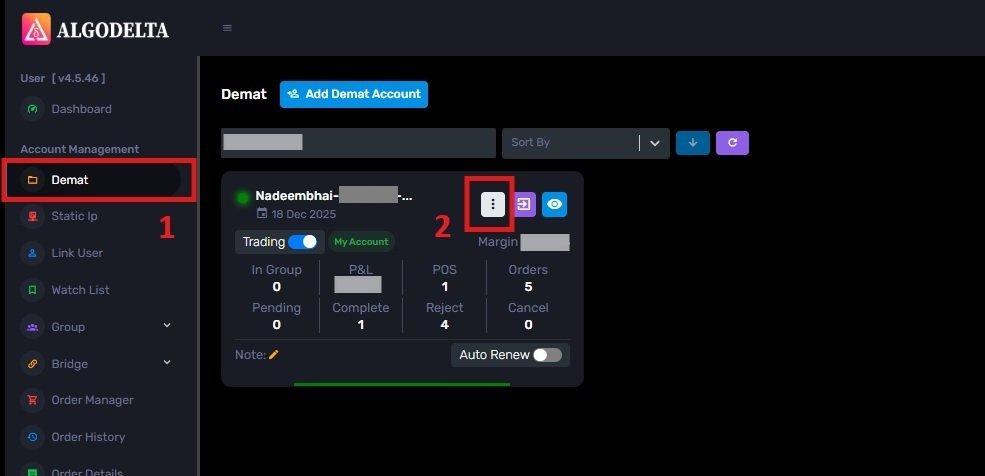
To bind the Static IP with your Definedge account, go to the Demat tab and click on the three-dot menu. Select the Reconnect option.
Next, enable the “Connect with IP” setting and choose the Static IP that you purchased and linked for Definedge copy trading.
Then, click on the dropdown menu to view and select your Static IP for Definedge copy trading integration.
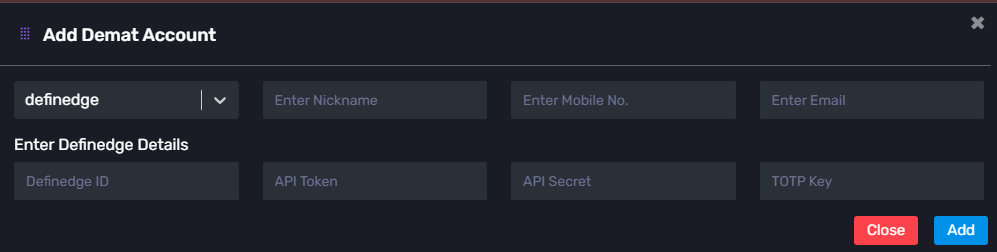
Select Definedge as your broker and enter the required details: Nickname, Mobile Number, Email, Definedge ID, API Token, API Secret, and TOTP Key (generated from the Definedge portal). Finally, click ‘Add.’ A ‘Broker Connected’ pop-up will appear, confirming a successful connection.
Conclusion:
By following these steps, you can successfully connect your Definedge account to AlgoDelta’s Copy Trading software and unlock powerful features for a smarter trading experience.

Written by
The AlgoDelta support team writes setup guides for copy trading, broker API connections and TradingView automation, based on thousands of real customer setups.