Copy Trading With Enrichmoney
Start copy trading with EnrichMoney in just 3 easy steps using AlgoDelta. Connect your account, automate your trades, and simplify your trading workflow.

Introduction:
To connect Enrich money in AlgoDelta’s Copy Trading software, follow these steps:
- Generate Access Token from Enrich Money Portal.
- Add Enrich Money account details in Algodelta’s Copy Trading.
Step 1:
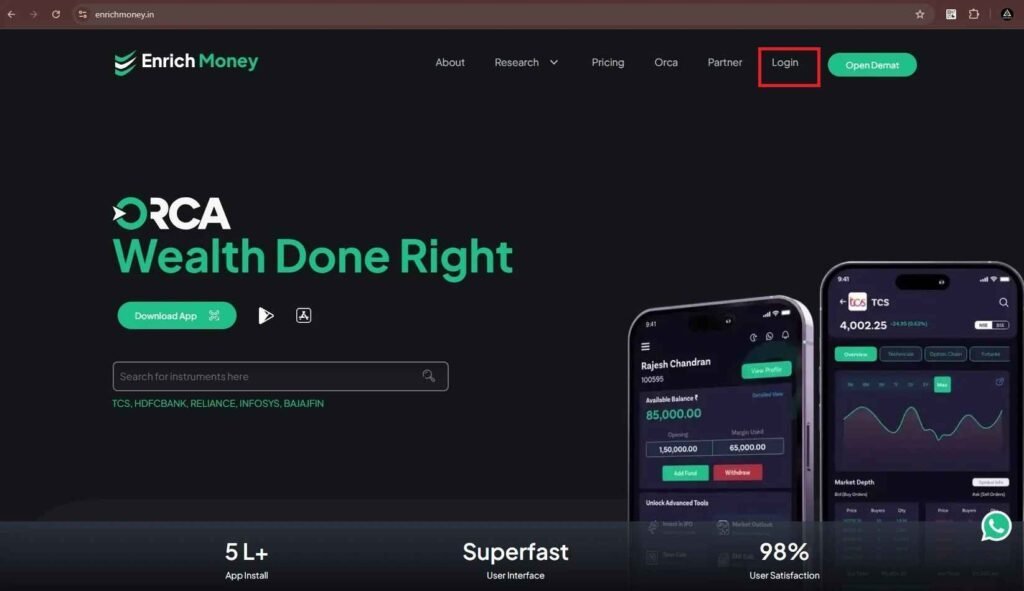
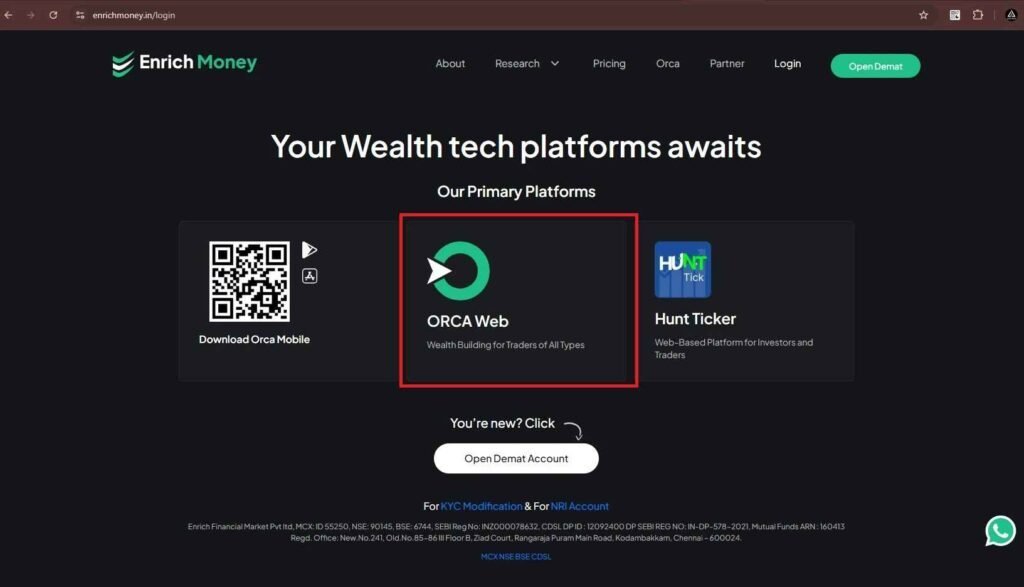
- Log In to Your Enrich Money Trading Account at enrichmoney.in .
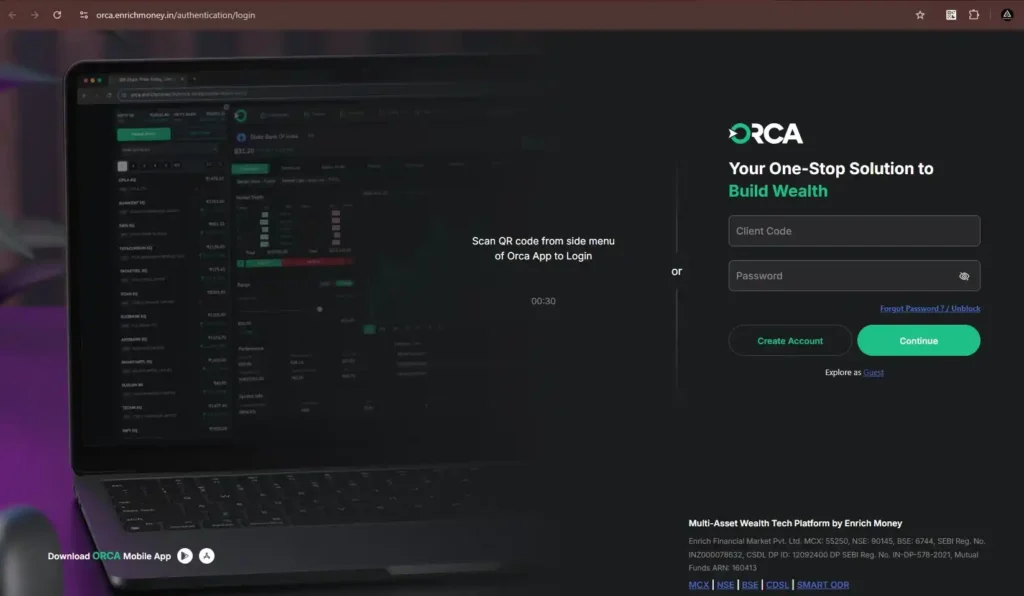
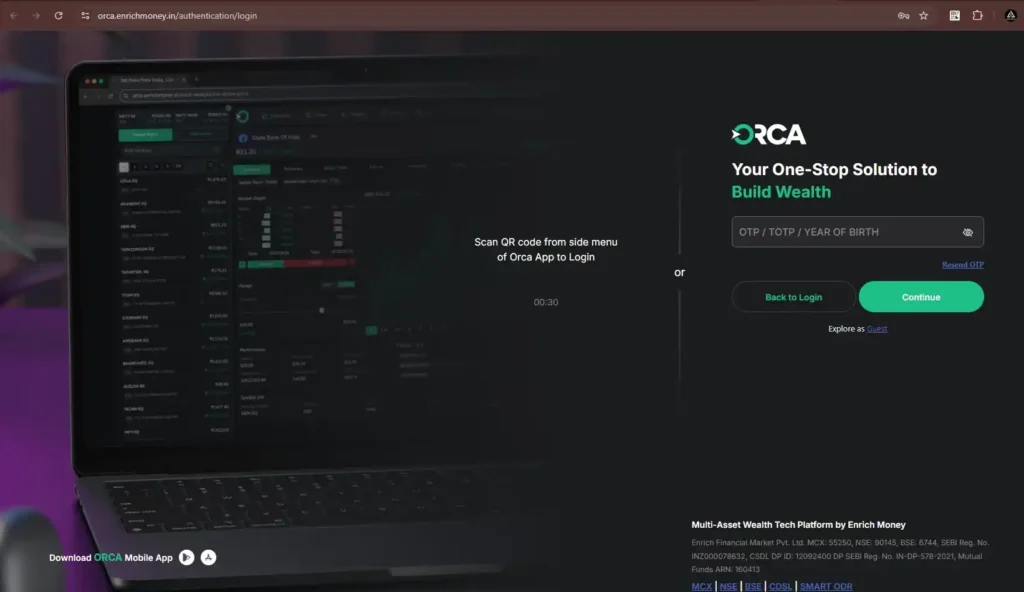
- Enter Your Enrich Money Client Code and Password, Click Continue, and Verify Using OTP, TOTP, or Year of Birth.
Step 2 :
- After Logging in to Enrich Money, Click the Profile Icon at the Top-Right Corner and Select ‘API Key’ to Generate Your Access Key.
- Then, select the ’30 Days’ time duration and click on ‘Generate Token’ to create your Enrich Money access token.
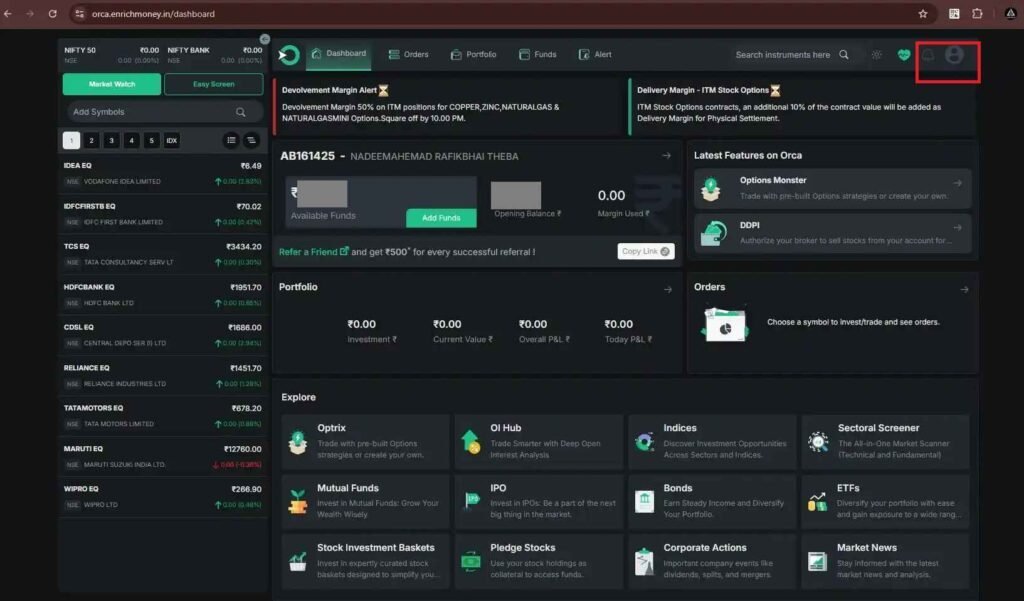
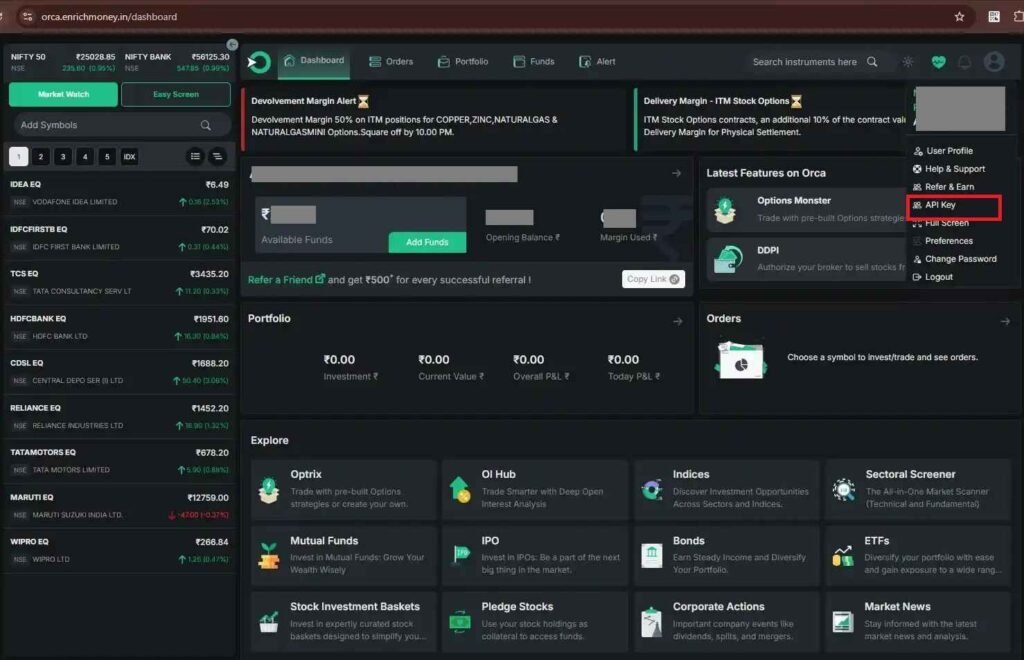
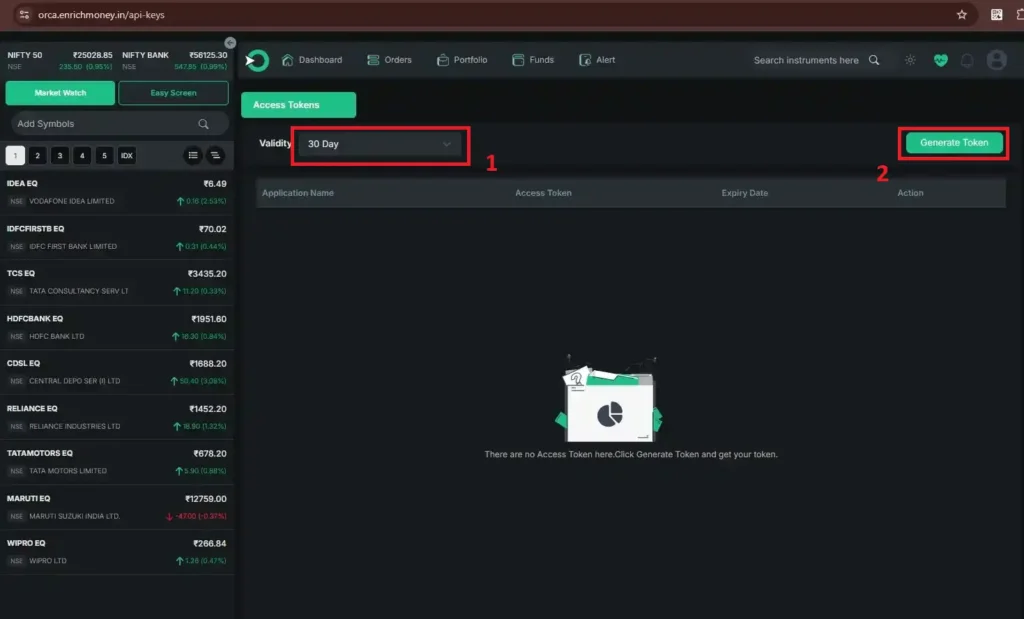
Once you’ve completed the setup, your unique API access token will be displayed on the screen.
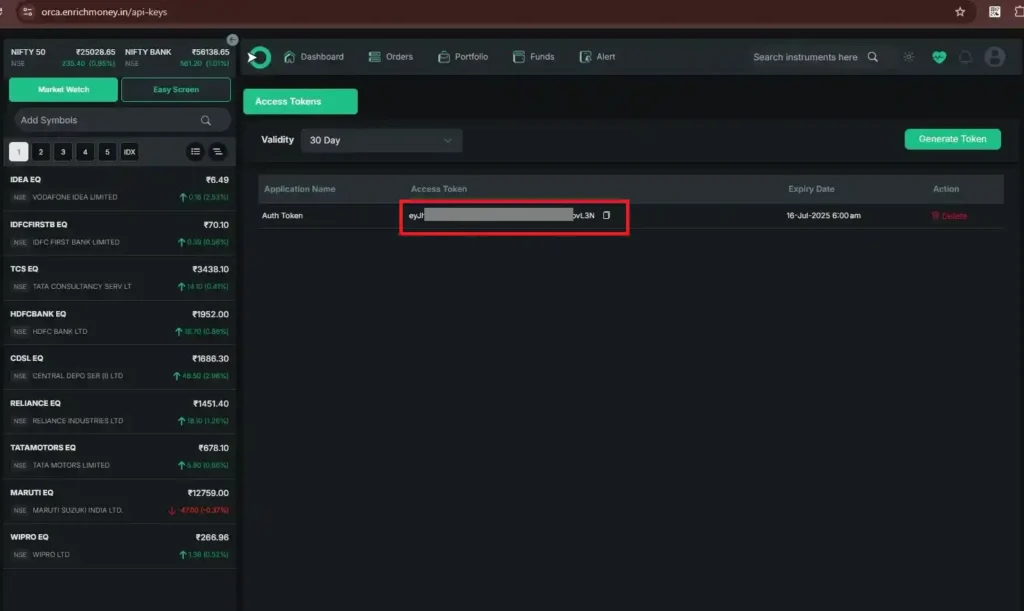
Step 3:
Now that you have your access token, proceed to AlgoDelta’s Copy Trading page by clicking the link below:
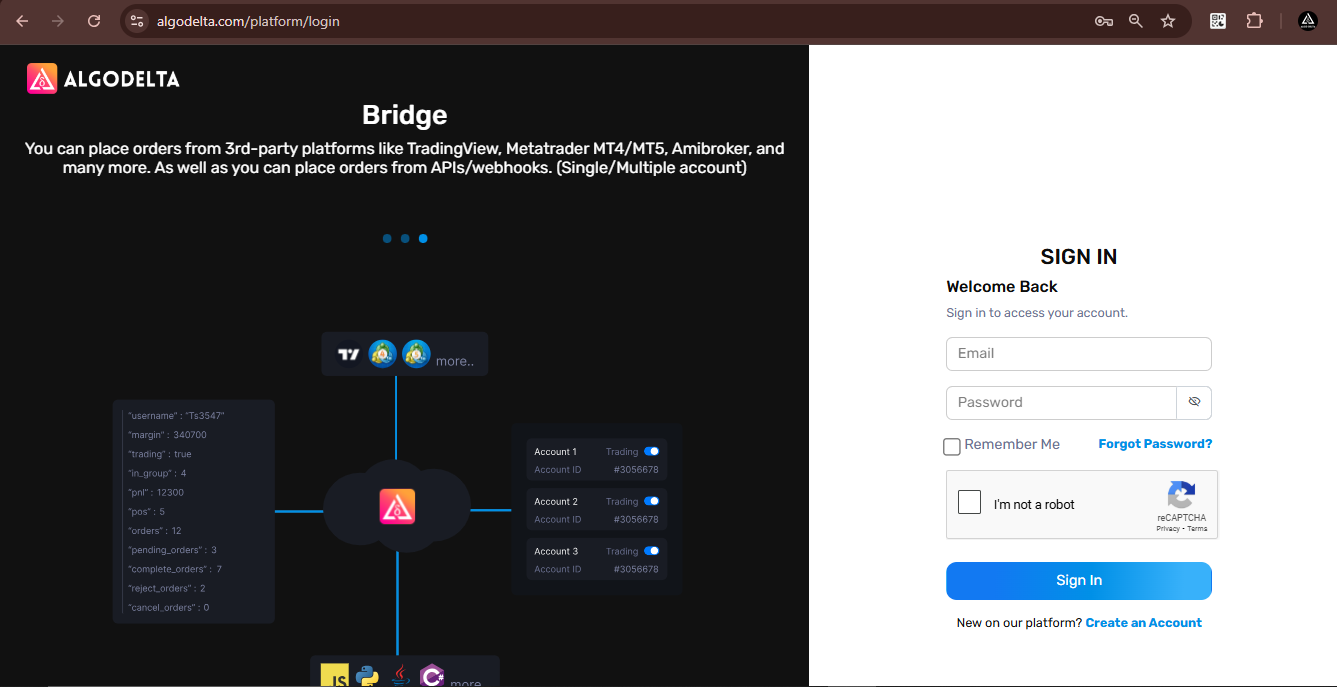
https://algodelta.com/platform/login. Enter your AlgoDelta email ID and password.
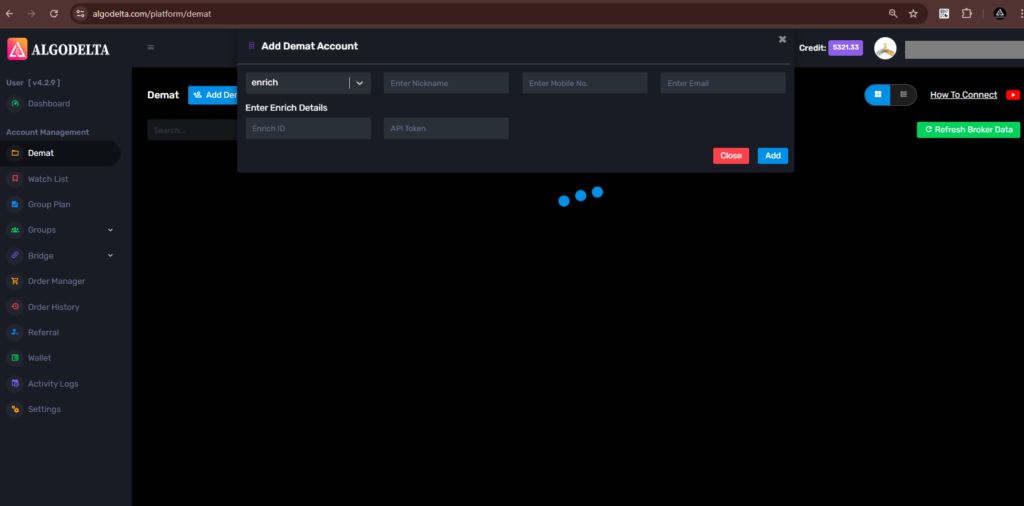
Go to the “Demat” tab and click on “Add Demat Account” Select “enrichmoney” as the broker and provide the following details: Nickname, Mobile Number, Email, Enrich ID and API token (generated from the Enrich portal) Click on “Add.” You will see a “Broker Connected” pop-up.

Written by
The AlgoDelta support team writes setup guides for copy trading, broker API connections and TradingView automation, based on thousands of real customer setups.