Copy Trading with Motilal Oswal

Table of contents
To connect Motilal Oswal to AlgoDelta’s Copy Trading software, follow these steps:
1. Generate the API key from the Motilal Oswal API portal.
2. Add your Motilal Oswal account details in AlgoDelta’s Copy Trading.
Step 1:
For creating an API and getting the TOTP key :
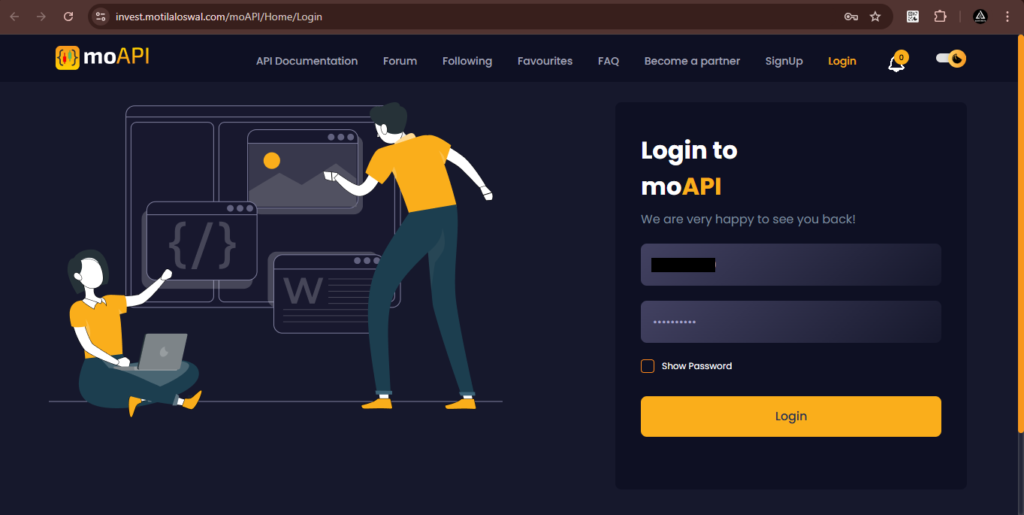
- Go to https://invest.motilaloswal.com/moAPI/Home/Login to log in.
- Enter the ‘Client Code,’ ‘Mobile Number,’ or ‘Email ID’ along with the ‘Password.’
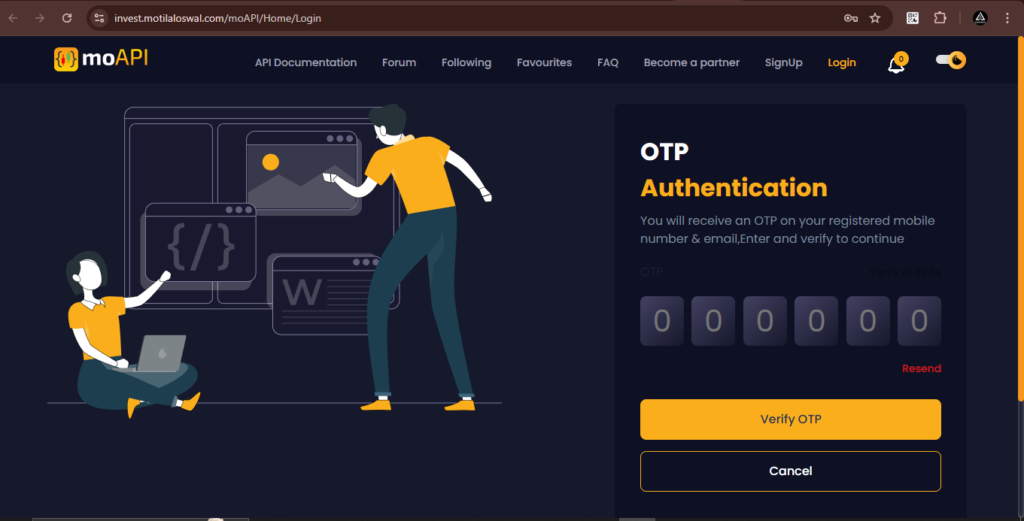
- And then enter the ‘OTP’ received on the registered mobile number or email.
Step 2:
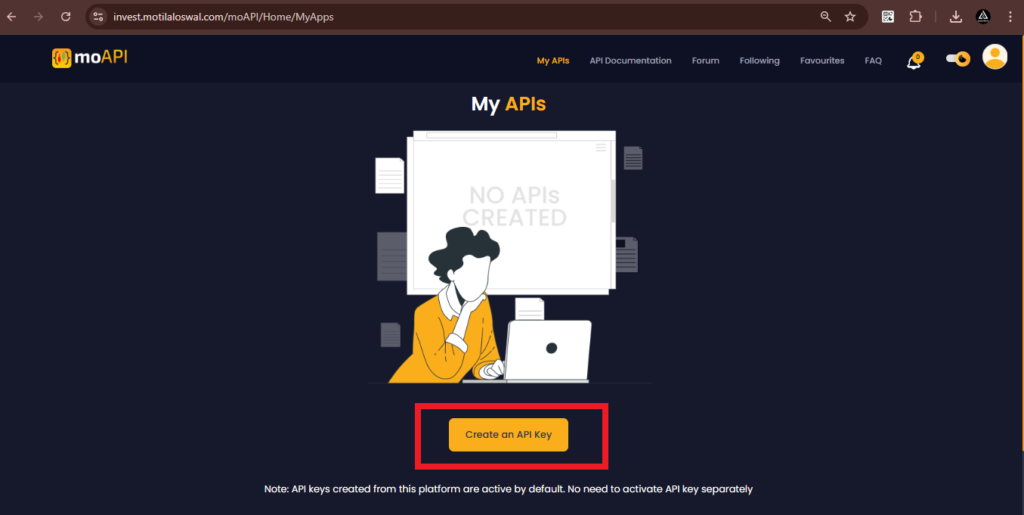
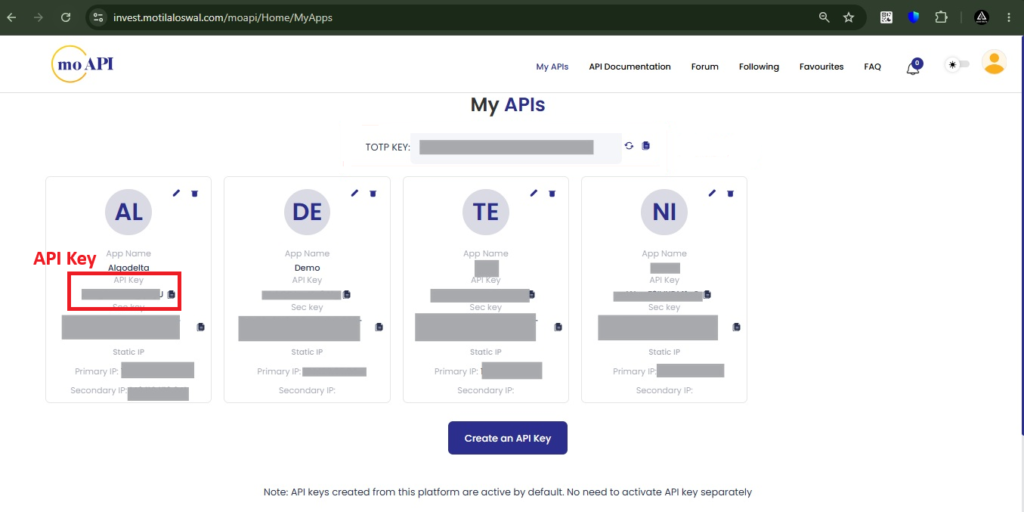
- You will be redirected to a new page. From there, click on the ‘Create an API key’ button.
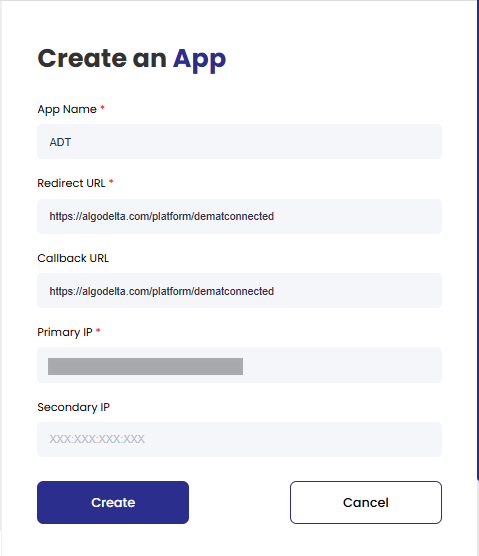
- Enter the ‘App Name’ (e.g., ‘Algodelta’) and set both ‘Redirect URL’ and ‘Callback URL’ to https://algodelta.com/platform/dematconnected
- In the Primary IP field, enter the Static IP provided by AlgoDelta to enable secure API authentication and ensure compliance with broker requirements for automated trading.
- Then, click on the ‘Create’ button.
For getting Static IP
Now, go to AlgoDelta’s Copy Trading using the following link: https://algodelta.com/platform/login. Enter your AlgoDelta email ID and password.
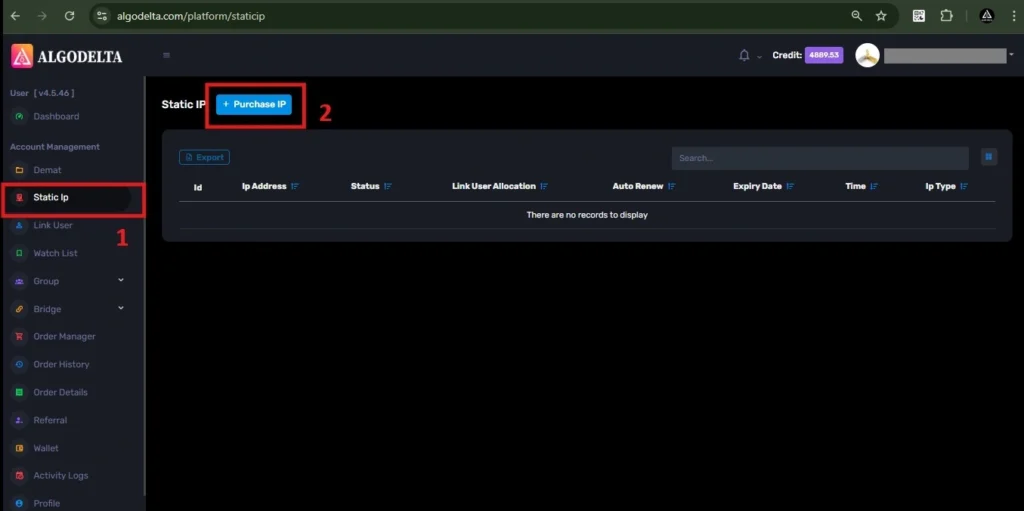
To get your Static IP, log in to your AlgoDelta account and navigate to the “Static IP” tab. Click on the “Purchase IP” button to continue.
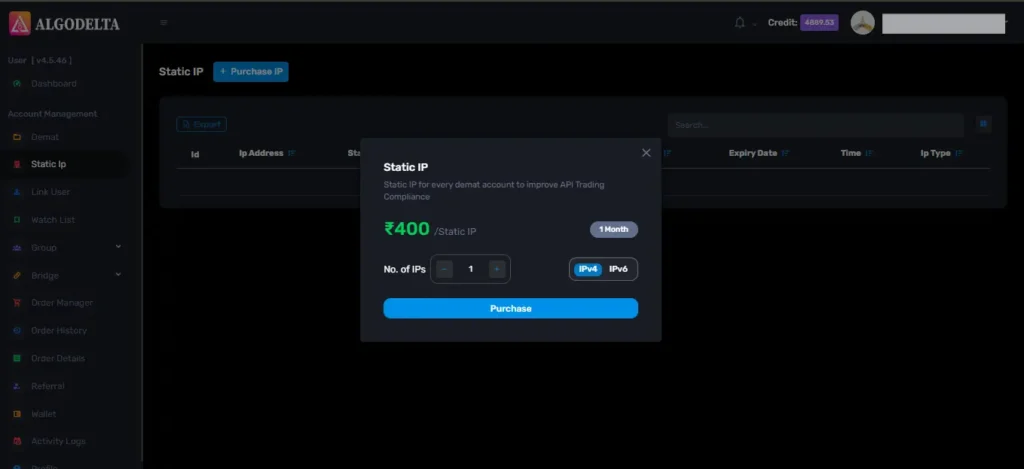
Next, select IPv4 , click on the Purchase button, and wait a few seconds for the Static IP to be activated.
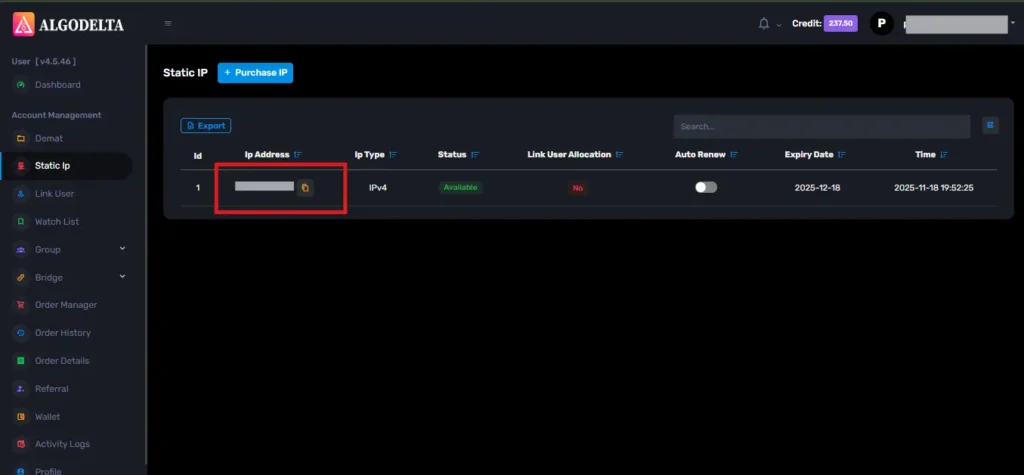
Once the process is complete, you will be able to view your Static IP, which is required for connecting Motilal oswal with AlgoDelta for secure copy trading.
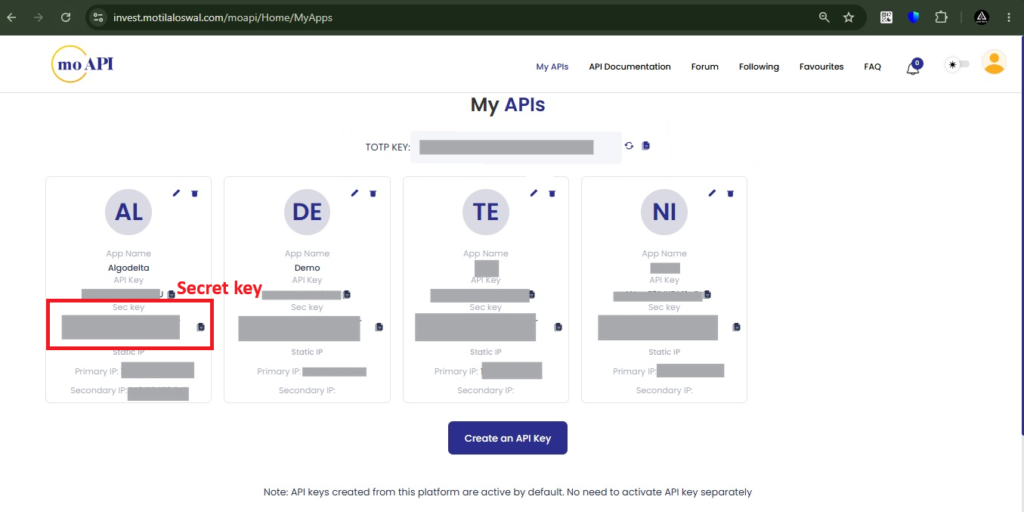
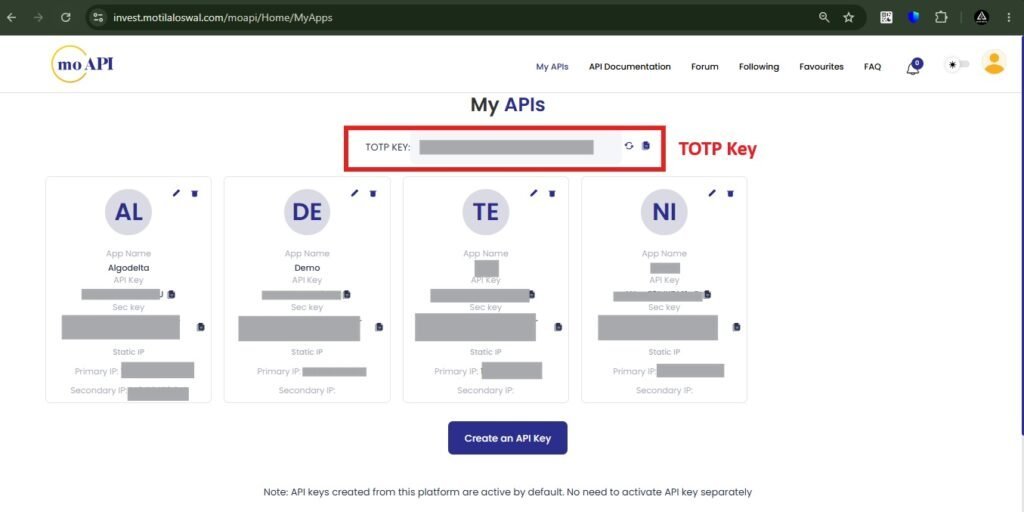
As soon as you create your first API application, you will be able to view your API Secret Key and TOTP Key, which are required for secure API authentication and trading platform integration.
Step 3:
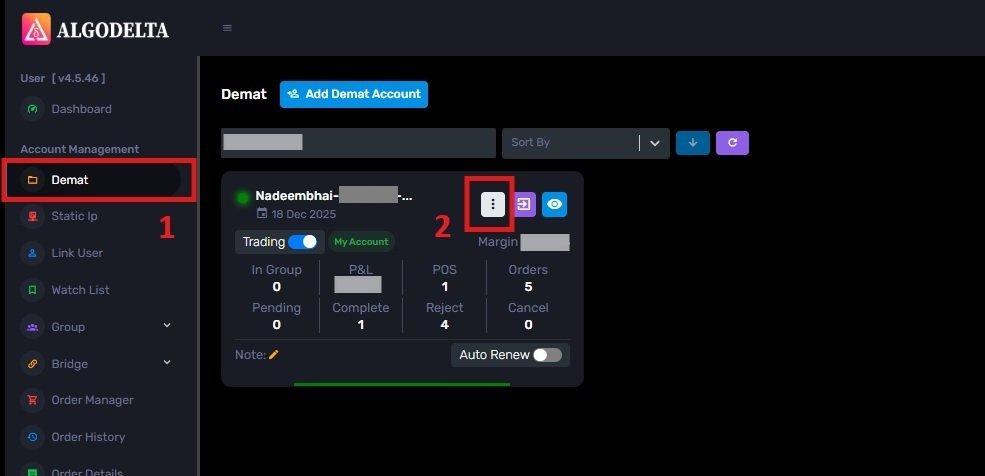
To bind the Static IP with your Motilal oswal account, go to the Demat tab and click on the three-dot menu. Select the Reconnect option.
Next, enable the “Connect with IP” setting and choose the Static IP that you purchased and linked for Motilal oswal copy trading.
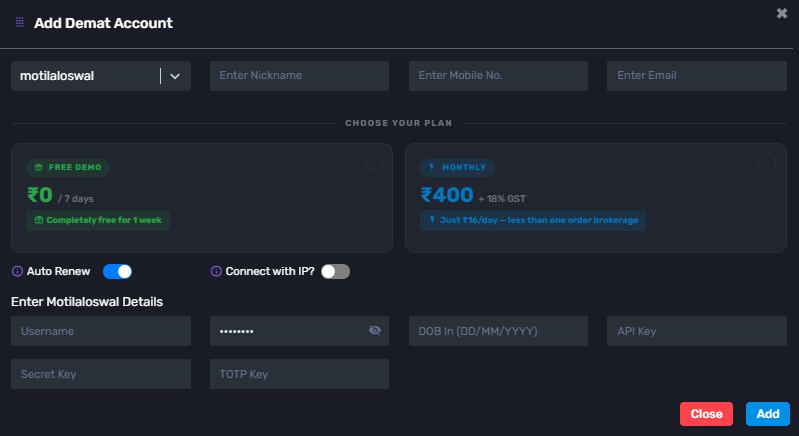
Then click on the dropdown menu to view and select your Static IP for Motilal oswal copy trading integration.
Step 4:
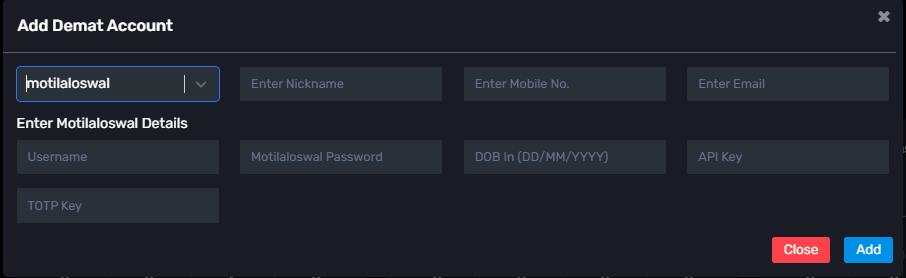
Go to the “Demat” tab and click on “Add Demat Account.” Select “motilaloswal” as the broker and provide the following details: Nickname, Mobile Number, Email, User ID , Password, DOB (DD/MM/YYYY) , Api Key , Secret key (generated from the motilaloswal MO API portal), and TOTP Key then Click on “Add.” You will see a “Broker Connected” pop-up.

Written by
The AlgoDelta support team writes setup guides for copy trading, broker API connections and TradingView automation, based on thousands of real customer setups.