Copy Trading with Sharekhan

Table of contents
To connect Sharekhan to AlgoDelta’s Copy Trading software, follow these steps:
1. Generate an API key from the Sharekhan API portal.
2. Enable TOTP in the Sharekhan portal.
3. Add Sharekhan account details in AlgoDelta’s Copy Trading.
Step 1:
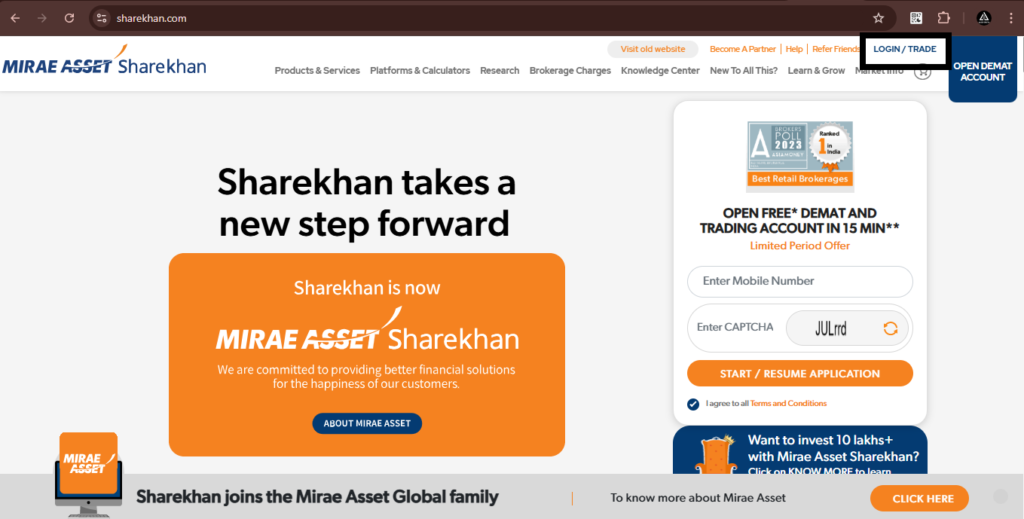
- Open the Sharekhan website using the following link: https://www.sharekhan.com/ and click on the ‘LOGIN/TRADE’ button.
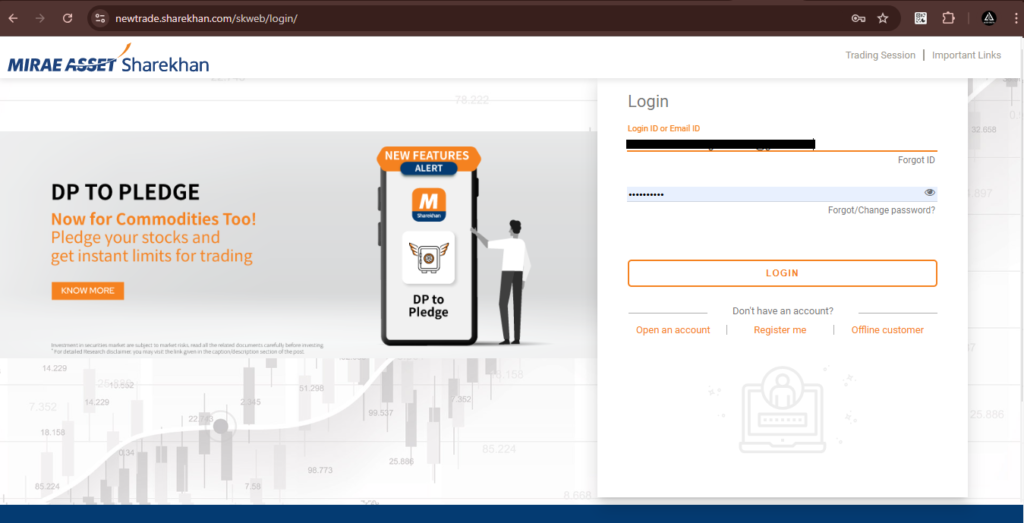
- Then enter your ‘Login ID or Email ID’ and ‘Membership Password.’
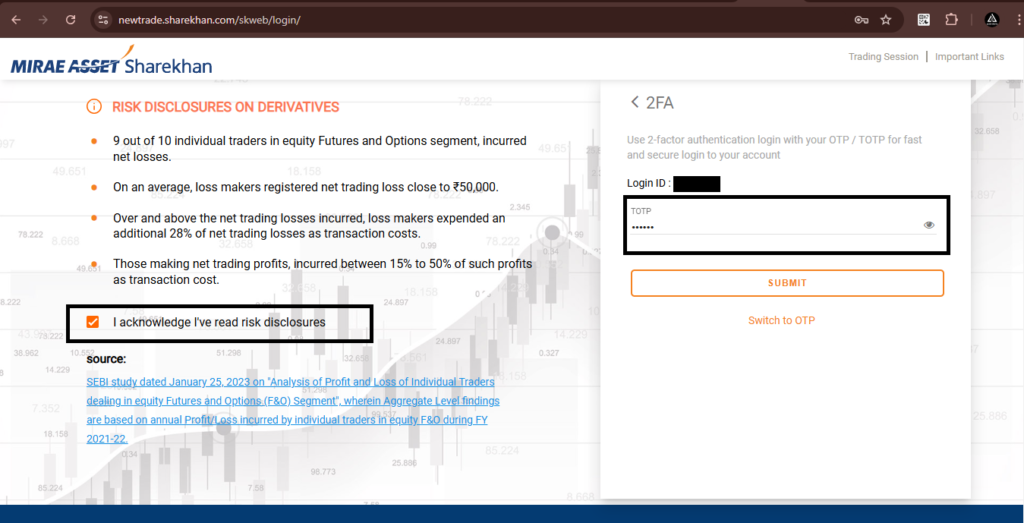
- Then enter ‘TOTP’ or ‘Switch to OTP,’ tick ‘I acknowledge I’ve read risk disclosures,’ and click on the ‘SUBMIT’ button.
Step 2:
For Enabling TOTP:
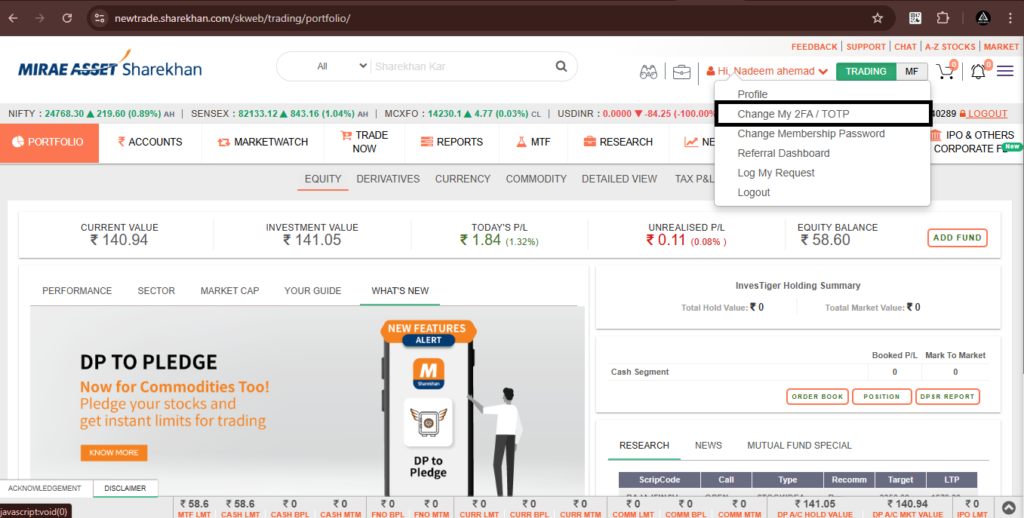
- Click on the profile icon button as shown in the screenshot.
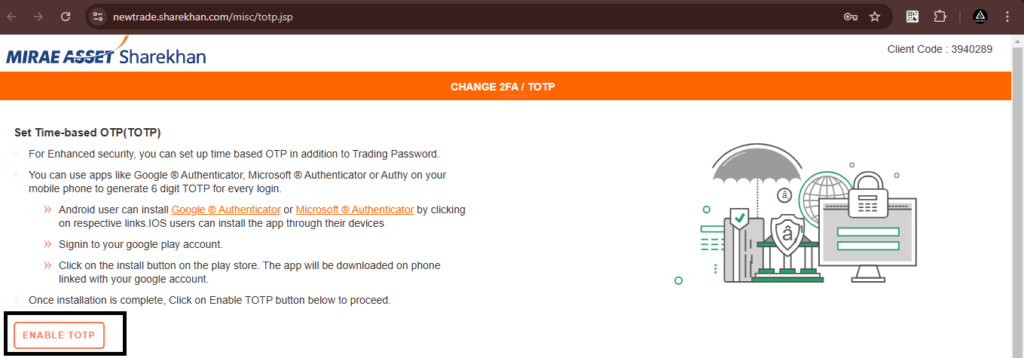
- Then, click on ‘Change My 2FA / TOTP.’ You will be redirected to a new page. Click on ‘ENABLE TOTP.’
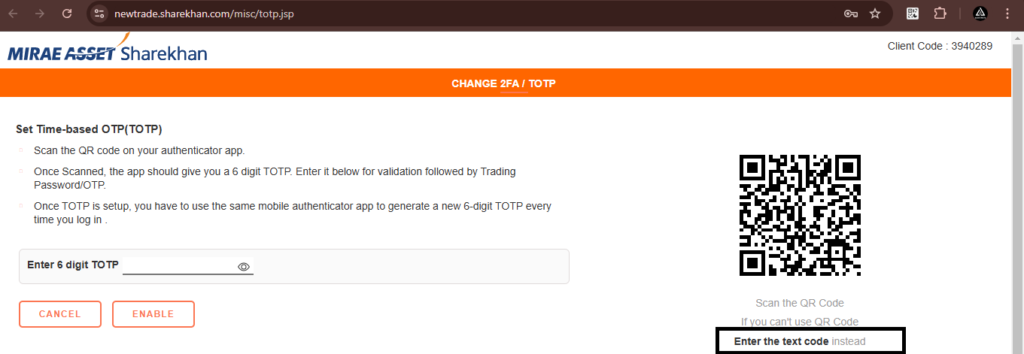
- Next, click on “Enter the text code instead.” Your TOTP key will be saved to the clipboard. Save it in a Notepad file or paste it in the AlgoDelta ‘TOTP Key’ tab.
Step 3:
For Generating ‘API Key’ and ‘Secret Key’
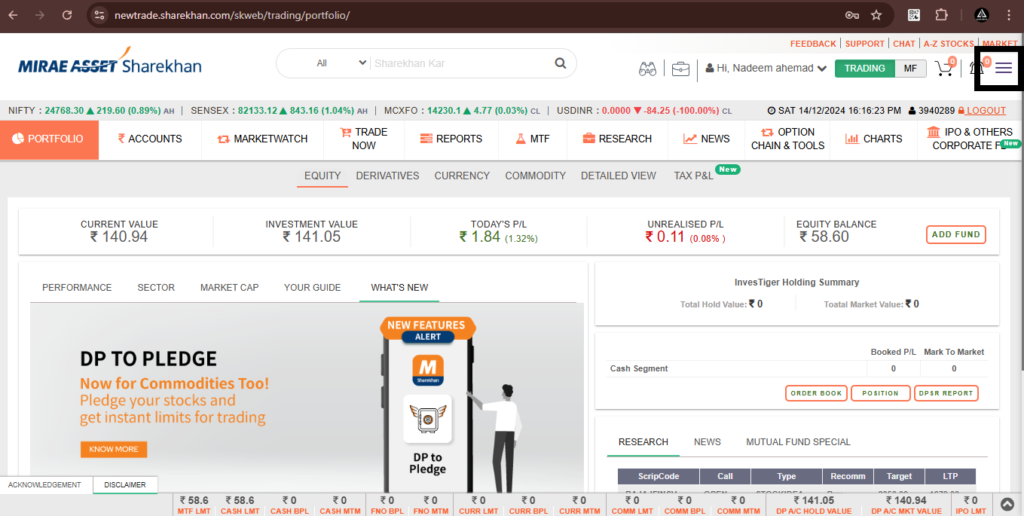
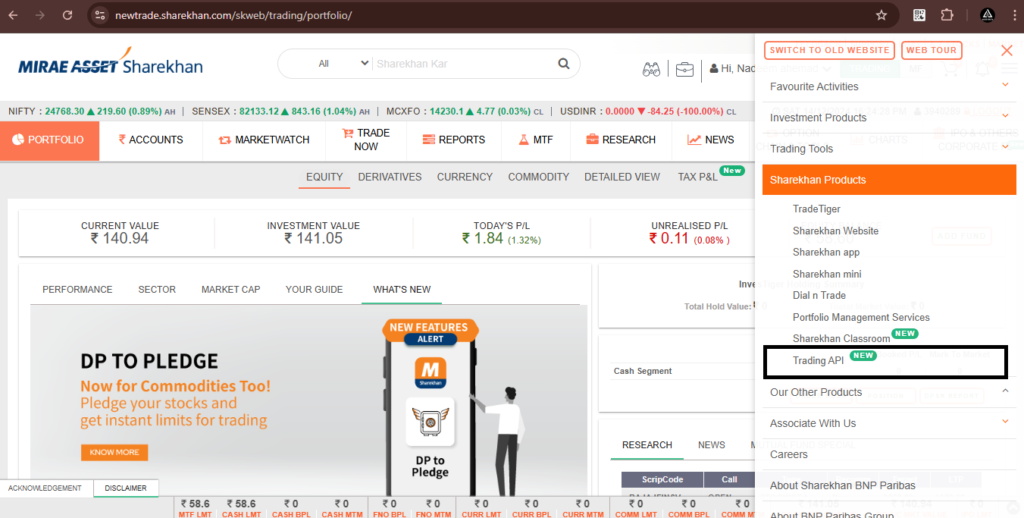
- Click on the ‘menu button’ at the top right corner, as shown in the screenshot.
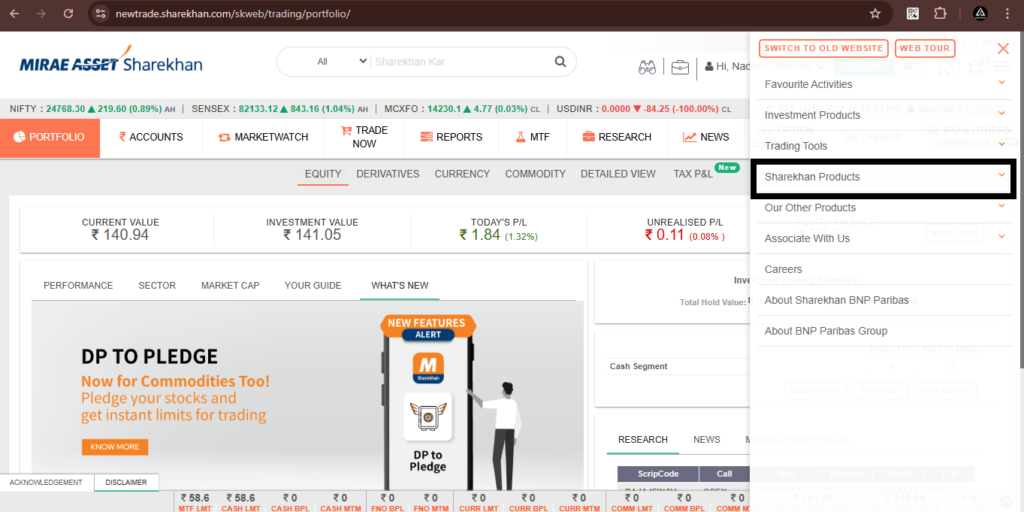
- Then, open ‘Sharekhan Products’ and click on ‘Trading API.’
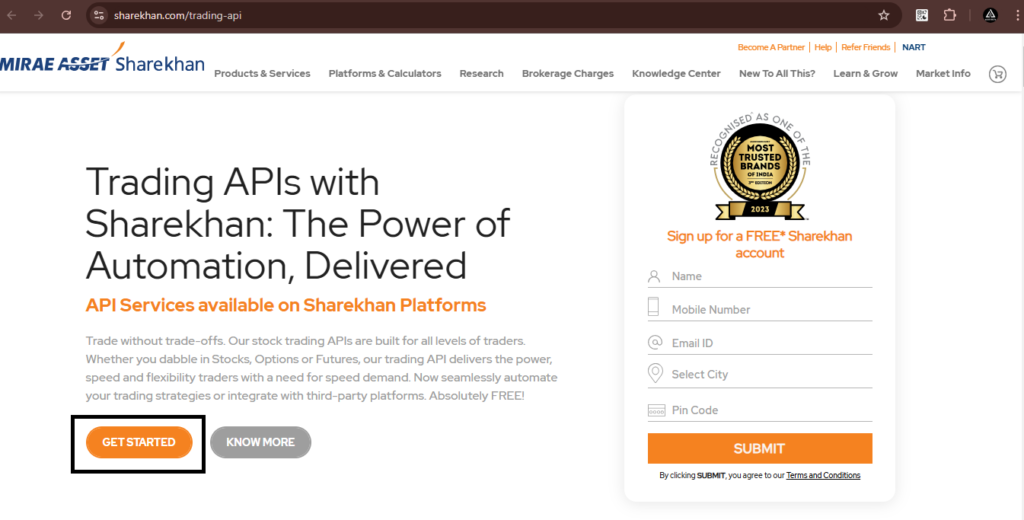
- You will be redirected to another page. Click on ‘GET STARTED.’
Step 4:
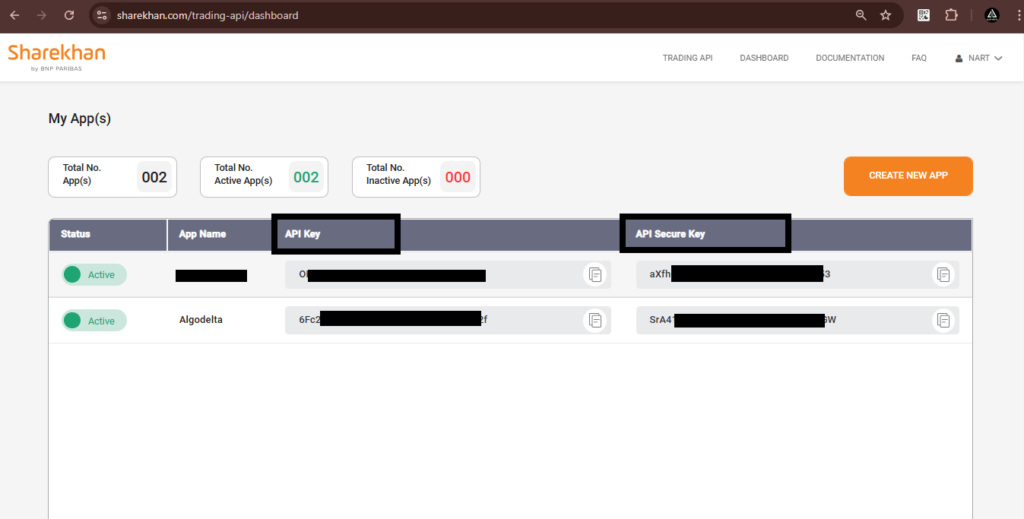
- Now, you will be redirected to the API creation page of Sharekhan. Click on ‘CREATE NEW APP.’
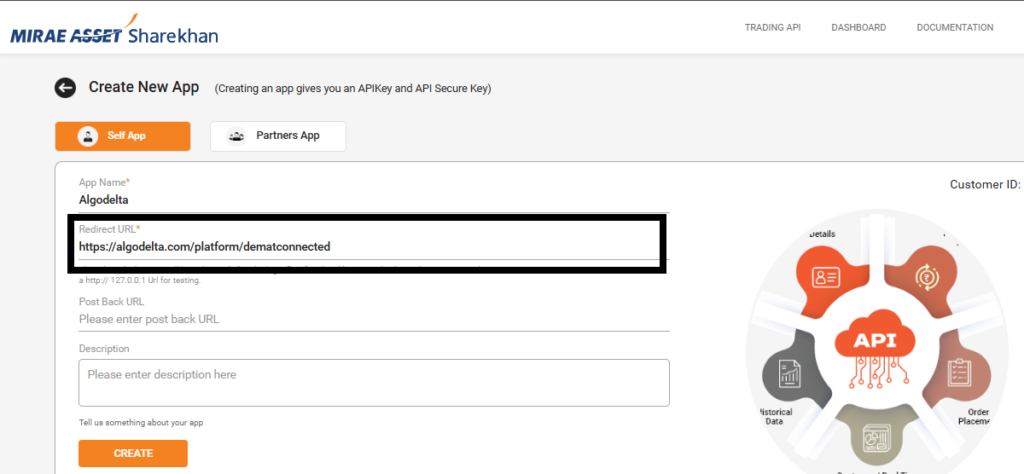
- Enter the ‘App Name’ (e.g., ‘Algodelta’), and in the ‘Redirect URL,’ enter https://algodelta.com/platform/dematconnected ✅ Copied!
- Then, click on the ‘CREATE’ button.
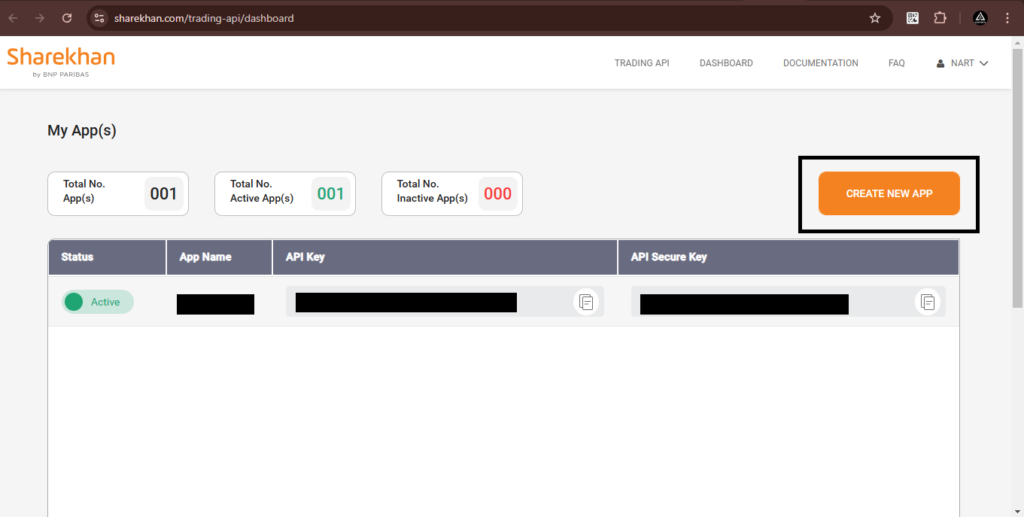
Now you will see the ‘API Key’ and ‘Secret Key.’
Step 5:
Now, go to AlgoDelta’s Copy Trading using the following link:
https://algodelta.com/platform/login. Enter your AlgoDelta email ID and password.
Step 6:
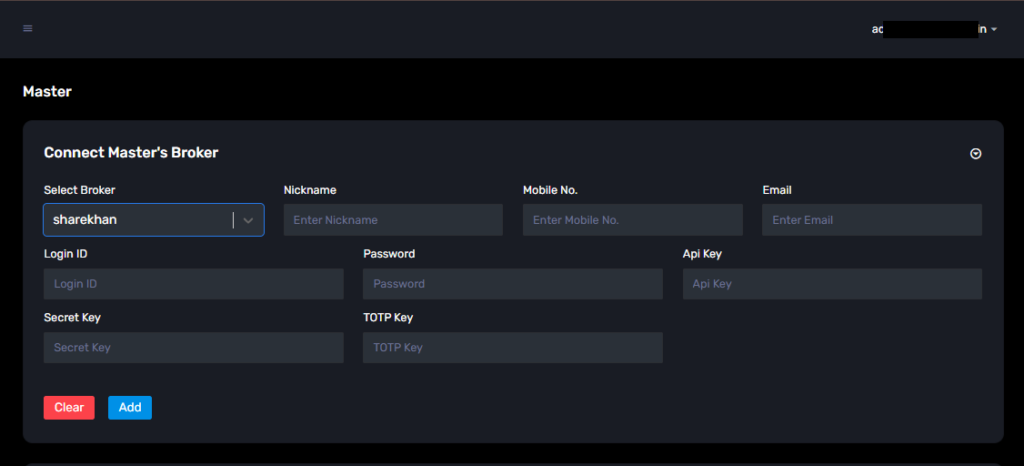
Go to the “Demat” tab and click on “Add Demat Account” Select “sharekhan” as the broker and provide the following details: Nickname, Mobile Number, Email, Login ID, Password, API Key ,Secret Key , TOTP Key Click on “Add.” You will see a “Broker Connected” pop-up.

Written by
The AlgoDelta support team writes setup guides for copy trading, broker API connections and TradingView automation, based on thousands of real customer setups.