Copy Trading with Kotak Neo
Connect your Kotak Neo account to AlgoDelta's copy trading software in just 2 steps. Create an API key from the API Portal and add details in Copy Trading.
Table of contents
To connect Kotak Neo in AlgoDelta’s Copy Trading software, follow these steps:
1. Generate the API Key from the Kotak neo trade API (napi) portal.
2. Add Kotak Neo Account Details in Algodelta’s Copy Trading
Step 1:
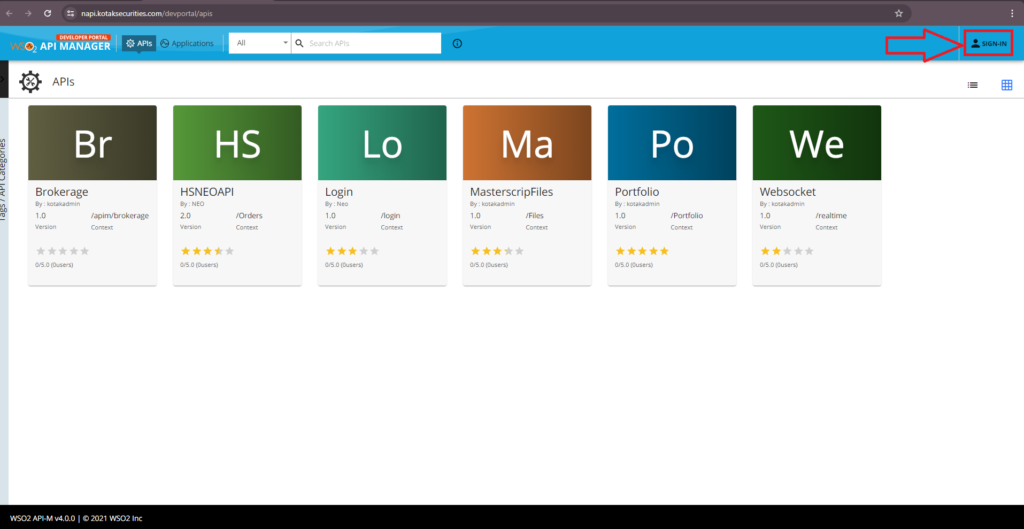
- Go to https://napi.kotaksecurities.com/devportal/apis to log in.
- Click the “Sign In” button in the Right Corner.
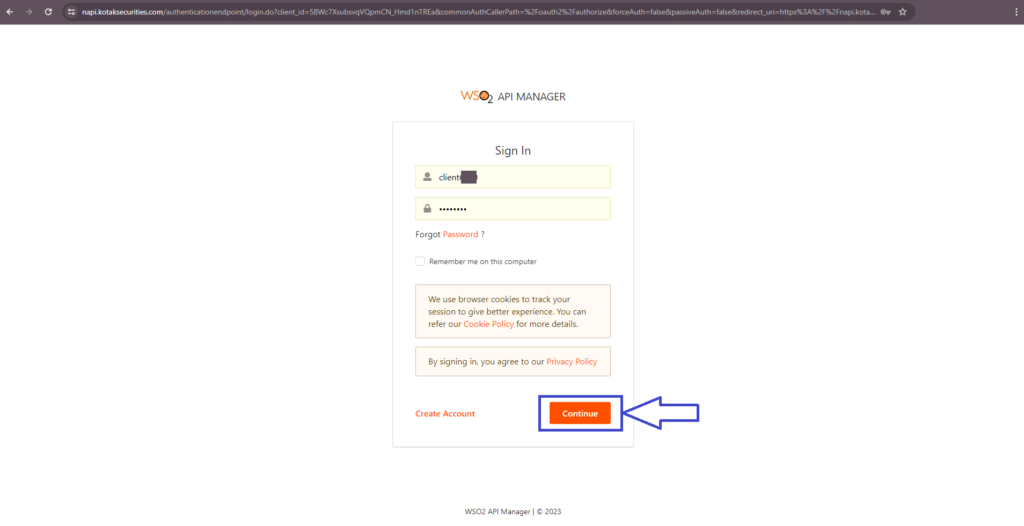
- Enter APi “Client ID” and “Password” and Click on ‘Continue’.
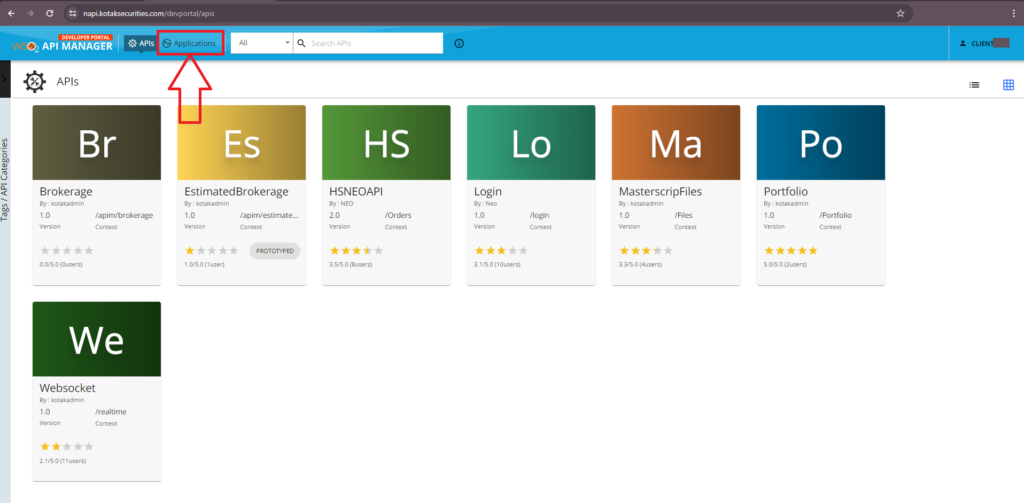
- You will see the API Dashboard. and Click on “Applications”.
Step 2:
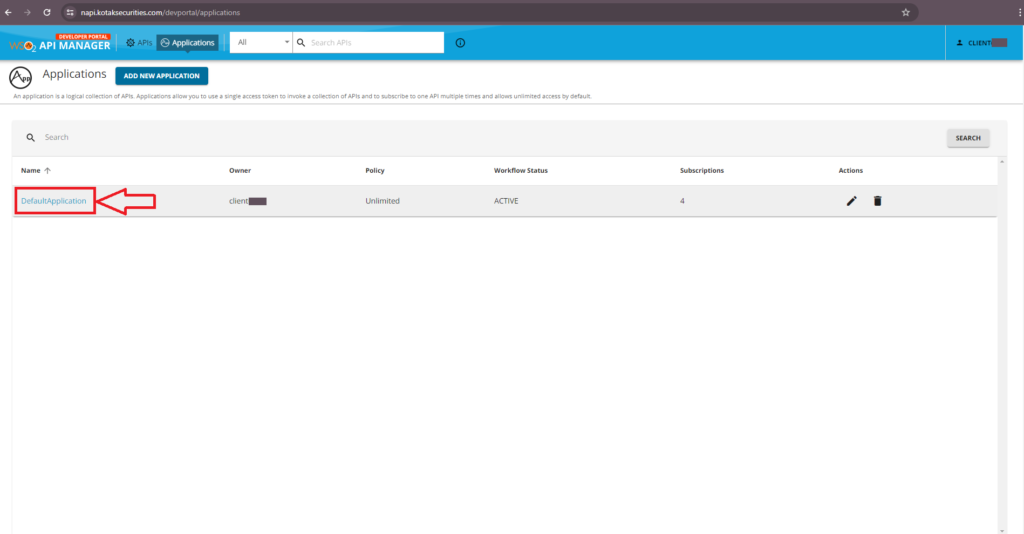
You will see one DefaultApplication.
- Click on “DefaultApplication”.
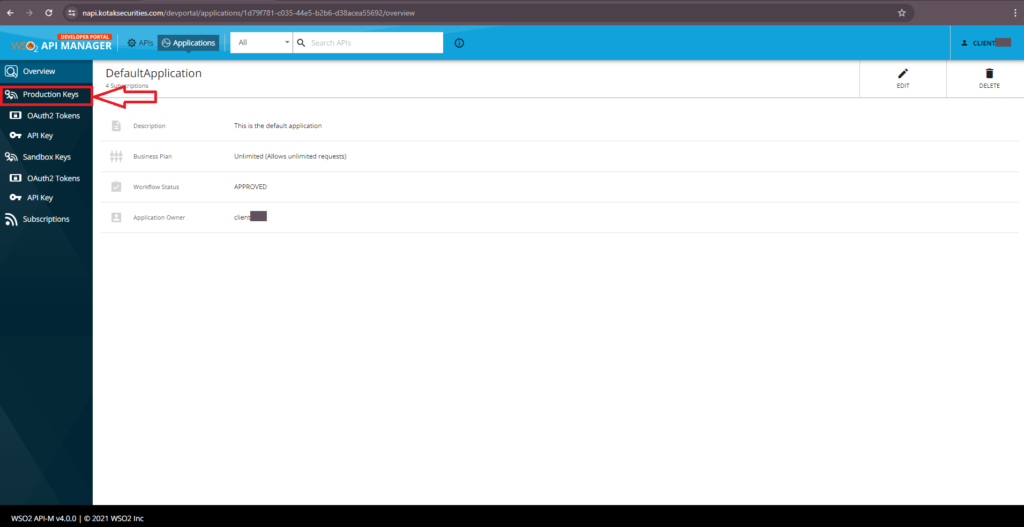
- Now from the navigation menu Click on “Production Keys”.
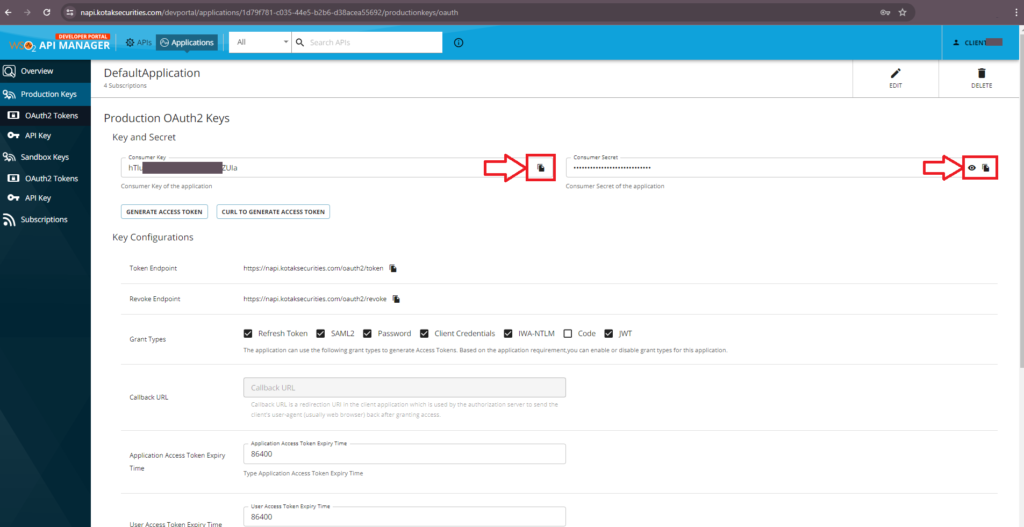
- Tick all check list, except “code” , in Grant Types
- Now Update the Time in all fields to “86400” and Click on Update.
- Need to subscribe all api except “web socket” from Subscription.
- Now Copy “Consumer Key” and “Consumer Secret” to connect the account in Algodelta’s copy trading.
Step 3:
Now, go to AlgoDelta’s Copy Trading using the following link:
https://algodelta.com/platform/login Enter your AlgoDelta email ID and password.
Step 4:
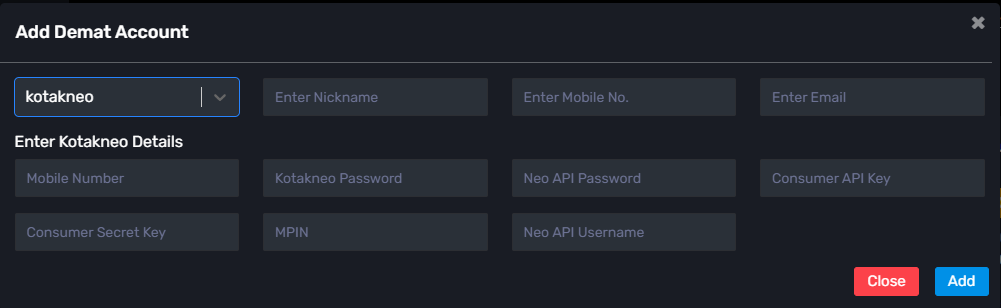
Go to the “Demat” tab and click on “Add Demat Account” Select “kotakneo” as the broker and provide the following details: Nickname, Mobile Number, Email, Koktak Neo Mobile NO, Neo Password, Neo Consumer Key, Neo Consumer Secret, Neo API Username, Neo API Password (generated from the Kotak neo API portal) and MPIN(6 digits) of Kotak neo Click on “Add.” You will see a “Broker Connected” pop-up.
Conclusion:
By following these steps, you will successfully connect your Kotak Neo account to AlgoDelta’s Copy Trading software and gain access to its features for enhanced trading experiences.

Written by
The AlgoDelta support team writes setup guides for copy trading, broker API connections and TradingView automation, based on thousands of real customer setups.