How to create Kotak API
Table of contents
For creating API in Kotak securities, follow this steps:
Step 1:
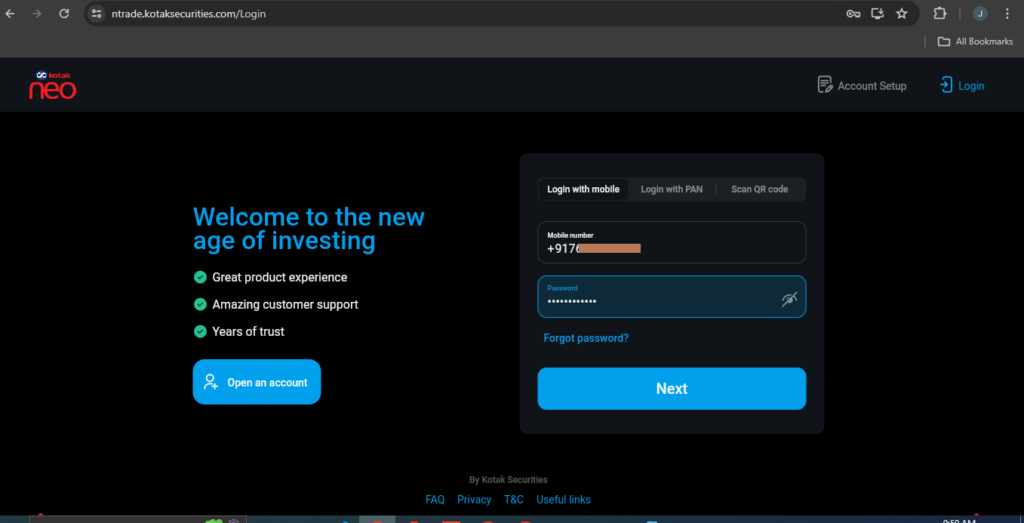
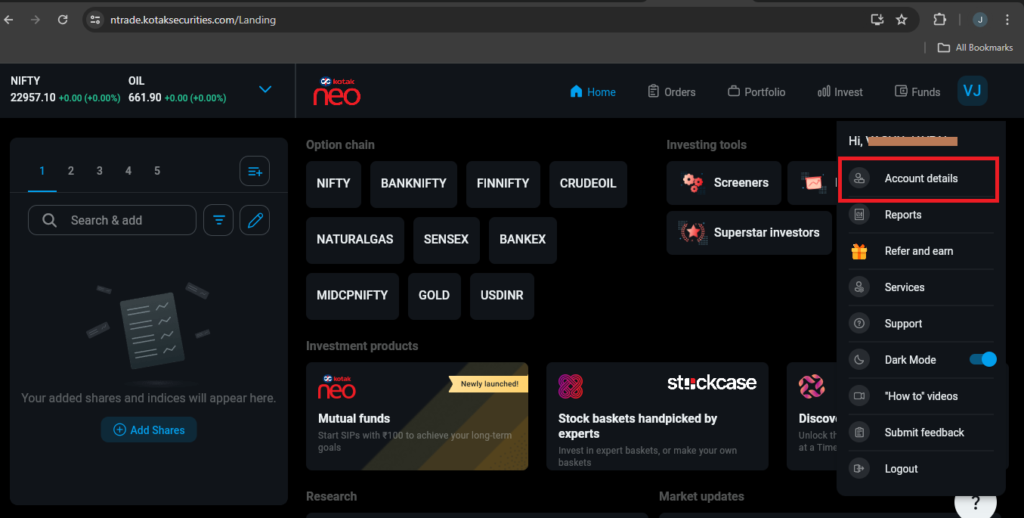
- Go to https://ntrade.kotaksecurities.com/ to log in.
- Enter Register Kotak neo ‘Mobile number’ and ‘Password’.
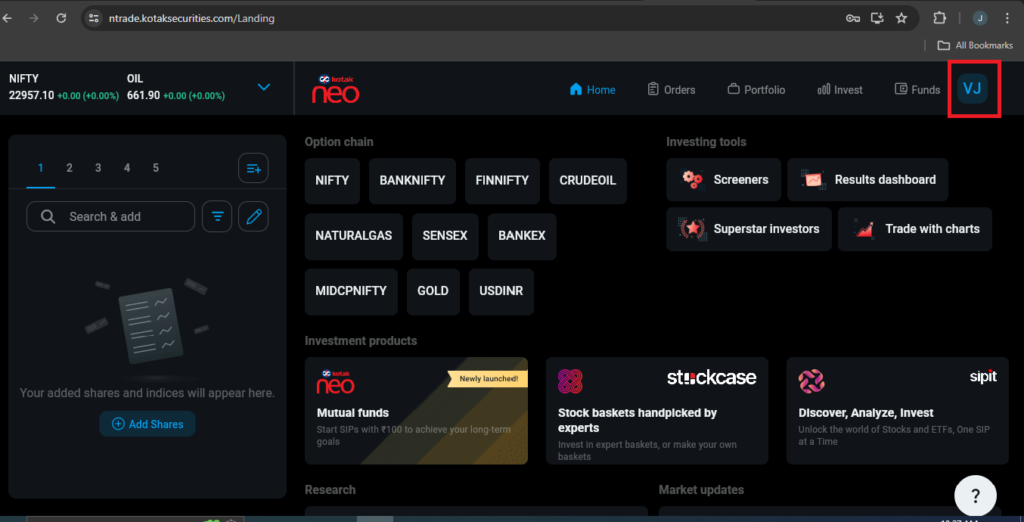
- After Successful login Click on top right corner button and then click on “Account details” button.
Step 2:
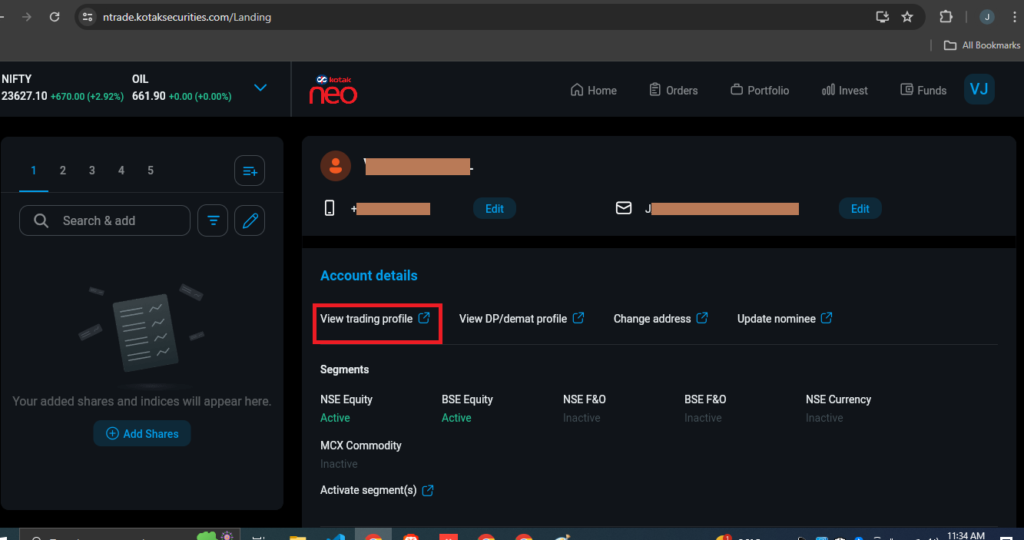
- Now click on “View trading profile”.
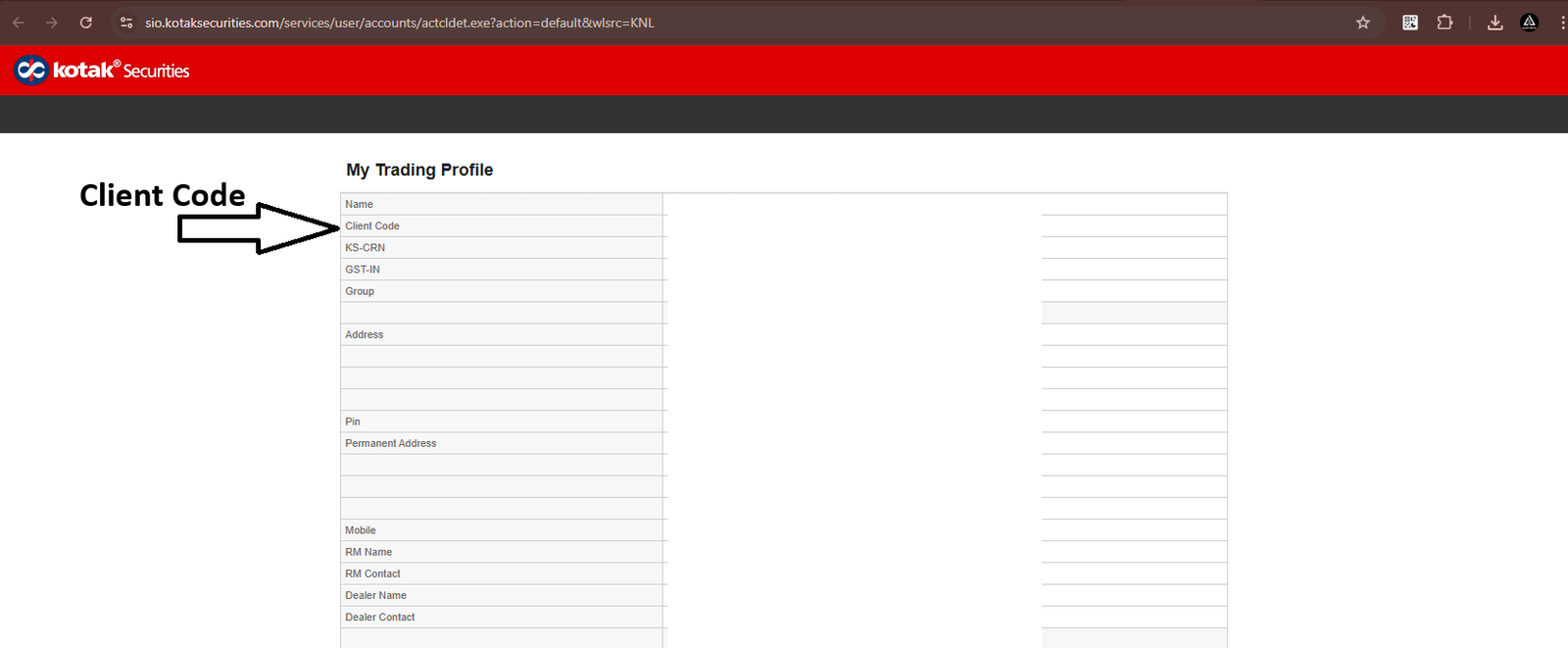
- You are now redirect to “My Trading Profile” page, now copy “Client Code”.
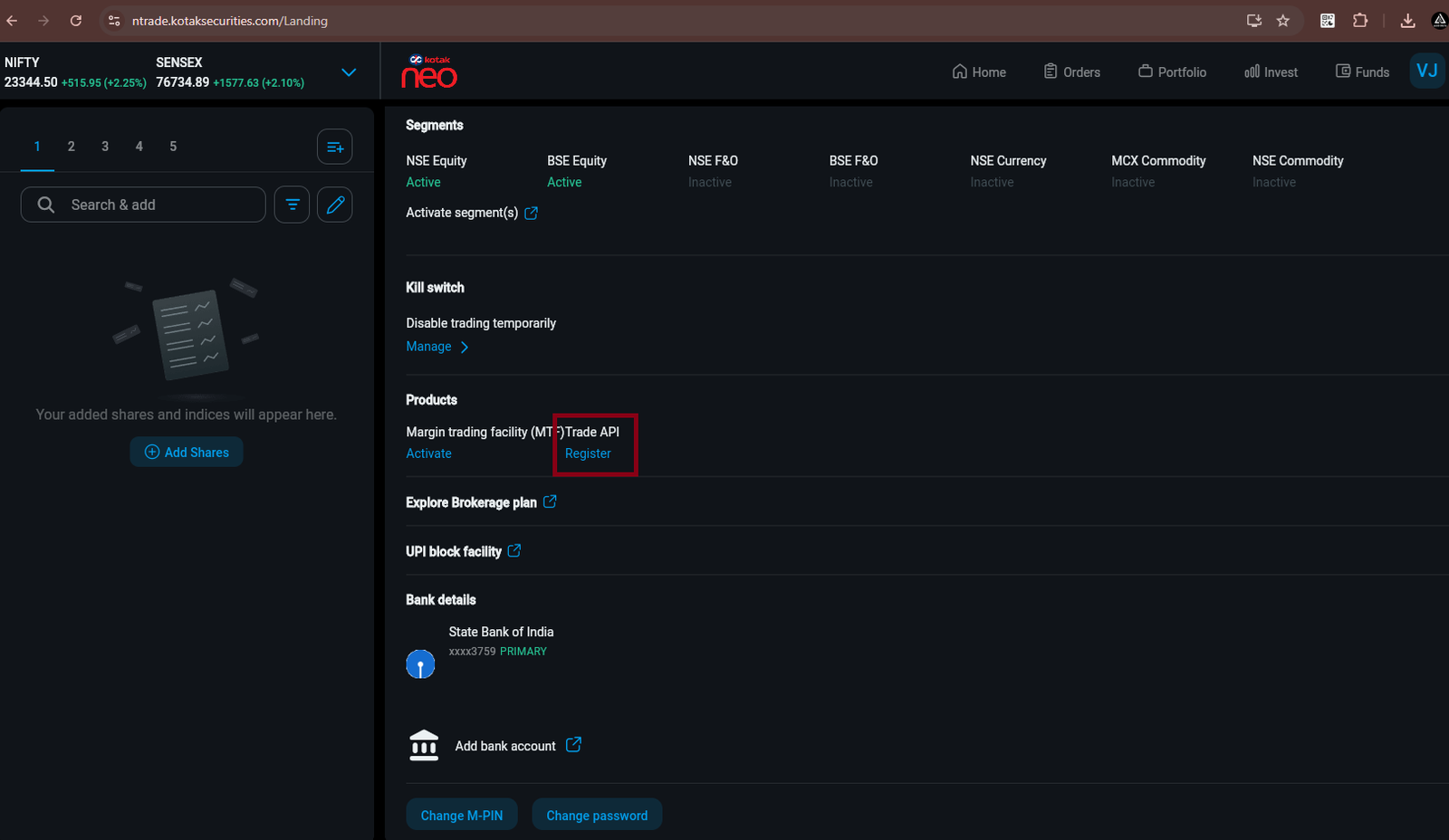
- And go back to https://ntrade.kotaksecurities.com/Landing.
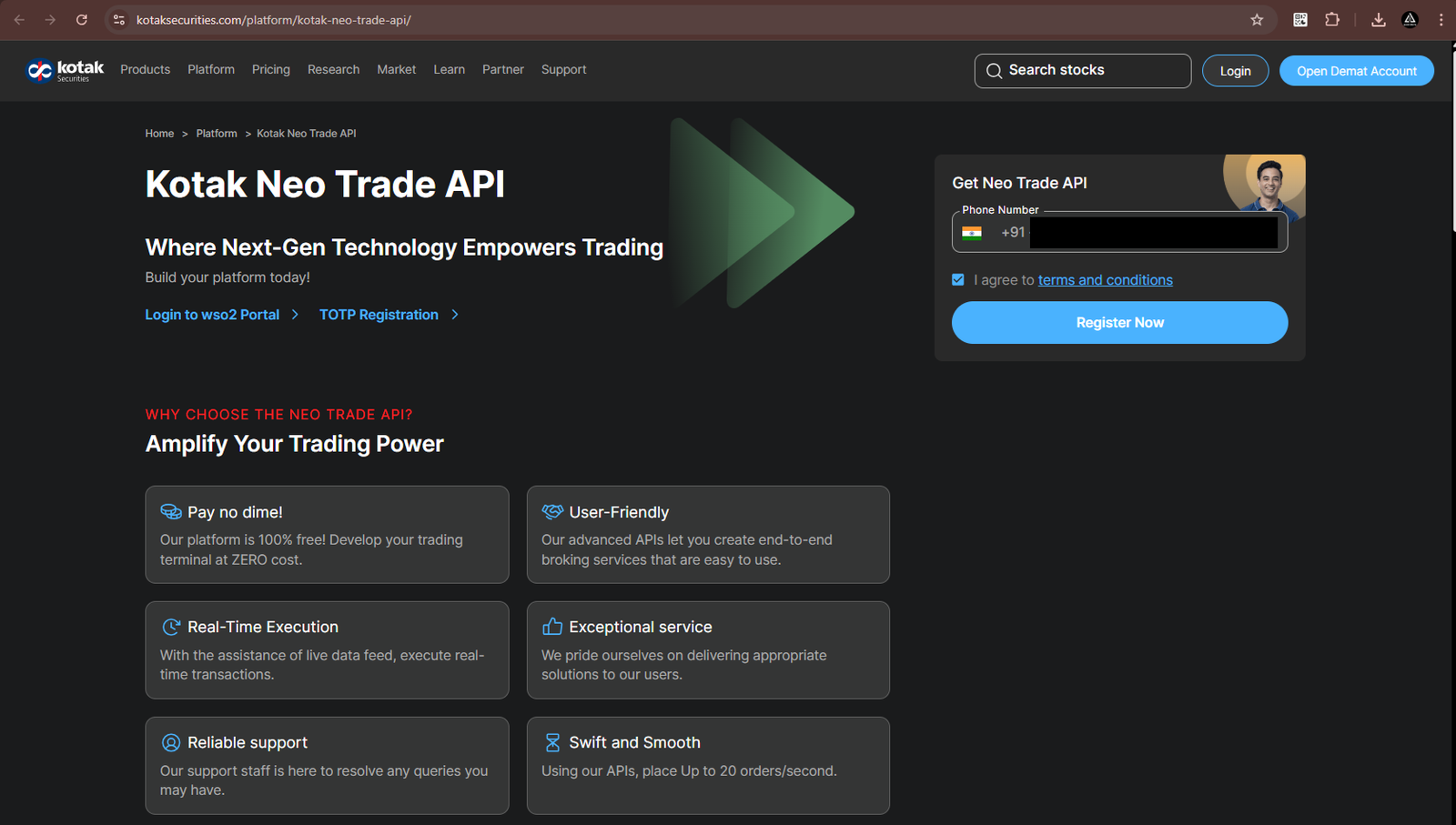
- Now click on “Trade API” , You will be redirected to this URL: https://www.kotaksecurities.com/platform/kotak-neo-trade-api/
Step 3:
- Enter your registered Kotak phone number and click on ‘I agree to terms and conditions’ to proceed.
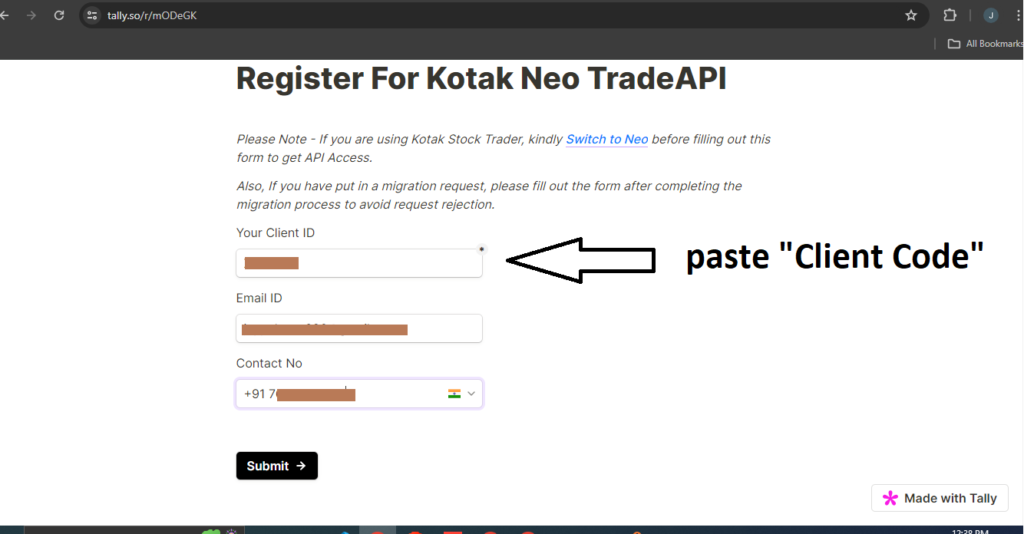
- Now enter ‘Client Code’ in ‘Your Client ID’ tab which are copy from ‘My Trading Profile’ Page and enter registered ‘Email ID’ and ‘Contact No’.
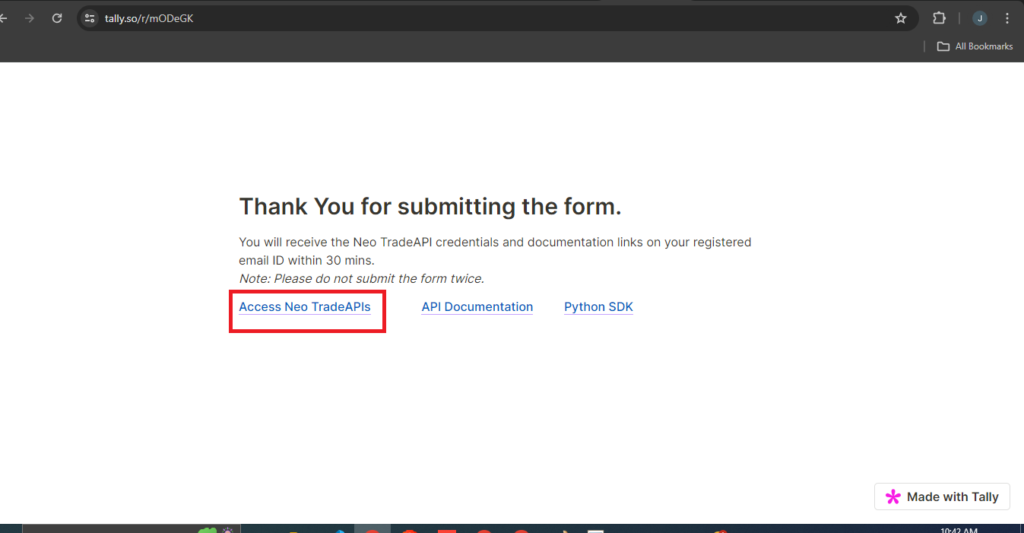
- After successfully registration, new page is open , click on ‘Access Neo TradeAPIs’.
- After few minutes API “Client ID” and API “Password” are get in registered Email ID.
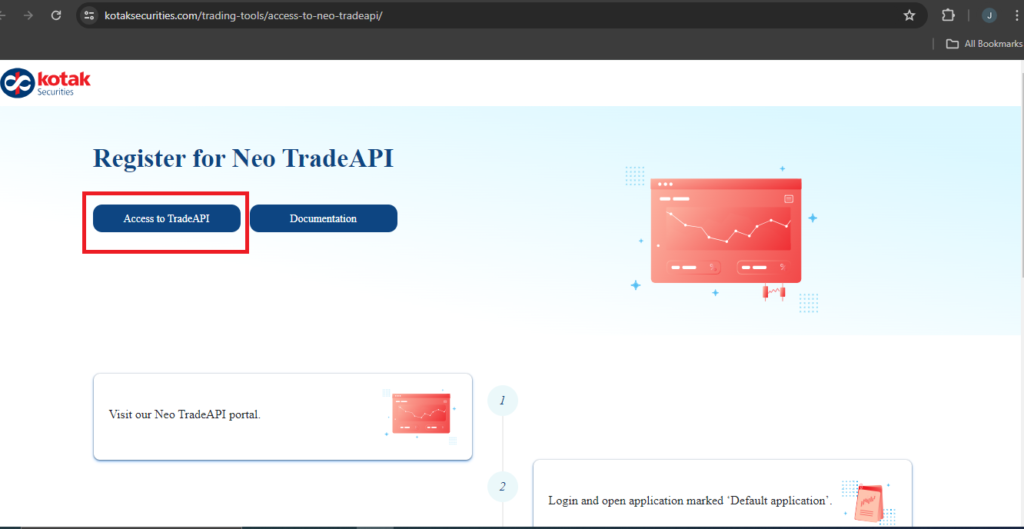
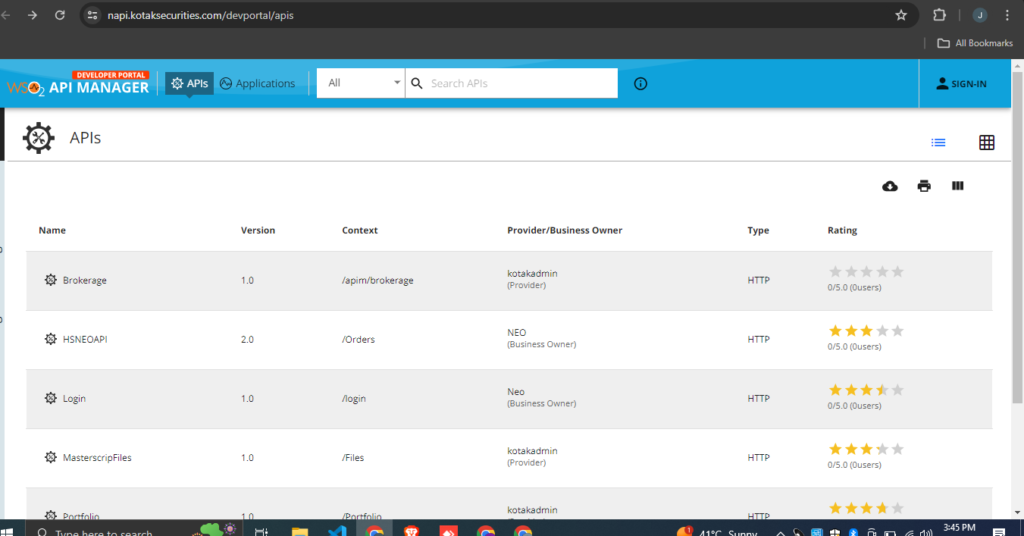
- For go on Api Page click on ‘Access to TradeAPI’.

Written by
The AlgoDelta support team writes setup guides for copy trading, broker API connections and TradingView automation, based on thousands of real customer setups.