
To connect Kotak Neo in AlgoDelta’s Copy Trading software, follow these steps:
1. Generate the TOTP Key and TOKEN from the Kotak neo trade API portal.
2. Add Kotak Neo Account Details in Algodelta’s Copy Trading
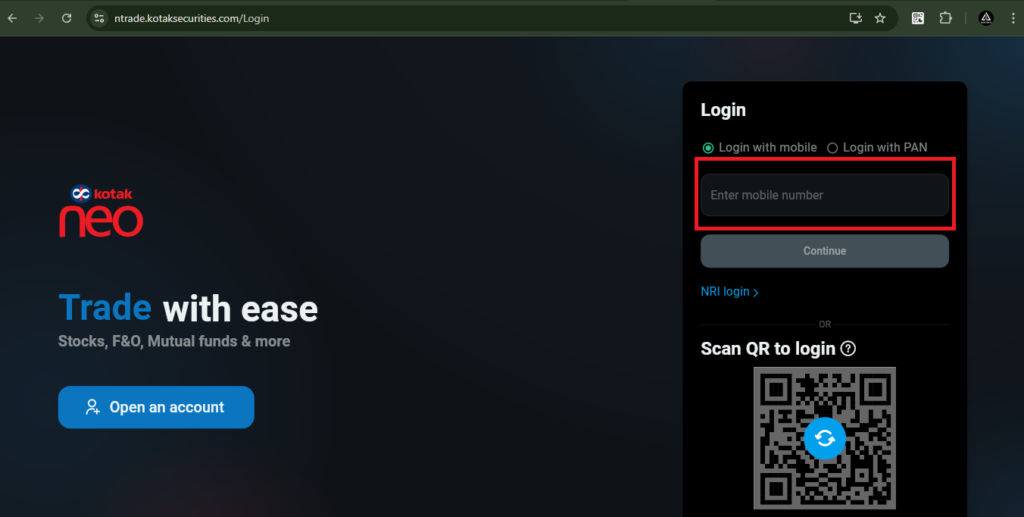
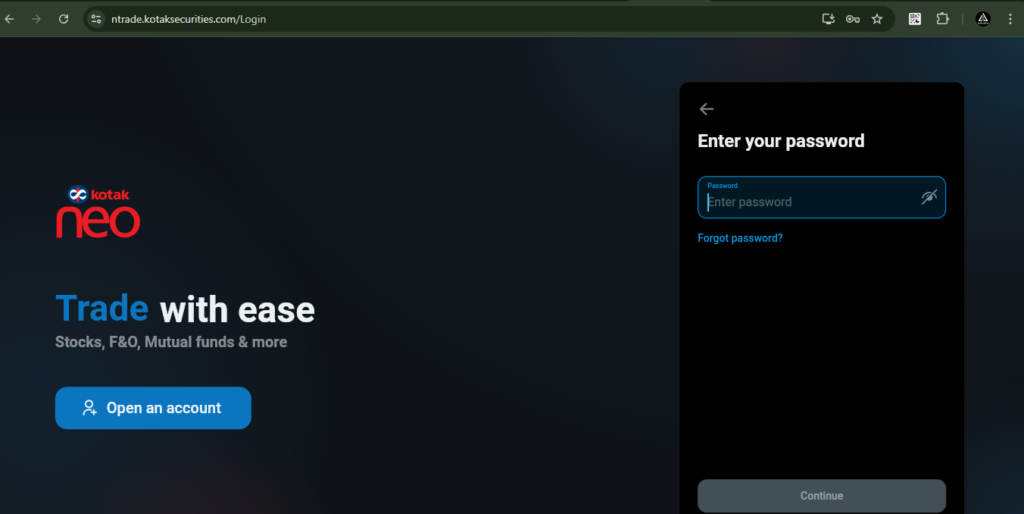
You have to log in using this link: https://ntrade.kotaksecurities.com/Login. Then enter your registered Kotak mobile number, followed by your password. After that, enter the OTP received on your registered mobile number and email.
Step 1 : For generating Kotak token
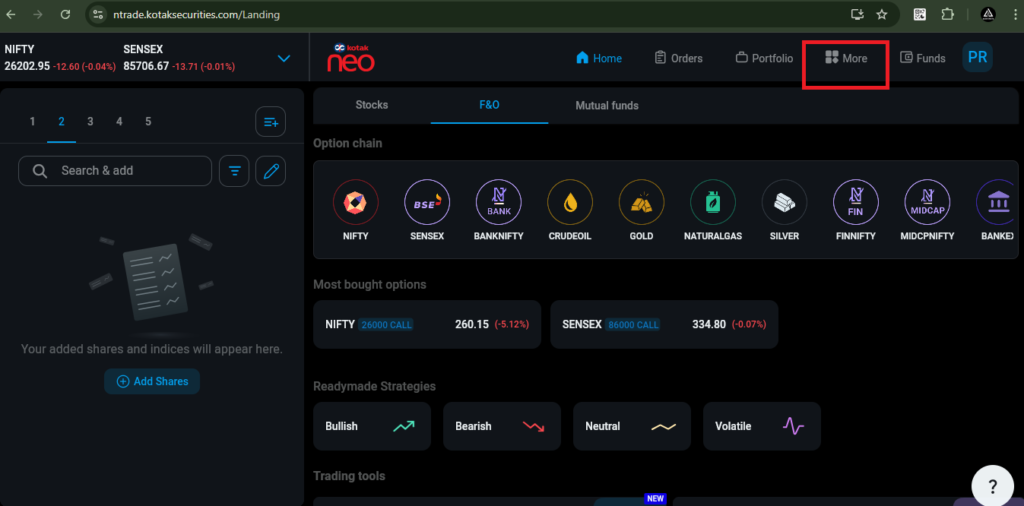
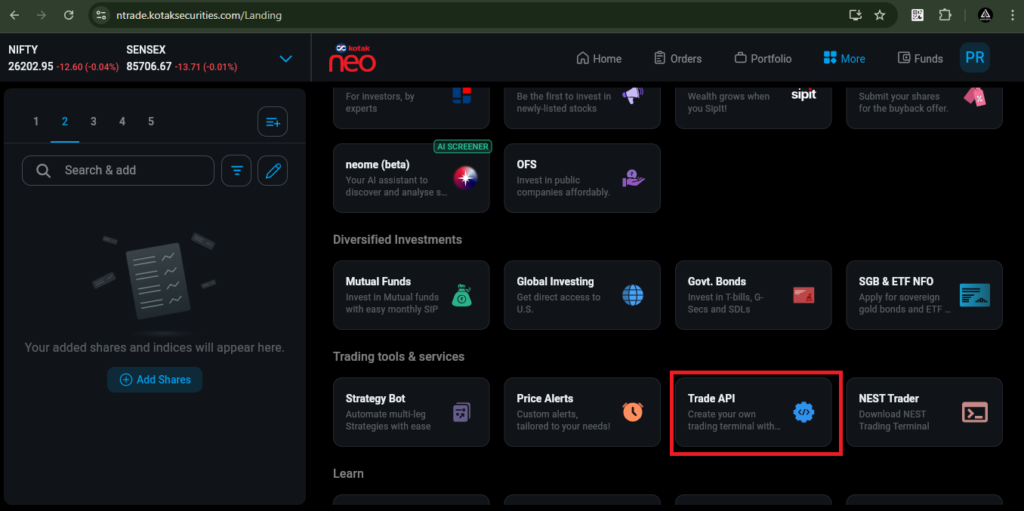
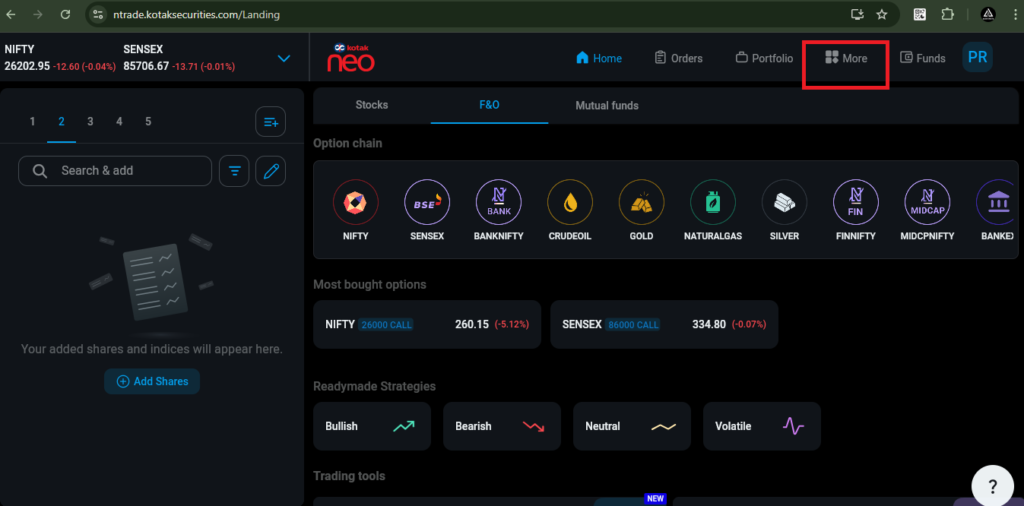
- You have to click on the ‘More’ tab, and then click on ‘Trade API’.
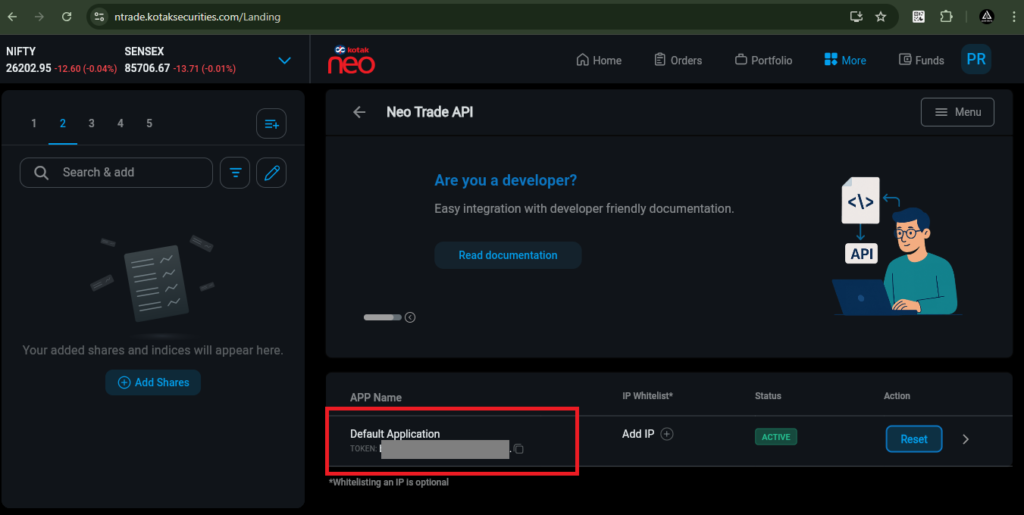
- After clicking on ‘Trade API’, you will be able to see the Kotak token.
Step 2 : For generating TOTP key
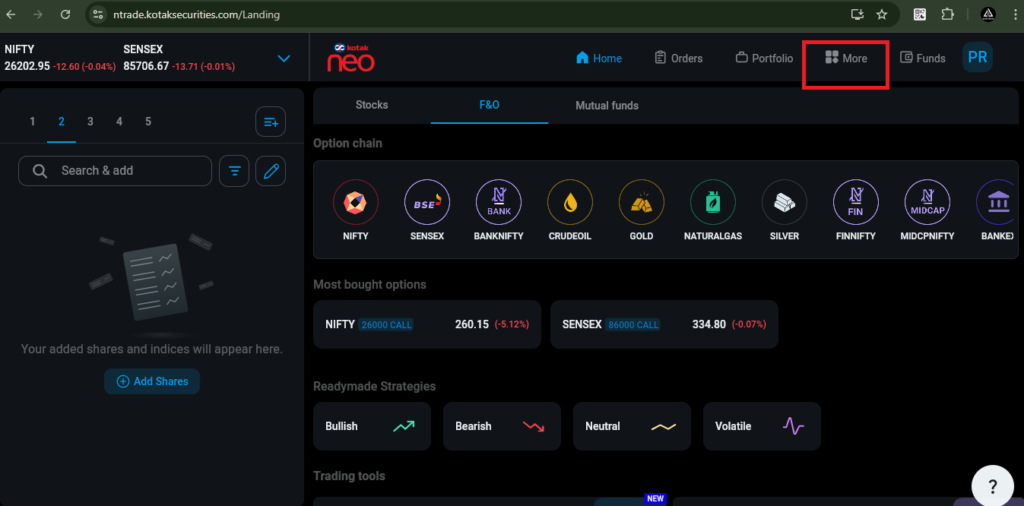
1. You have to click on the ‘More’ tab, and then click on ‘Trade API’.
2 Then, you have to click on the Menu button and then ‘TOTP registation’ button.
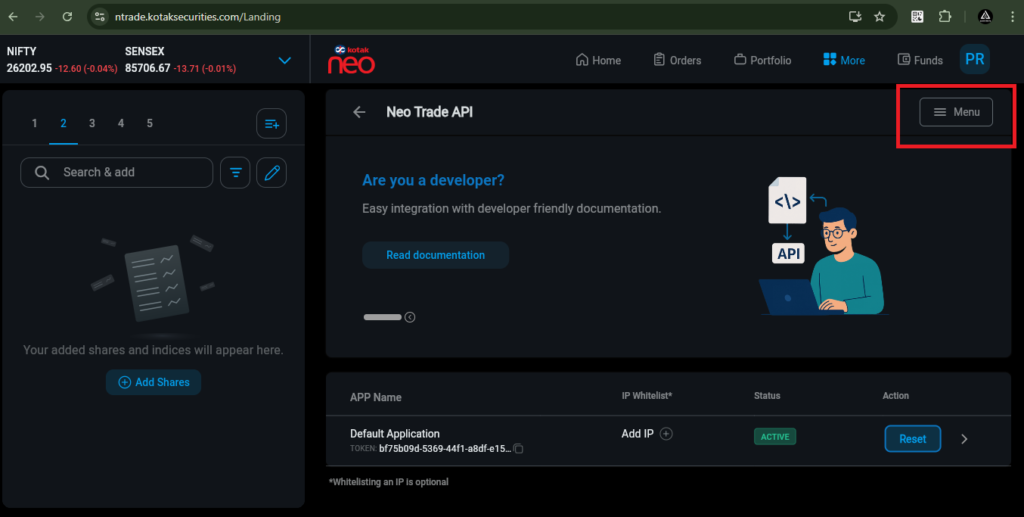
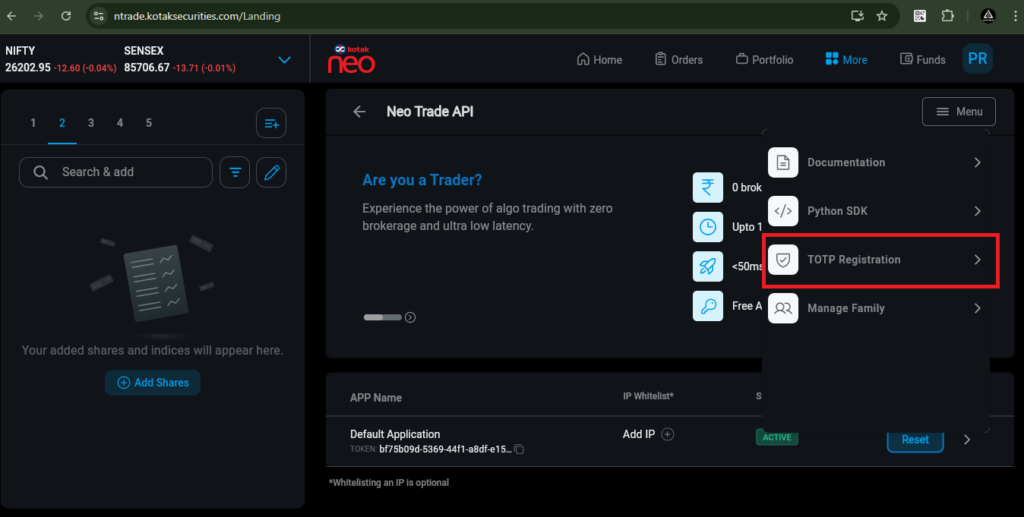
Then, copy the setup key from here and note it down in your Notepad file. After that, scan the QR code to generate a 6-digit TOTP, or use the setup key to generate the 6-digit TOTP.
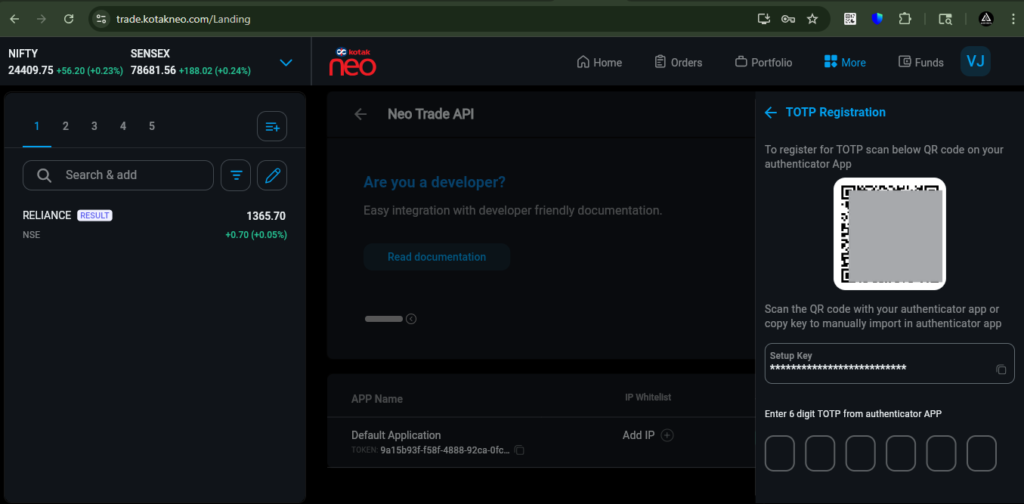
Now enter the long Setup key into your Authenticator app. The app will generate a 6-digit TOTP code, which you need to enter here to complete the authentication process.
Download link of google Authenticator : https://chromewebstore.google.com/detail/authenticator/bhghoamapcdpbohphigoooaddinpkbai?hl=en
Steps for google Authenticator app
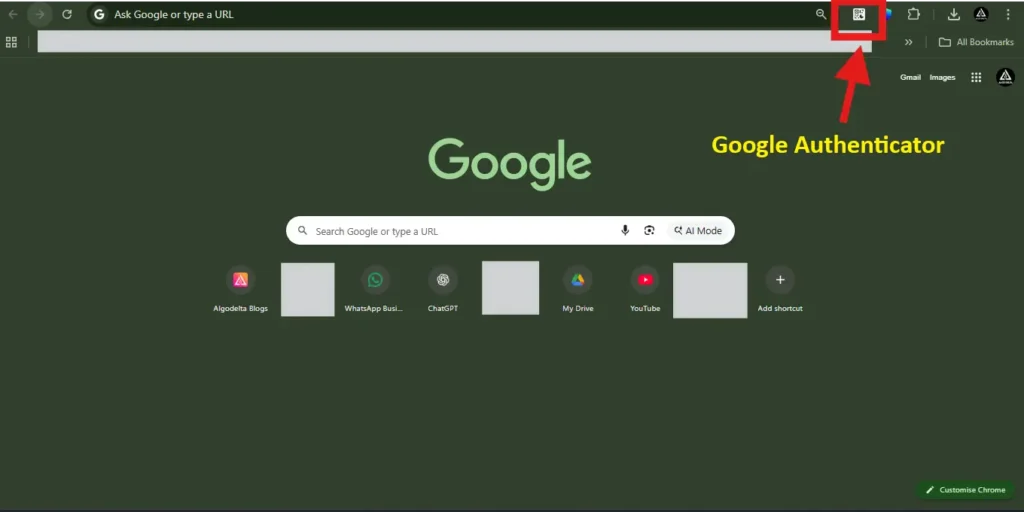
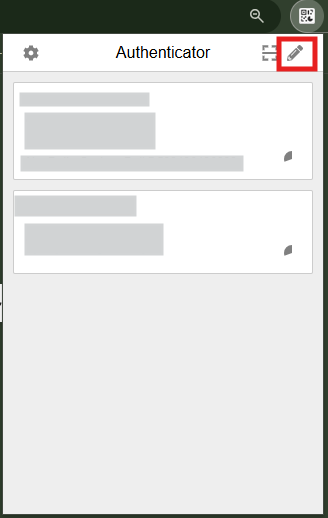
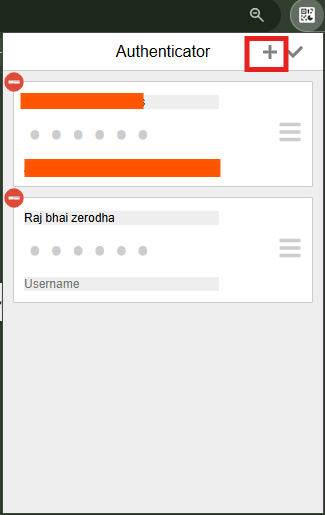
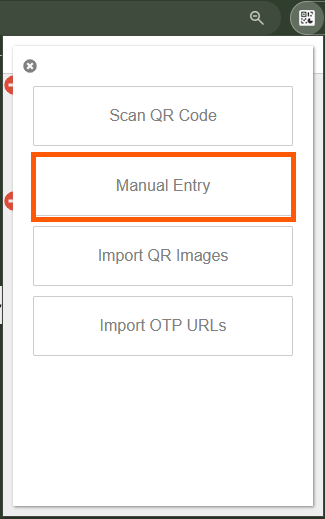
In the “Secret” field, enter the TOTP key to generate the 6-digit authentication code using your authenticator app.
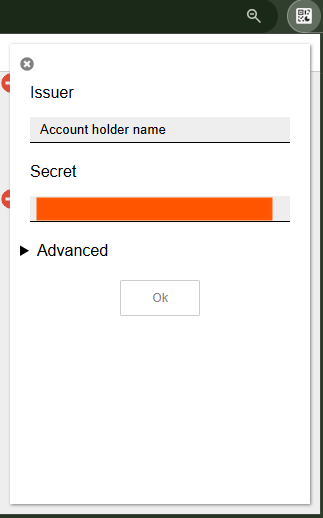
After completing these steps, you will receive a 6-digit TOTP code in your Authenticator app. Enter this 6-digit TOTP in the “Enter 6 digit TOTP” section in the Kotak broker window to complete the verification process.
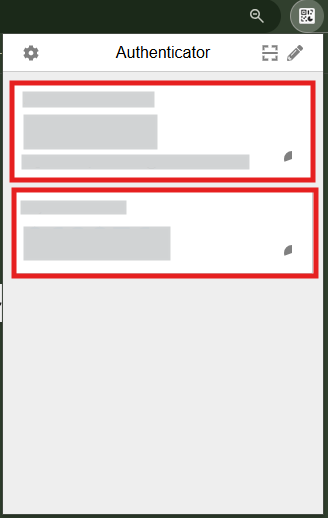
(You can use any Authenticator app to generate the TOTP code. In this guide, we are using Google Authenticator as an example, but other authenticator apps will work the same way.)
Step 3 : To add a Static IP
To add a Static IP in Kotak Broker, click on the ‘More’ tab, then select ‘Trade API.
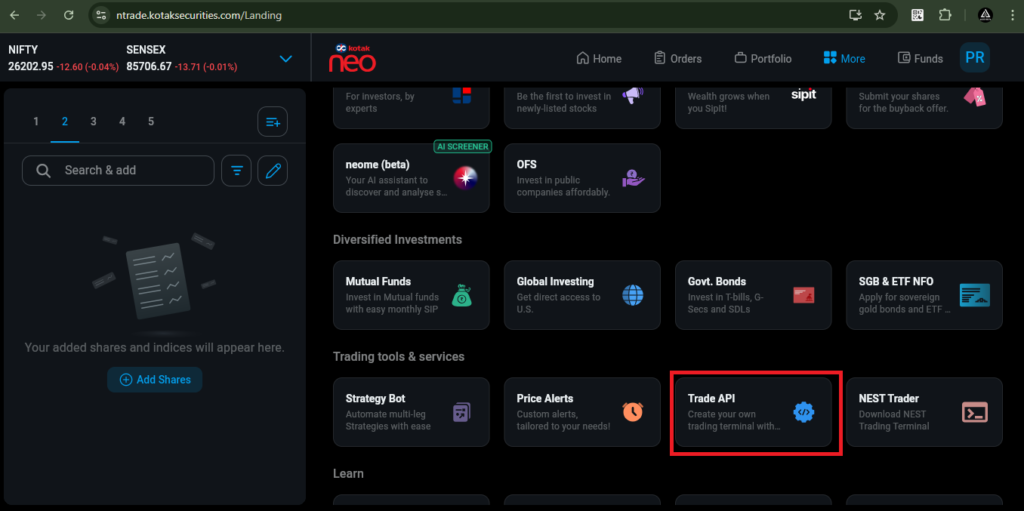
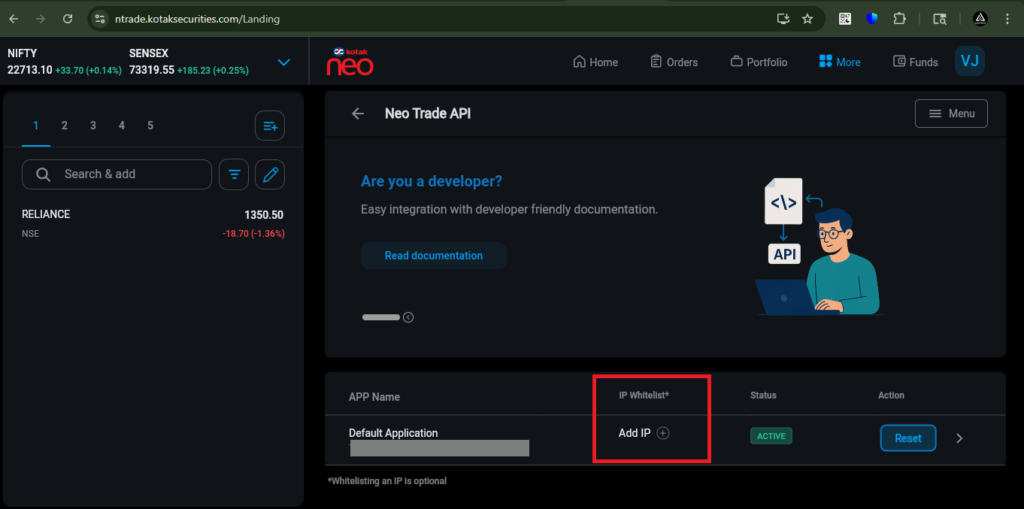
Then, click on ‘Add IP’ and enter the Static IP obtained from AlgoDelta.
Then, tick ‘I agree to the terms and conditions’ and click on the ‘Update’ button.
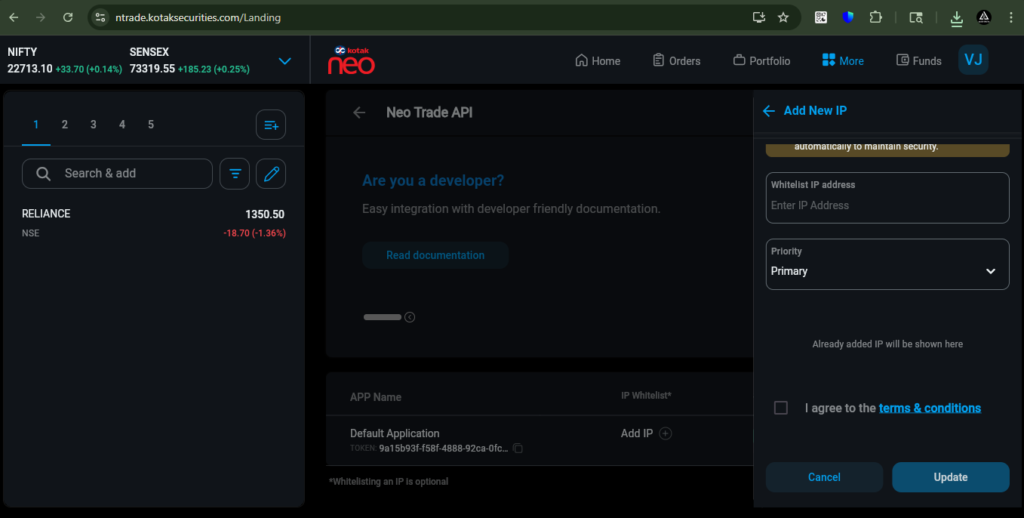
Step 4 : For getting Static IP
Now, go to AlgoDelta’s Copy Trading using the following link: https://algodelta.com/platform/login. Enter your AlgoDelta email ID and password.
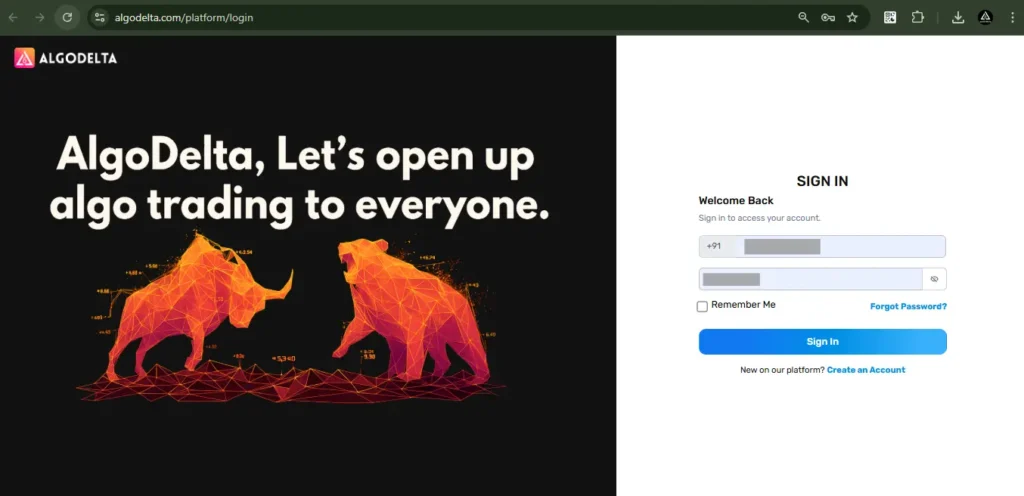
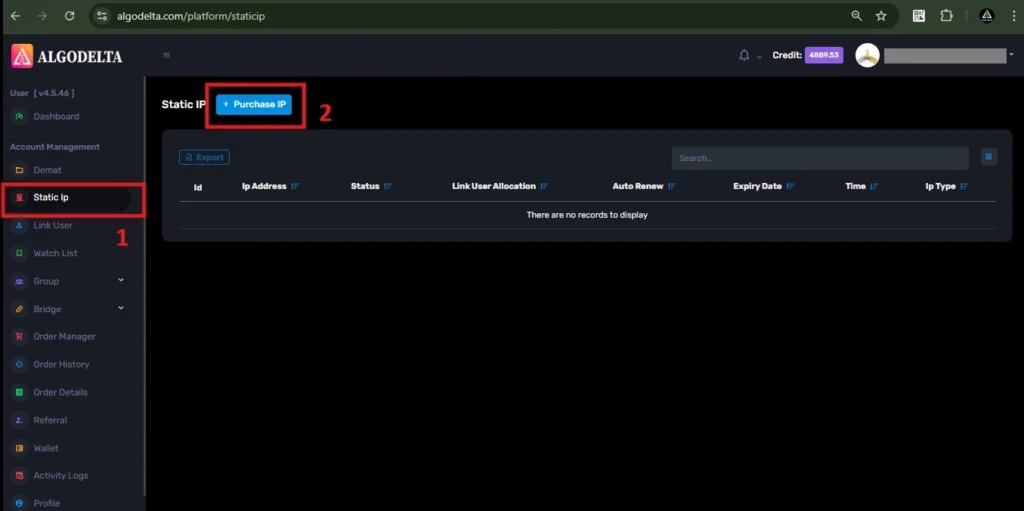
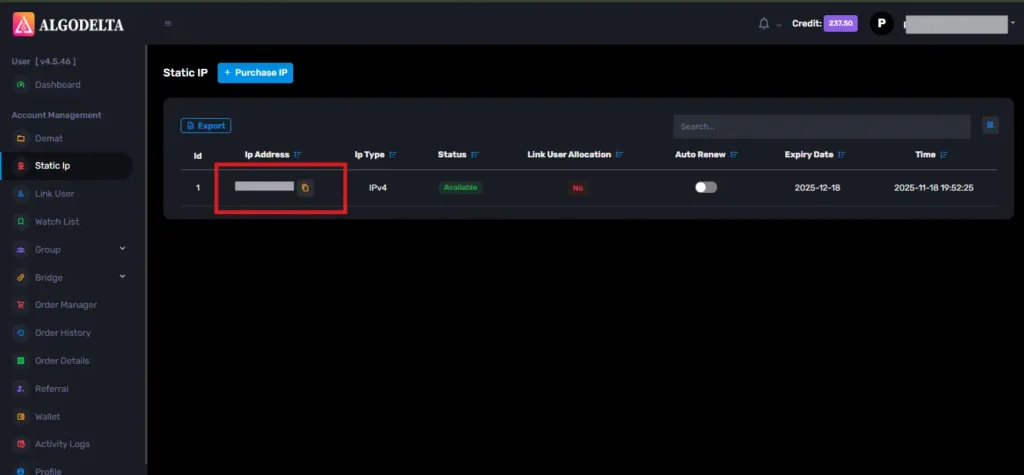
To get your Static IP, log in to your AlgoDelta account and navigate to the “Static IP” tab. Click on the “Purchase IP” button to continue.
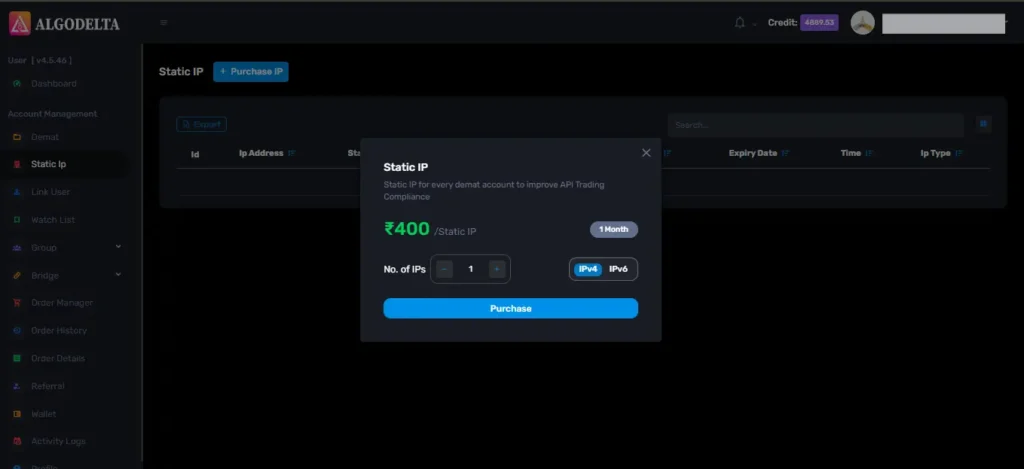
Next, select IPv4 , click on the Purchase button, and wait a few seconds for the Static IP to be activated.
Once the process is complete, you will be able to view your Static IP, which is required for connecting Kotak with AlgoDelta for secure copy trading.
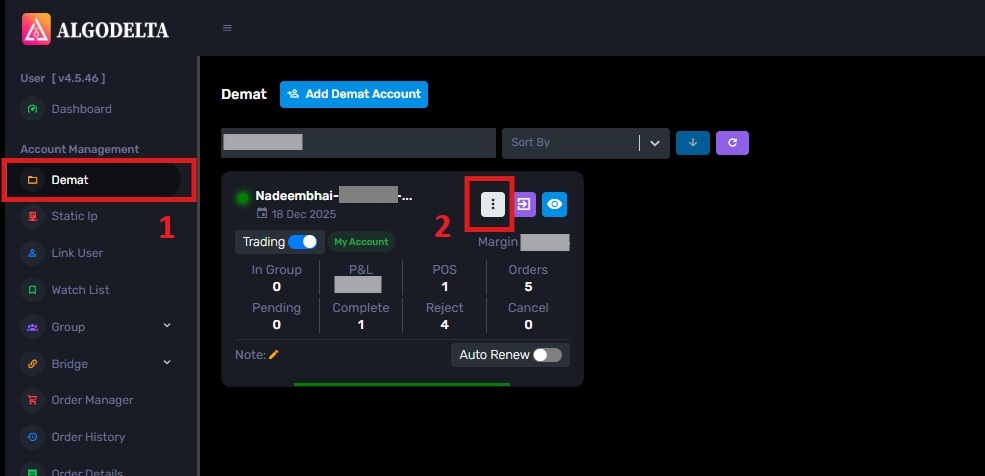
To bind the Static IP with your Kotak account, go to the Demat tab and click on the three-dot menu. Select the Reconnect option.
Next, enable the “Connect with IP” setting and choose the Static IP that you purchased and linked for Kotak copy trading.
Then, click on the dropdown menu to view and select your Static IP for Kotak copy trading integration.
Enter the following details: Nickname, Mobile Number, Email, select Duration, Kotak Neo registered mobile number, 6-digit Kotak PIN, Kotak Token, and Kotak TOTP Key (generated from the Kotak Neo API portal). Click ‘Add.’ A ‘Broker Connected’ pop-up will appear, confirming a successful connection.