

Introduction:
To connect Profitmart to Algodelta’s Copy Trading software, follow these steps:
1. Login into Profitmax Trading Platform.
2. GenerateAPI Key.
3. Generate TOTP Key
4. Add Profitmart Account Details in Algodelta’s Copy Trading
Step 1:
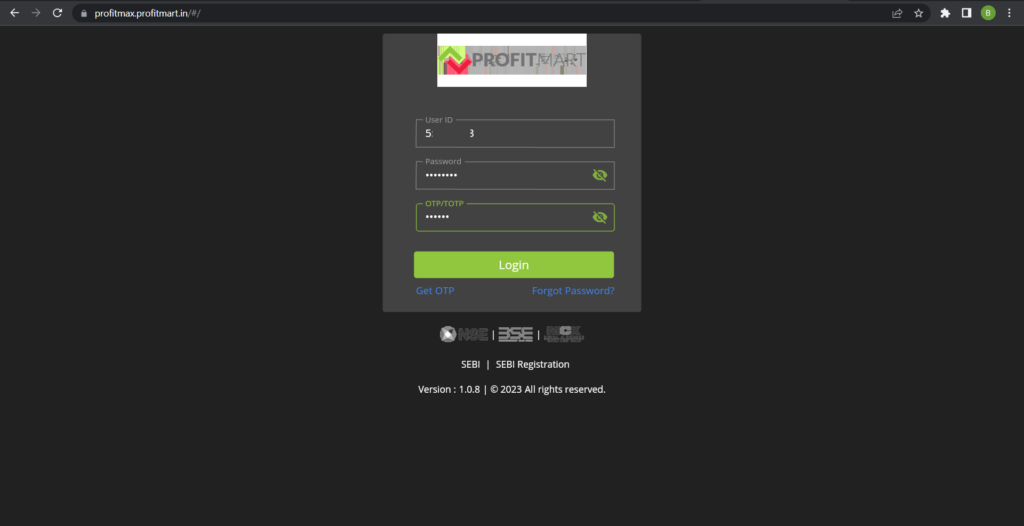
Open the Profitmart website using the following link: https://profitmax.profitmart.in/
Enter your User ID, Password and OTP or TOTP to log in.
Step 2:
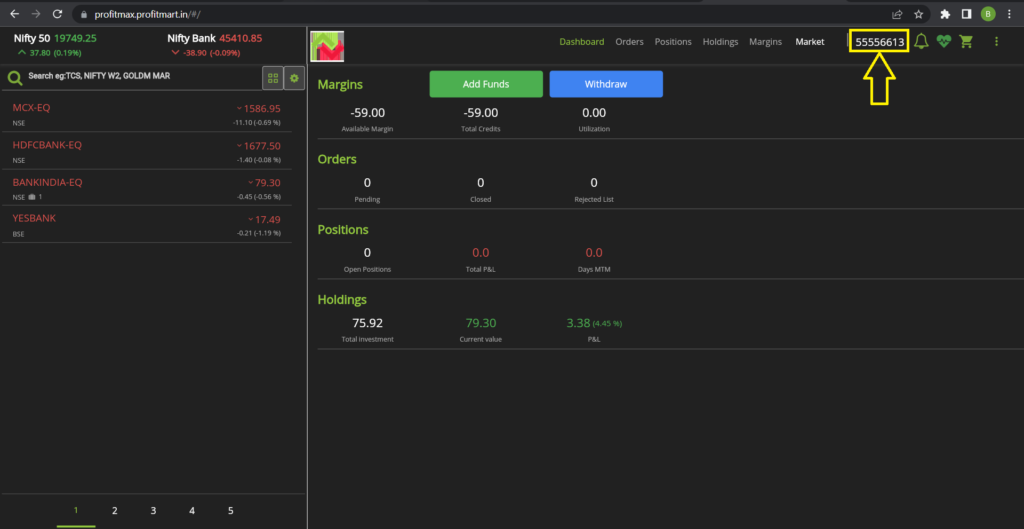
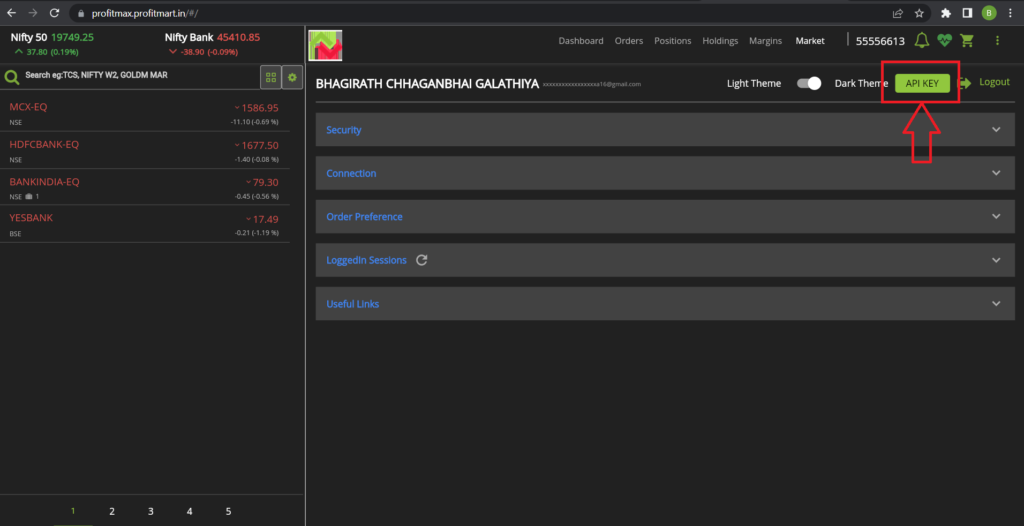
Once You Logged In Click on Your “User ID”. You will see the “API KEY” Button. You will see the screen.
Step 3:
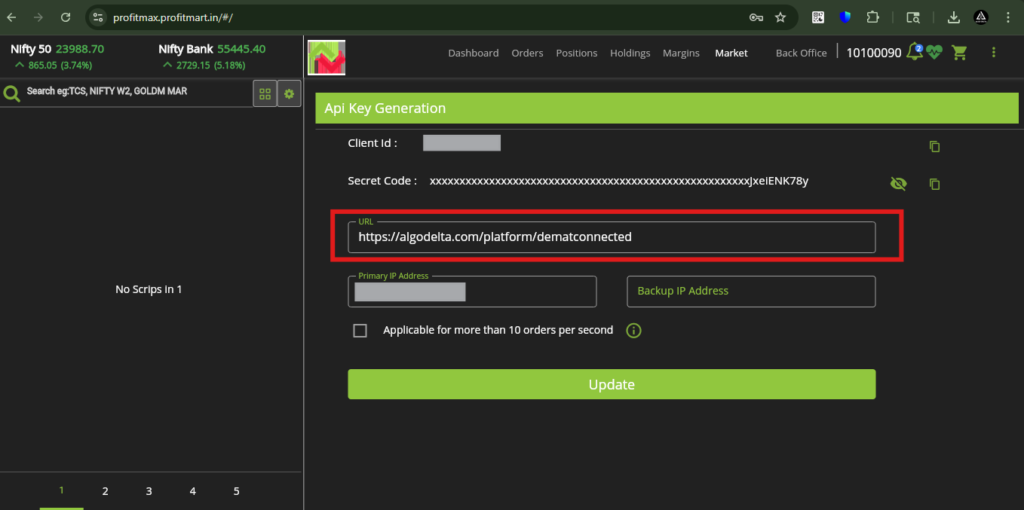
After clicking on the “API Key” button, you will see this screen.
In the URL section, enter the following callback URL:
👉 https://algodelta.com/platform/dematconnected
Next, in the Primary Static IP field, enter the static IP provided by AlgoDelta.
Finally, click the “Update” button to save the settings.
Step 4:
For getting Static IP
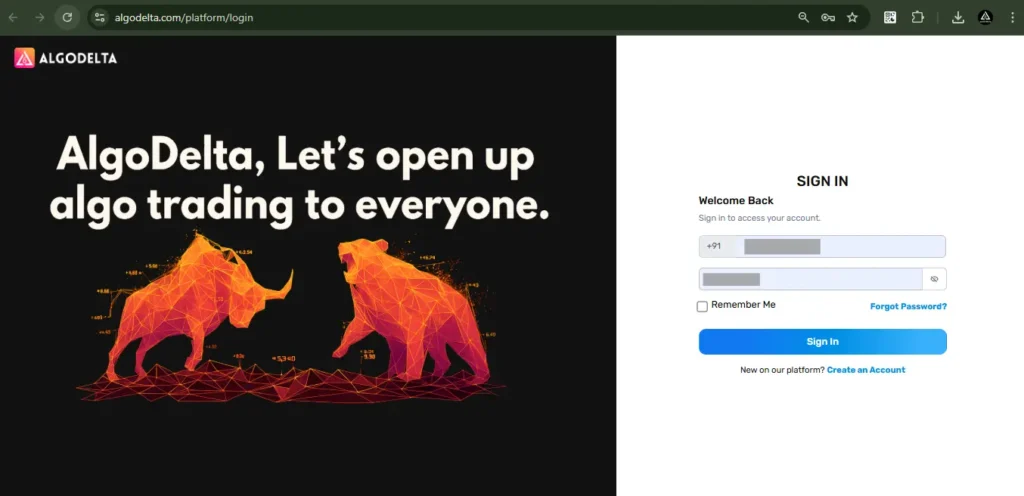
Now, go to AlgoDelta’s Copy Trading using the following link: https://algodelta.com/platform/login. Enter your AlgoDelta email ID and password.
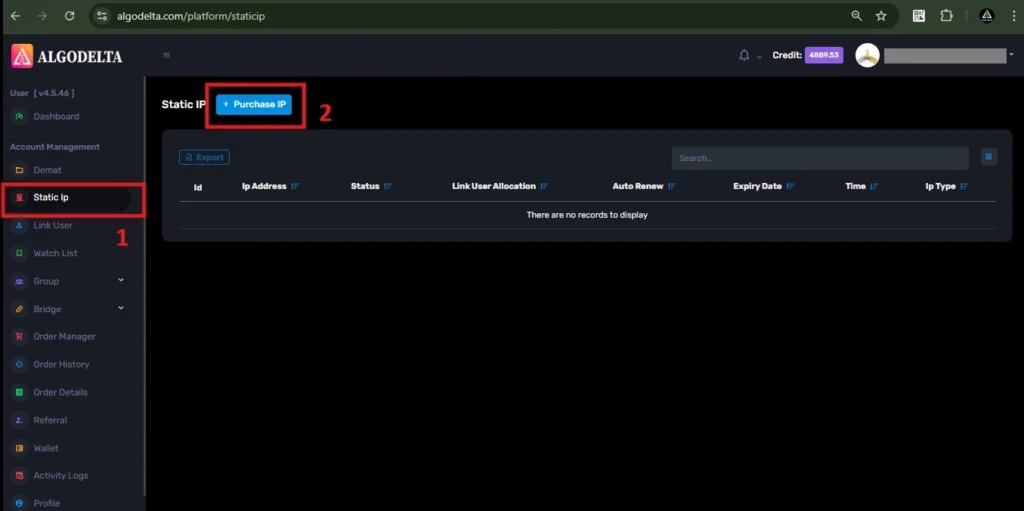
To get your Static IP, log in to your AlgoDelta account and navigate to the “Static IP” tab. Click on the “Purchase IP” button to continue.
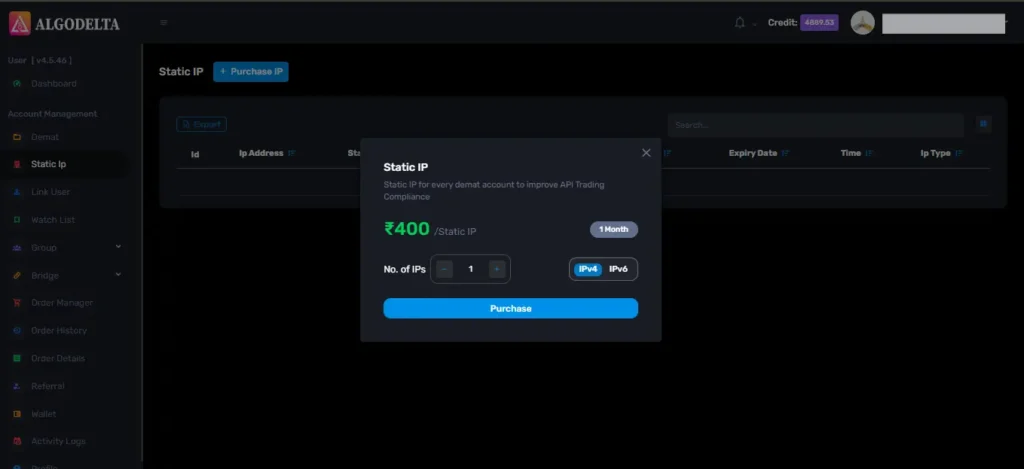
Next, select IPv4 , click on the Purchase button, and wait a few seconds for the Static IP to be activated.
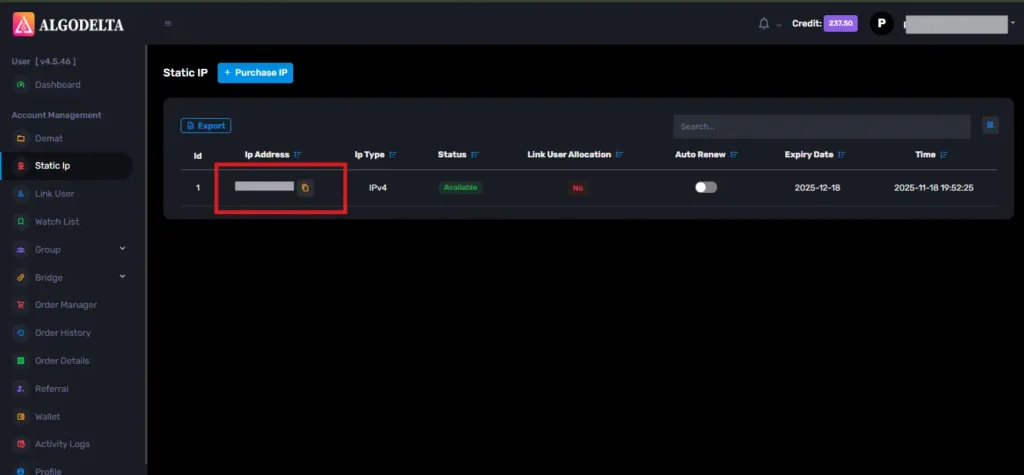
Once the process is complete, you will be able to view your Static IP, which is required for connecting Alice blue One with AlgoDelta for secure copy trading.
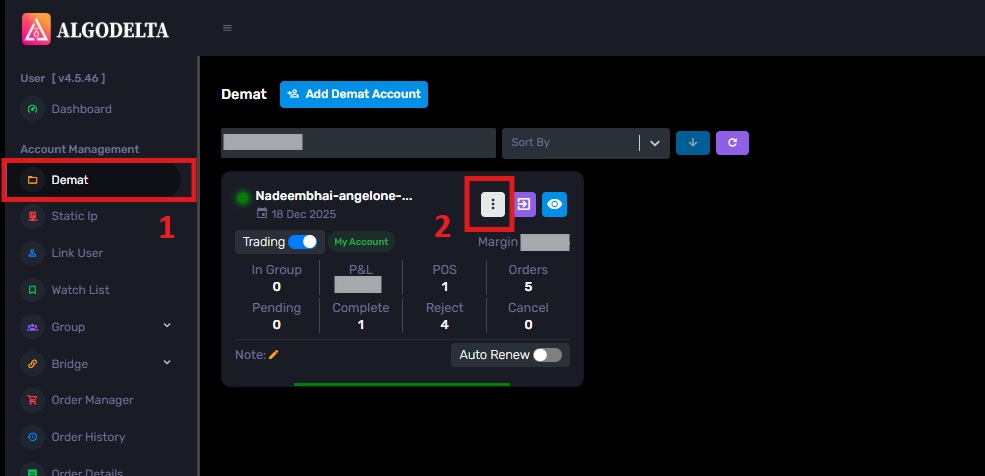
To bind the Static IP with your Profit Mart account, go to the Demat tab and click on the three-dot menu. Select the Reconnect option.
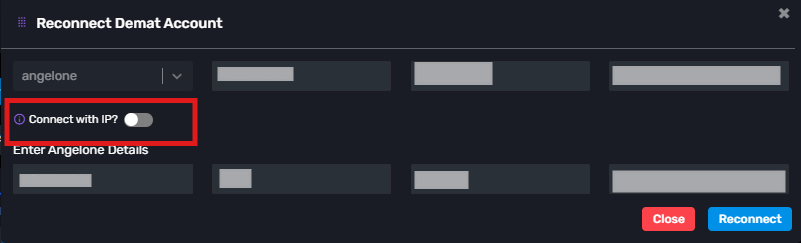
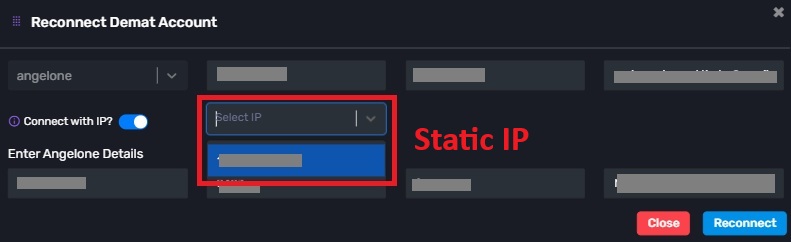
Next, enable the “Connect with IP” setting and choose the Static IP that you purchased and linked for Alice blue copy trading.
Conclusion:
By following these steps, you will successfully connect your Profitmart account to AlgoDelta’s Copy Trading software and gain access to its features for enhanced trading experiences.